Stent & Consumables Log
List the stents, balloons, wires and other consumables used in each cath-lab case in a period, with size, lot or serial and value.
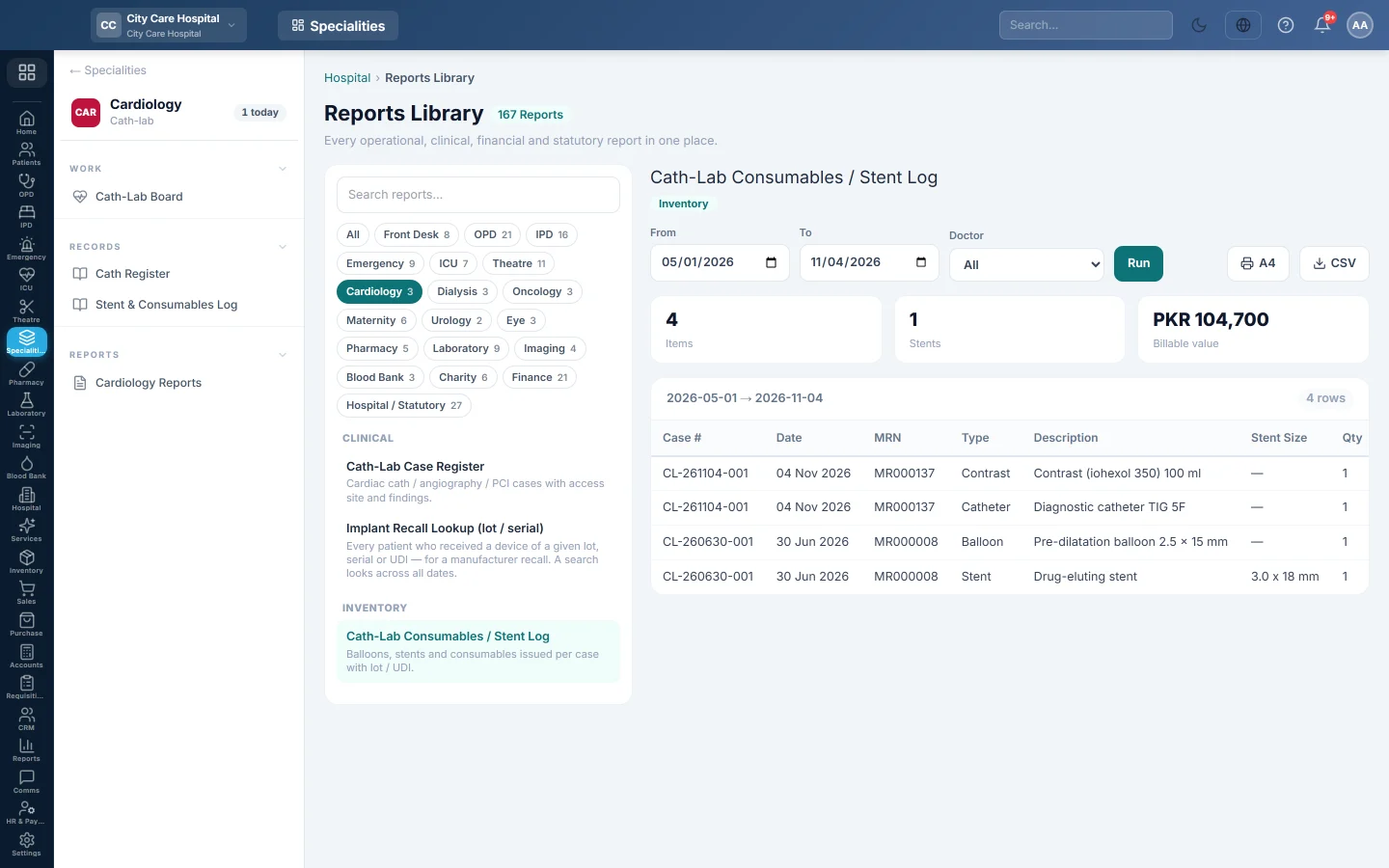
The Cath-Lab Consumables / Stent Log lists every device and consumable recorded on a cath-lab case: stents, balloons, catheters, wires and contrast, with their lot or serial number.
Before you begin
- Your role has the permission to view hospital reports. See Users & Roles.
- The items are recorded on each case's Devices tab on the Cath-Lab Board.
Where to find it
Open Specialities → Cardiology → Records → Stent & Consumables Log. It opens in the Reports Library and runs for the current month.
Run the register
- Set From and To. The log uses each case's scheduled date.
- Narrow it if you like:
- Doctor: cases of one cardiologist.
- Click Run.
The summary shows the number of Items, how many are Stents and the Billable value. The table lists Case #, Date, MRN, Type, Description, Stent Size, Qty, Lot / Serial and Value. Long results are paged, 50 rows at a time.
Print or export
- Click A4 to print the register on your letterhead.
- Click CSV to download every row with the same filters, for Excel.
Common questions
A stent has no lot number. It was not typed on the case's Devices tab. Open the case, add the Lot or UDI and click Save on that row.
A manufacturer recalled a stent lot. How do I find the patients? Run Implant Recall Lookup (lot / serial) in Cardiology Reports and type the lot, serial or UDI. It searches all dates.
Спасибо. Если помощь всё ещё нужна, напишите на info@eloerp.net.