Theatre Reports
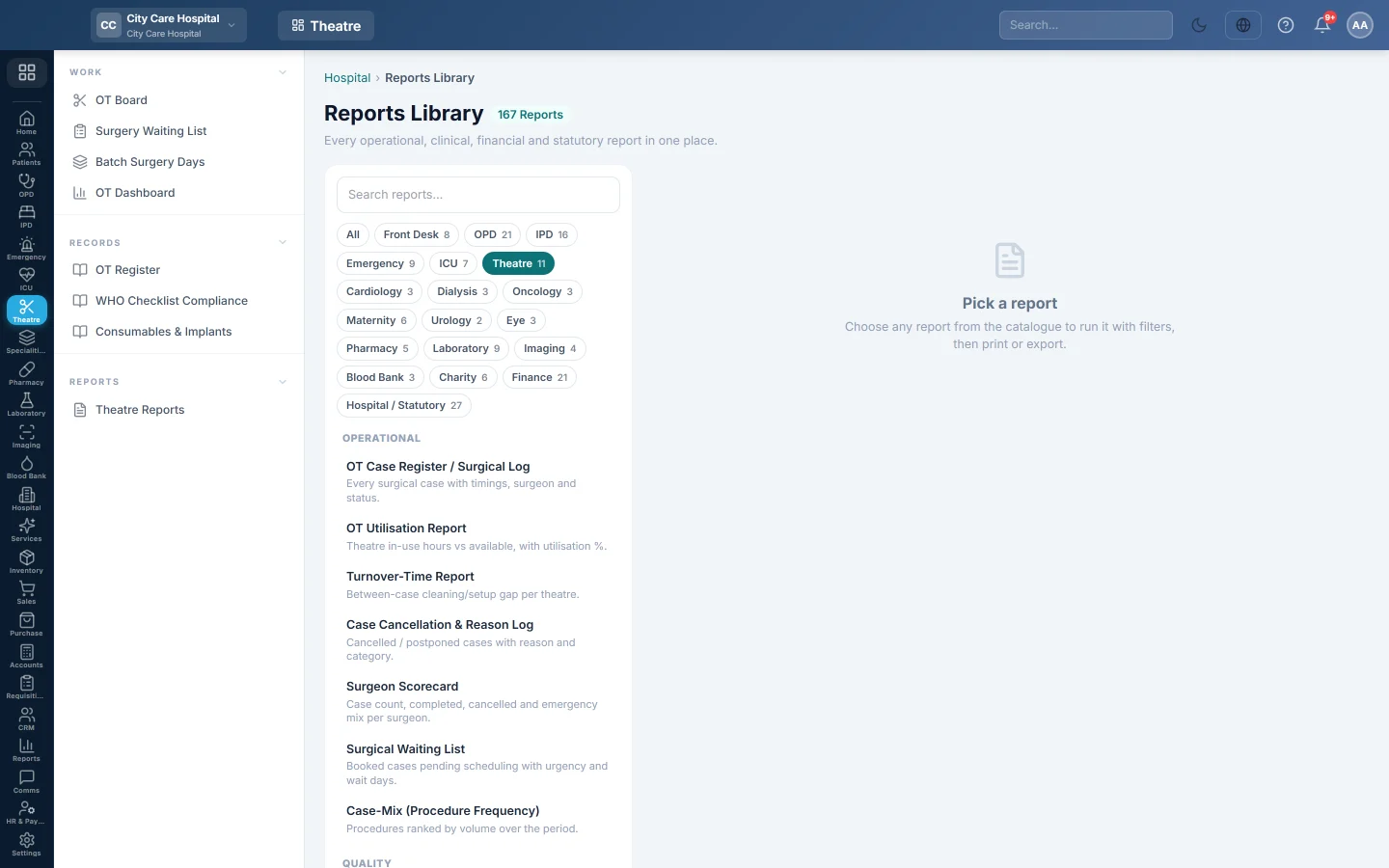
The operation theatre's reports in the Reports Library - registers, cancellations, case mix, utilisation, turnover, first-case starts, surgeon scorecard, waiting list and pre-op fitness.
Theatre Reports opens the Reports Library filtered to the operation theatre's reports. Each one can be printed on A4 or exported to CSV.
Before you begin
- Your role needs the hospital reports permission. See Users & Roles.
Where to find it
Open Operation theatre → Reports → Theatre Reports. The library opens with the Theatre chip selected.
The reports
| Report | What it shows |
|---|---|
| OT Case Register / Surgical Log | Every case. See OT Register. |
| OT Safety Checklist Compliance (WHO) | Checklist phases per case. See WHO Checklist Compliance. |
| OT Consumables & Implant Log | Items and implants used. See Consumables & Implants. |
| Case Cancellation & Reason Log | Cancelled or postponed cases with the reason. |
| Case-Mix (Procedure Frequency) | Procedures ranked by how often they were done. |
| OT Utilisation Report | Theatre hours in use against hours available. |
| Turnover-Time Report | The gap between cases for cleaning and set-up. |
| On-Time First-Case Starts | Whether each theatre's first case started on time. |
| Surgeon Scorecard | Cases, completed, cancelled and emergency mix per surgeon. |
| Surgical Waiting List | Booked cases waiting, with urgency and days waited. |
| Pre-op Fitness / Anaesthesia Clearance | The fitness status of each booking. |
Run a report
- Click the report in the list on the left. It runs at once for the current month.
- Change From and To, and the report's other filters such as Doctor.
- Click Run.
- Click A4 to print with your letterhead, or CSV to download every row.
Common questions
The waiting list report ignores the dates. It lists bookings waiting now, like the Surgery Waiting List.
A report is empty. Nothing matches the period or filters. Widen the dates or set the filters back to All.
¿Le ha resultado útil este artículo?
Gracias. Si todavía necesita ayuda, escriba a info@eloerp.net.