Surgery Waiting List
Surgical bookings waiting for theatre - book a patient for surgery, record the pre-operative assessment and fitness, hold a bed, see the cost estimate and list the case for OT.
The Surgery Waiting List holds the patients booked for an operation who are not in theatre yet. A booking is checked for fitness, then listed for OT and turned into a theatre case.
Before you begin
- Your role needs the surgery manage or appointment create permission. See Users & Roles.
- For a price estimate, set up surgical packages. See Packages.
Where to find it
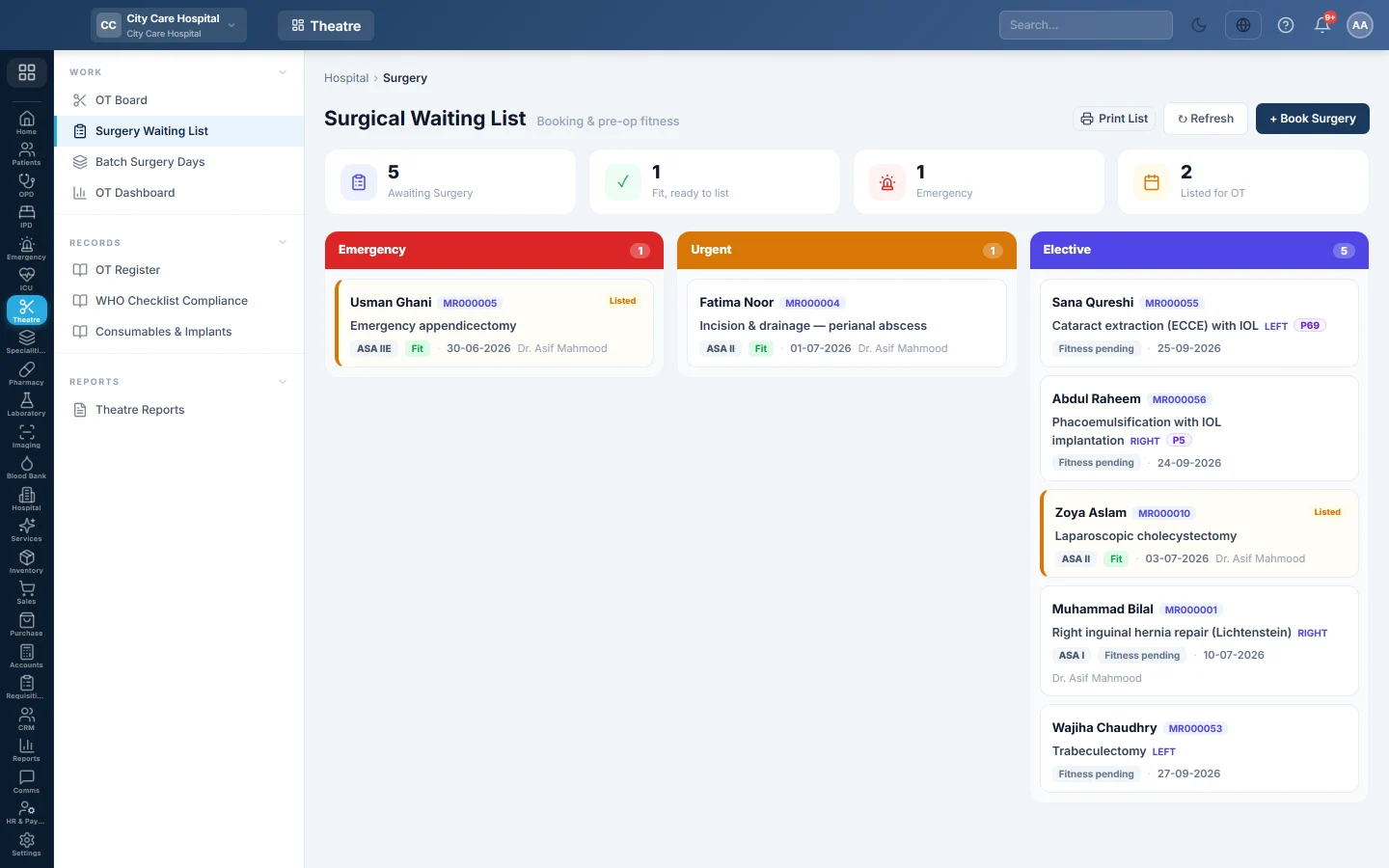
Open Operation theatre → Work → Surgery Waiting List. The page is titled Surgical Waiting List. Doctors can also book from the consultation with Book OT.
Read the list
The tiles show Awaiting Surgery, Fit, ready to list, Emergency and Listed for OT. Bookings are grouped by urgency. Each card shows the procedure, surgeon, target date, fitness and any bed held.
Book a surgery
- Click Book Surgery.
- Pick the Patient. Their allergies show under the name.
- Type the Planned Procedure and choose the Surgeon.
- Choose the Urgency: Elective, Urgent or Emergency.
- Choose the Site / Side and the Target Date.
- Type the Diagnosis, and pick a Package if one applies.
- Click Create Booking.
Assess fitness and list for OT
- Open the booking.
- Under Pre-Operative Assessment, choose the Anaesthesia and the ASA Grade.
- Tick Consent, Investigations done, NPO confirmed and Group & save / crossmatch as each is done.
- Set the Fitness Verdict: Pending, Cleared or Unfit, with Fitness Notes.
- Click Save.
- When fitness is Cleared, click List for OT →.
List for OT stays greyed out with Fitness must be cleared first until the verdict is Cleared.
Create the theatre case
- On a cleared booking, click Create OT case →.
- The OT Board opens with Schedule Surgery filled in from the booking. Choose the theatre and time, and click Schedule.
The booking then shows Open OT case. After the operation, click Mark Done on a listed booking.
More on a booking
- Reserve bed holds a ward bed until the patient comes in. Release frees it.
- Estimate shows what the patient pays on the chosen package, with the bed days included. Save the booking first to see it.
- Cancel Booking asks for the Reason for cancelling.
Common questions
List for OT is greyed out. The Fitness Verdict is not Cleared.
I scheduled a case straight on the OT Board. Is it on this list? No. Only booked patients are here. Booking first keeps the fitness check with the case.
Where are cancelled bookings counted? In Case Cancellation & Reason Log in Theatre Reports.
شكرًا لك. إذا كنت لا تزال بحاجة إلى مساعدة، راسلنا على info@eloerp.net.