Ventilator Days
Ventilated patients and ventilator-days in a period, worked out from the flowsheet rounds that record ventilator or NIV support.
Ventilator Days counts the patients on a ventilator and the days they spent on it in a period. Infection-control teams use it as the base for ventilator-associated infection rates.
Before you begin
- Your role needs the hospital reports permission. See Users & Roles.
- The figures come from flowsheet rounds that record a ventilator mode, or Support set to ventilator or NIV. See Chart an ICU round and hand over.
Where to find it
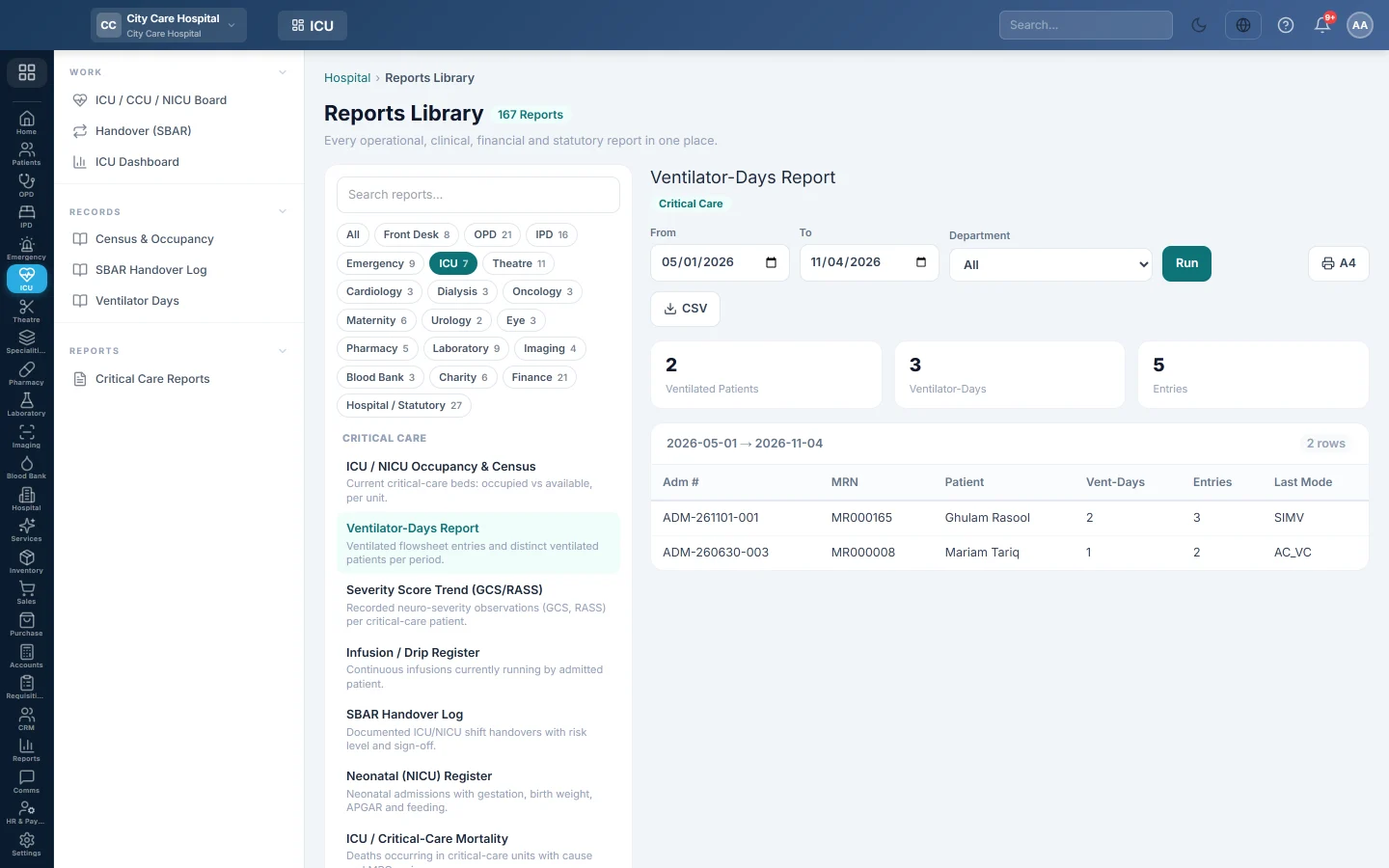
Open Intensive care → Records → Ventilator Days. It opens as Ventilator-Days Report.
Run the report
- Set From and To.
- Optionally pick a Department.
- Click Run.
- Click A4 to print, or CSV to download every row.
What the report shows
The tiles count Ventilated Patients, Ventilator-Days and Entries (rounds on ventilation).
A ventilator-day is one patient on one calendar day with at least one ventilated round.
| Column | What it shows |
|---|---|
| Adm #, MRN, Patient | The admission and patient. |
| Vent-Days | Days with ventilator support in the period. |
| Entries | Ventilated rounds charted. |
| Last Mode | The ventilator mode last recorded. |
Common questions
A ventilated patient is missing. The rounds did not record a vent mode or ventilator support. Fill in Support and Vent Mode on each round.
Why is the count lower than expected? Only days with a charted round count. A day with no round on the flowsheet is not counted.
Vielen Dank. Wenn Sie weitere Hilfe brauchen, schreiben Sie an info@eloerp.net.