Wards & Beds
Set up the hospital's wards and beds with their type, daily rate, usual deposit and welfare quota, and the ward rules for nursing assessment, deposit alerts and the discharge checklist.
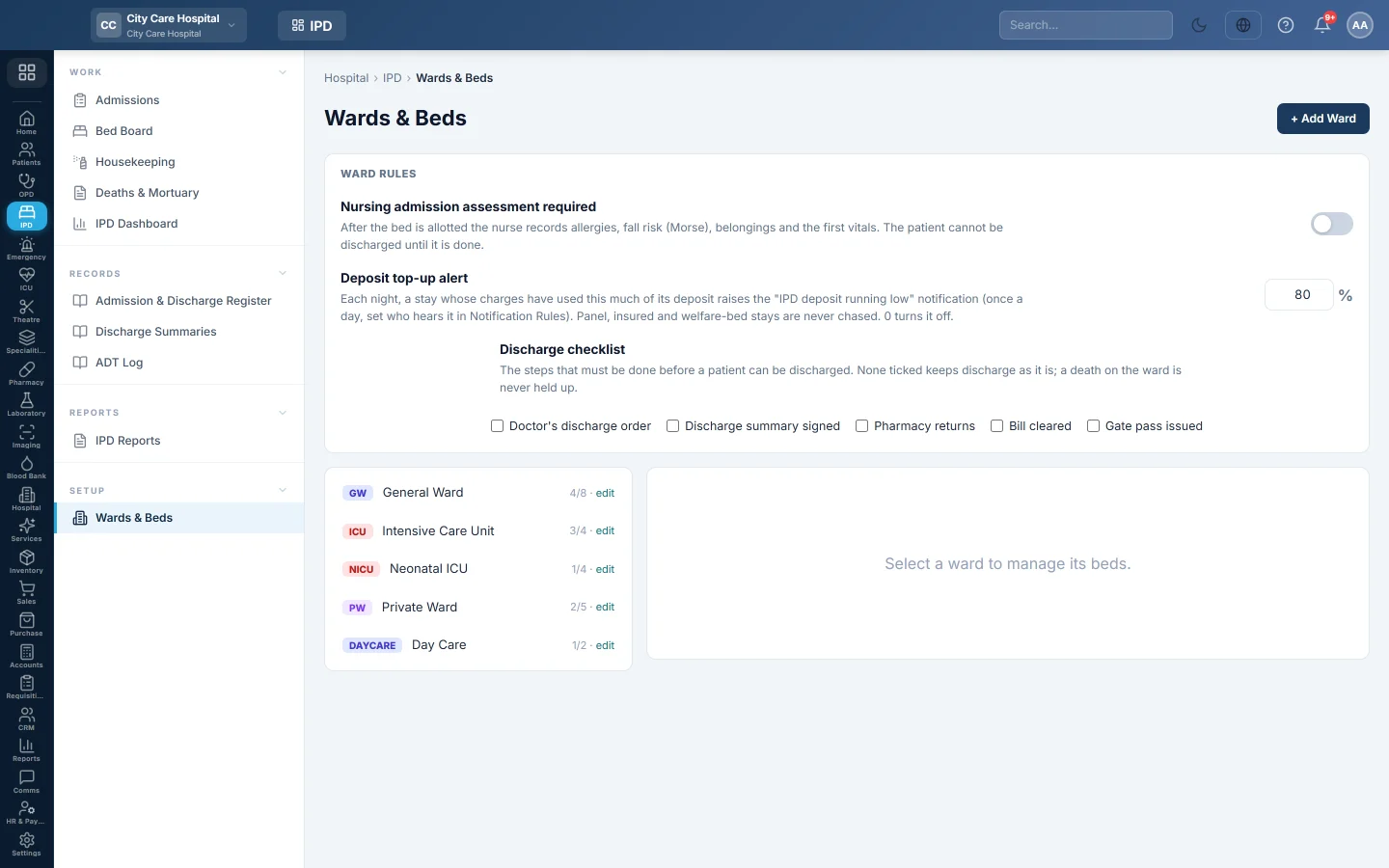
Wards & Beds is where you set up the wards, the beds in each ward and their daily rates. It also holds the ward rules that apply to every admission.
Before you begin
- Adding wards and beds needs the ward and bed permissions. The ward rules need the hospital settings permission. See Users & Roles.
- Departments exist if a ward belongs to one. See Departments.
- Your plan may limit how many beds you can have. When it is reached, adding a bed says Bed limit reached.
Where to find it
Open Inpatients (IPD) → Setup → Wards & Beds.
Add a ward
- Click + Add Ward.
- Type the Code and Name.
- Choose the Type: General, Private, Semi-private, Isolation, ICU, CCU or NICU.
- Type the Floor and the Default Daily Rate for its beds.
- Optionally type the Usual deposit at admission.
- Optionally set Free beds for welfare patients. Once used, a welfare patient goes to a paying bed only with an override.
- Optionally choose the Bed revenue ledger. Left empty, the department or hospital default is used.
- Click Save.
ICU, CCU and NICU wards appear on the ICU / CCU / NICU Board. Isolation wards get a terminal clean after each discharge.
Add beds to a ward
- Click the ward in the list.
- Click + Add Bed.
- Type the Bed No, for example Bed 4, and the Class.
- Type the Daily Rate and choose the Gender the bed is for.
- Click Save.
To take a bed out of use, click Edit and set the Status to Blocked. A bed being cleaned becomes available when housekeeping marks it clean.
Set the ward rules
| Rule | What it does |
|---|---|
| Nursing admission assessment required | The nurse records allergies, fall risk, belongings and the first vitals after the bed is allotted. The patient cannot be discharged until it is done. |
| Deposit top-up alert | Each night, a stay whose charges have used this percentage of its deposit raises the "IPD deposit running low" notification. |
| Discharge checklist | Tick the steps that must be done before discharge: the doctor's discharge order, a signed summary, pharmacy returns, a cleared bill, a gate pass. None ticked keeps discharge simple. |
A death on the ward is never held up by the checklist.
Common questions
Can I change a bed's rate for patients already in it? Yes. The new rate is charged from the next day.
I cannot delete a bed. It is occupied. Discharge or transfer the patient first.
Bed limit reached. Your plan allows that many beds. Block a bed you do not use, or ask your service provider for a larger plan.
Vielen Dank. Wenn Sie weitere Hilfe brauchen, schreiben Sie an info@eloerp.net.