Housekeeping
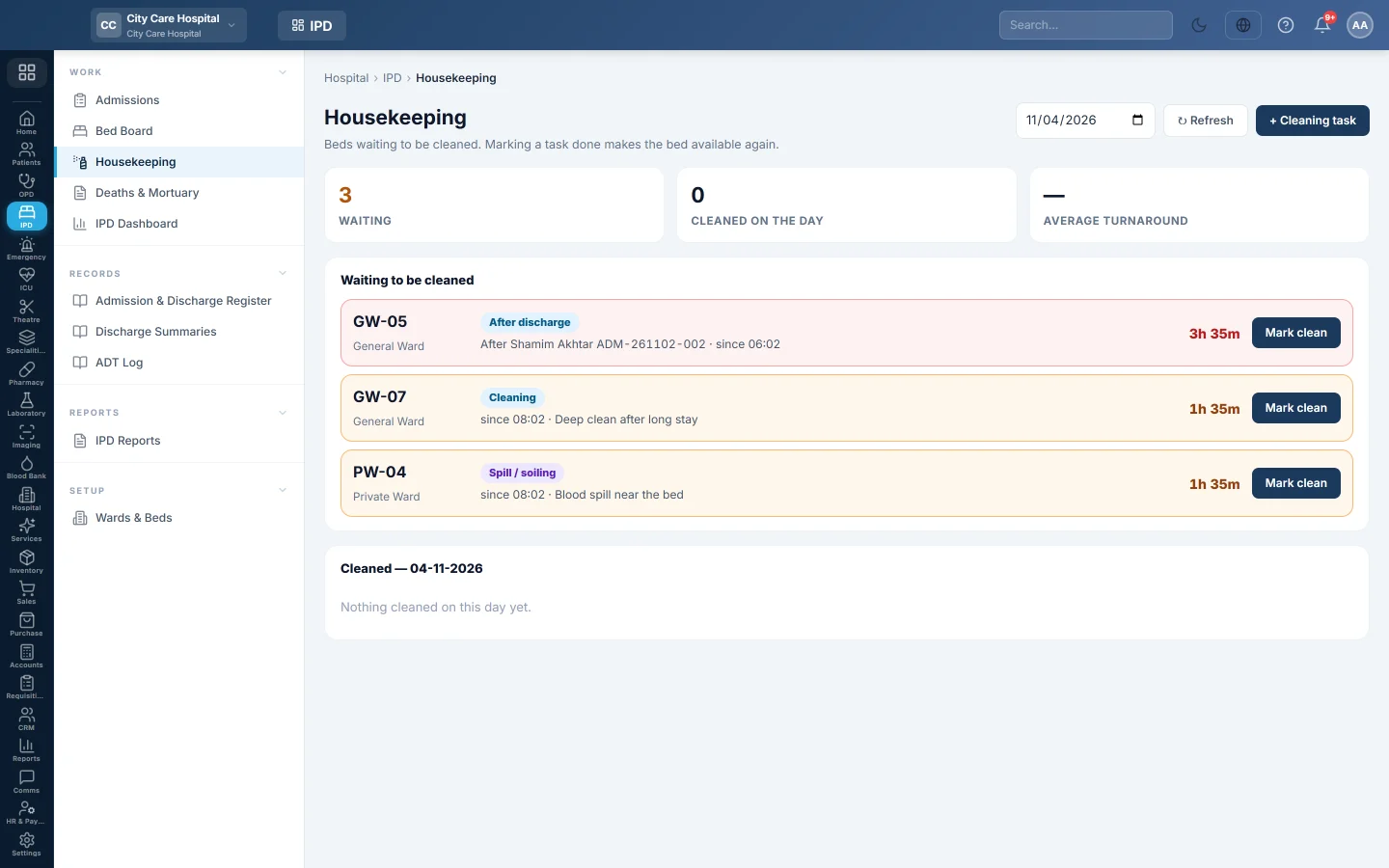
The bed-cleaning list - beds waiting after a discharge or a spill, marking them clean so they can be used again, and the day's cleaning turnaround.
Housekeeping lists the beds waiting to be cleaned. Marking a task done makes the bed available for the next patient.
Before you begin
- Wards and beds are set up. See Wards & Beds.
Where to find it
Open Inpatients (IPD) → Work → Housekeeping.
How beds get here
- A discharge sends the bed for cleaning with the kind After discharge. In an isolation ward it becomes Terminal clean (isolation).
- A transfer sends the bed the patient left with the kind After transfer, or Terminal clean (isolation) in an isolation ward.
- The ward can raise a task by hand: Cleaning, or Spill / soiling at an occupied bed.
Clean a bed
- Find the bed under Waiting to be cleaned. It shows the kind, the patient who left and how long it has waited.
- Click Mark clean when it is done.
The bed becomes Available on Bed Board, and the task moves to the Cleaned list with how long it took and who did it.
Raise a cleaning task
- Click Cleaning task.
- Choose the Bed and the Kind.
- Add a Note, for example blood spill near bed.
- Click Raise task.
A free bed goes out for cleaning until the task is done. An occupied bed stays occupied.
Check the day
Pick a Day at the top. The tiles show what is Waiting, how many beds were Cleaned on the day, and the Average turnaround.
Common questions
The page says Every bed is clean. Nothing is waiting. New tasks appear after the next discharge or transfer, or when the ward raises one.
Can I mark a bed clean from the bed board? Yes. Click the bed on Bed Board and Mark clean.
Why does an occupied bed have a task? Someone raised a Spill / soiling task. The patient stays in the bed.
Vielen Dank. Wenn Sie weitere Hilfe brauchen, schreiben Sie an info@eloerp.net.