ADT Log
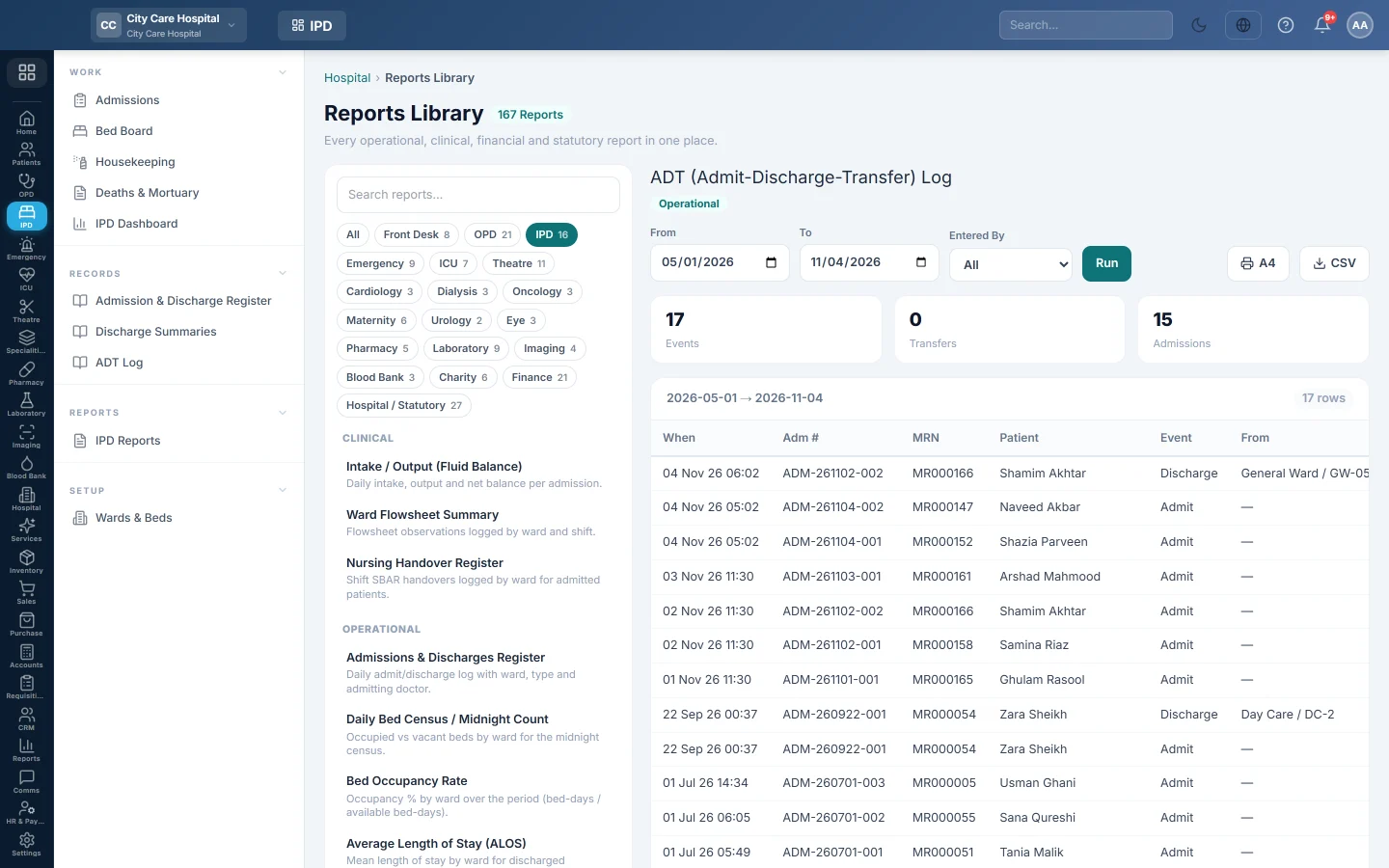
The admit-discharge-transfer log - every admission to a bed and every transfer with the ward and bed it came from and went to, and who did it.
The ADT Log lists the movements of inpatients: each admission to a bed and each transfer between wards or beds. Use it to trace where a patient was and who moved them.
Before you begin
- Your role needs the hospital reports permission. See Users & Roles.
- The report runs in the Reports Library.
Where to find it
Open Inpatients (IPD) → Records → ADT Log. It opens as ADT (Admit-Discharge-Transfer) Log.
Run the log
- Set From and To.
- Optionally pick a user in Entered By to see one person's moves.
- Click Run.
- Click A4 to print, or CSV to download every row.
What the report shows
The tiles count Events, Transfers and Admissions.
| Column | What it shows |
|---|---|
| When | Date and time of the movement. |
| Adm #, MRN, Patient | The admission and patient. |
| Event | Admit or Transfer. A day-case stay settled at a specialty desk also logs its Discharge. |
| From, To | The ward and bed before and after. |
| Notes | Any note entered with the move. |
| By | The user who made it. |
Common questions
How do I transfer a patient? Click Transfer on Admissions or on the bed in Bed Board.
Can I see one patient's moves only? Open the patient's discharge page: Ward Movements (ADT) lists them. Or export the CSV and filter it.
Gracias. Si todavía necesita ayuda, escriba a info@eloerp.net.