Discharge Summaries
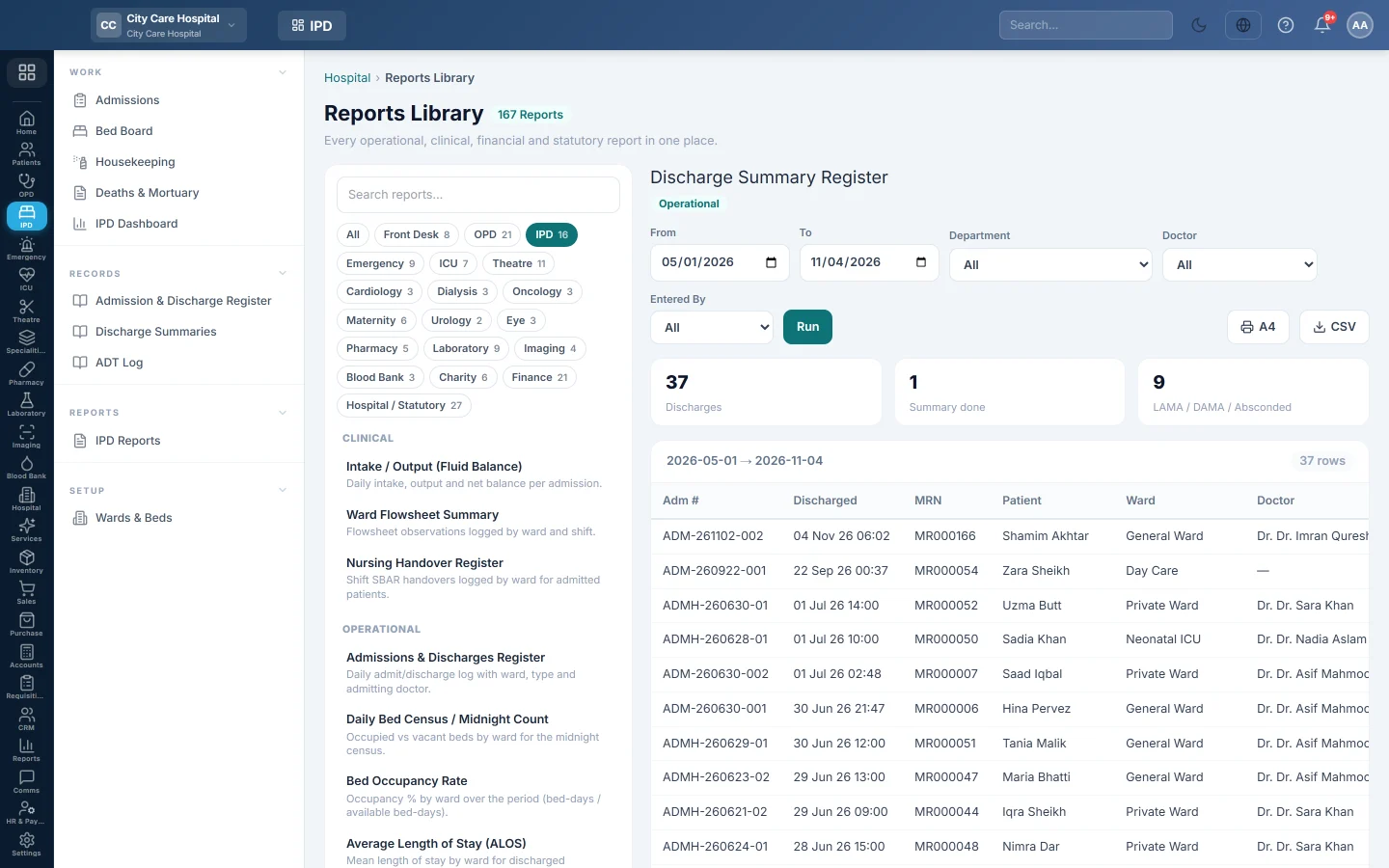
The register of discharges in a period, with discharge type, length of stay and whether a discharge summary was written.
Discharge Summaries lists the patients discharged in a period and whether each has a discharge summary. Medical records use it to chase missing summaries and to count LAMA, DAMA and absconded cases.
Before you begin
- Your role needs the hospital reports permission. See Users & Roles.
- The report runs in the Reports Library.
Where to find it
Open Inpatients (IPD) → Records → Discharge Summaries. It opens as Discharge Summary Register.
Run the register
- Set From and To. The register lists discharges in this period.
- Optionally pick a Department, a Doctor or a user in Entered By.
- Click Run.
- Click A4 to print, or CSV to download every row.
What the report shows
The tiles count Discharges, Summary done and LAMA / DAMA / Absconded.
| Column | What it shows |
|---|---|
| Adm #, Discharged | The admission and when the patient left. |
| MRN, Patient | Who was discharged. |
| Ward, Doctor | The ward and the admitting doctor. |
| Type | The discharge type: Recovered, Referred, LAMA, DAMA, Absconded or Expired. |
| LOS (d) | Length of stay in days. |
| Summary | A tick when a discharge summary was written. |
| Entered By, Entered At | Who made the admission and when. |
Common questions
How do I print one patient's discharge summary? Open the admission and click Discharge Summary on its discharge page. See Discharge a patient.
The CNIC on the printed summary shows stars. Your role does not have the permission to see full CNICs, so the print masks it. Ask your administrator if the summary must carry the full number.
A summary shows as missing. Nothing was written in the discharge summary when the patient left.
Why is the LOS 0? The patient was admitted and discharged on the same day.
Vielen Dank. Wenn Sie weitere Hilfe brauchen, schreiben Sie an info@eloerp.net.