Follow-ups
The recall list of patients whose doctor set a follow-up date, so the front desk can call them and book their next appointment.
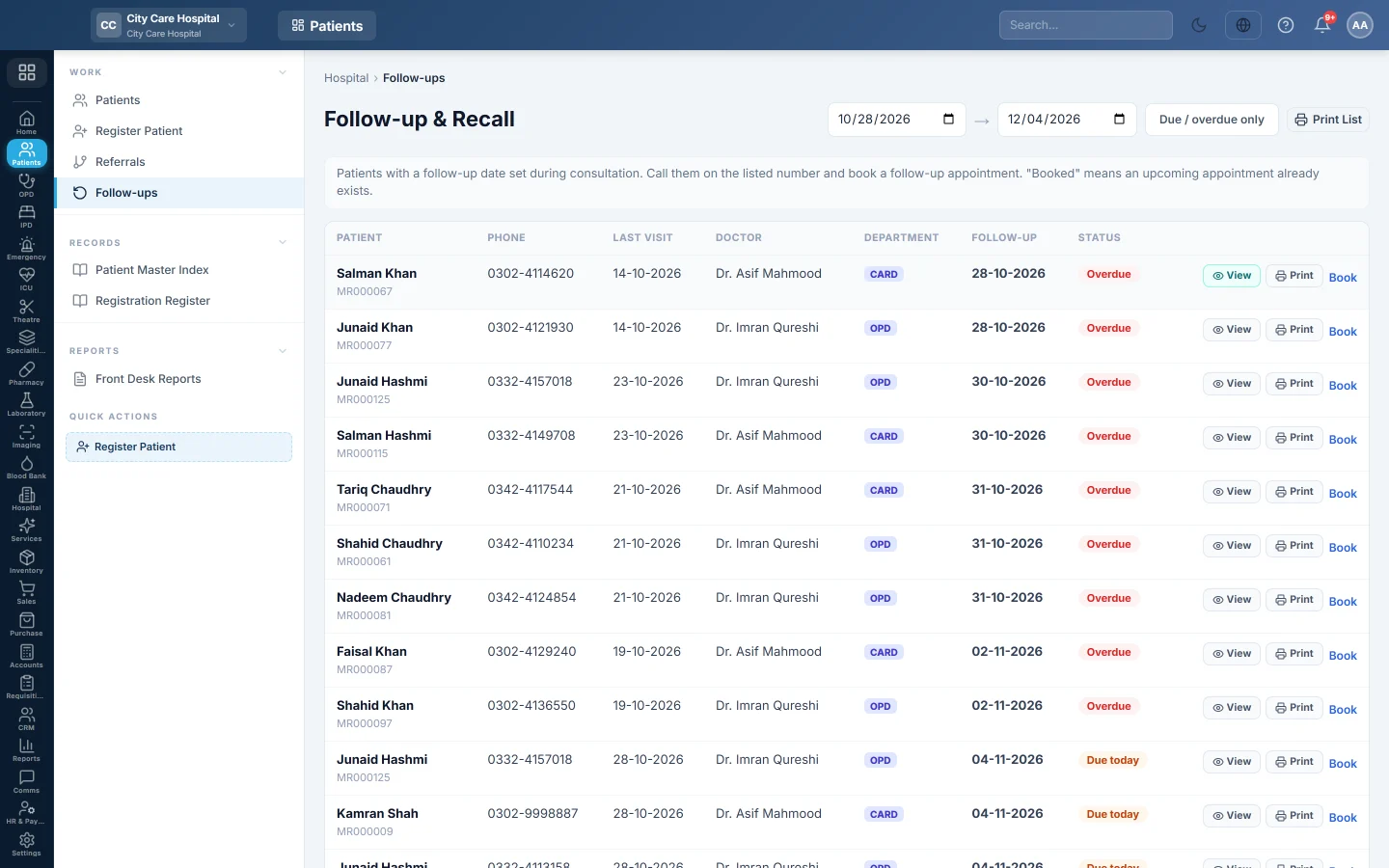
Follow-ups lists patients whose doctor set a follow-up date during the consultation. The front desk calls them on the number shown and books their next appointment.
Before you begin
- Your role needs the appointment view permission. Booking needs the appointment create permission. See Users & Roles.
- Patients appear only when the doctor fills in the follow-up date in OPD Consultation.
Where to find it
Open Patients → Work → Follow-ups. The page is titled Follow-up & Recall.
Work the recall list
- Set the date range at the top. It starts one week back and runs 30 days ahead.
- Click Due / overdue only to hide patients who are not due yet.
- Call the patient on the Phone shown.
- Click Book to open Appointments with the patient already filled in, and book the visit.
The Status shows Overdue, Due today or Upcoming. ✓ booked means the patient already has an upcoming appointment, so Book is hidden.
Click View or Print to open or print the prescription from the visit that set the follow-up. The print button at the top prints the Follow-up & Recall Register.
Common questions
A patient I expect is missing. The doctor did not set a follow-up date, or the date is outside the range at the top. Widen the range.
Why does Book not show? The patient already has an upcoming appointment (✓ booked), or your role cannot book appointments.
Can patients get a reminder message? Reminders are sent by notification rules, not from this page. This list is for calling patients from the desk.
Thank you. If you still need help, write to info@eloerp.net.