New Requisition
Raise a request for goods to buy, to take from the store or to move between warehouses or branches, and submit it for approval.
Use New Requisition to ask for goods: from a supplier, from your own store, or from another warehouse or branch. You save it as a draft, then submit it for approval.
Before you begin
- Your role needs the permission to create requisitions, and to submit them.
- The products exist. A line can also be free text for something not in your product list. See All Products.
- For a transfer, the source and destination warehouses or branches exist. See Warehouses.
Where to find it
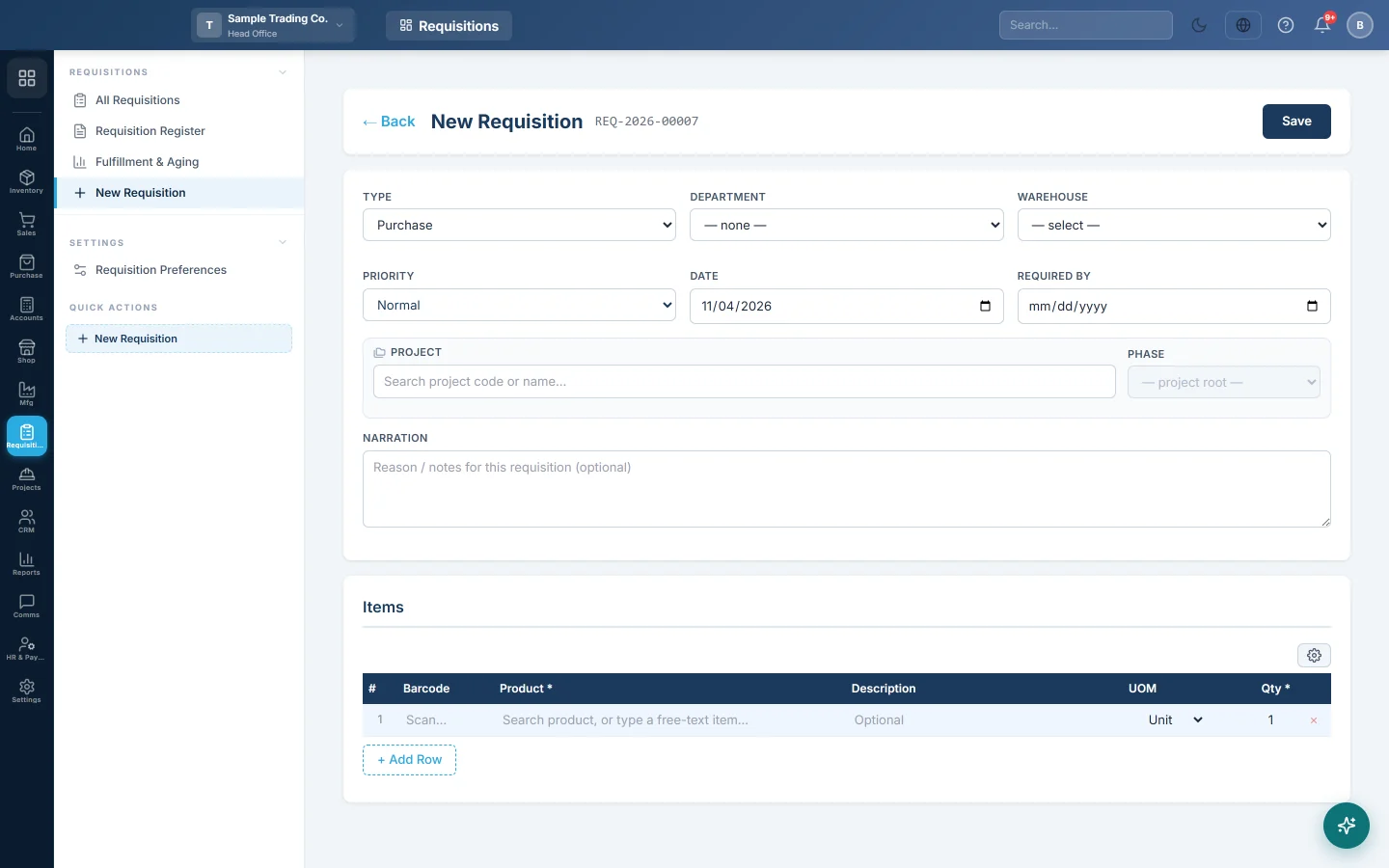
Open Requisitions → Requisitions → New Requisition, or click New Requisition on All Requisitions.
Raise a requisition
- Choose the Type: Purchase, Store or Transfer.
- Pick the Department that needs the goods, for example Kitchen.
- Pick the Warehouse the goods are for, or come from.
- Choose the Priority: Low, Normal, High or Urgent.
- Check the Date and set the Required By date.
- For a Transfer, choose the Transfer Mode (Warehouse ↔ Warehouse or Branch ↔ Branch) and the source and destination.
- Optionally pick the Project the goods are for, and type a Narration, the reason for the request.
- Under Items, add each product with its quantity and unit. Type a description instead for an item that is not a product.
- Click Save.
The requisition is saved as a draft with a number, and Submit appears.
Submit for approval
- Check the lines.
- Click Submit.
If the estimated total is below the approval amount, it is approved at once. Otherwise it shows pending approval and approvers are notified when a notification rule is set up for Requisition submitted. See Rules.
The estimated total uses each product's purchase price. See Requisition Preferences for the approval amount.
Approve or reject
An approver opens the requisition and clicks:
- Approve to allow it to be fulfilled;
- Reject, and types the reason. The requester can then correct it and click Submit again.
Print it
Click Print to print the requisition, for example to hand to the store keeper.
Common questions
Submit is not showing. Save the requisition first. Submit appears only on a saved draft or a rejected requisition.
Can I change a requisition after submitting? No. Only drafts and rejected requisitions can be changed.
Do I need to enter prices? No. The estimate comes from the products' purchase prices. Purchasing sets the real price on the purchase order.
Where does the requisition go next? To the store or purchasing, who fulfil it from All Requisitions.
Gracias. Si todavía necesita ayuda, escriba a info@eloerp.net.