Reports
Production totals for a period, the raw materials consumed and the actual cost and margin of each product you made.
Manufacturing Reports has three reports for a period: how many work orders ran and what they cost, which raw materials were used, and what each product actually cost to make against its sale price.
Before you begin
- Complete some work orders. See Work Orders.
- The reports read the branch selected in the top bar.
Where to find it
Open Manufacturing → Manufacturing → Reports.
Pick a period and a report
- Set the two dates at the top. The period starts at the first of this month.
- Click Refresh.
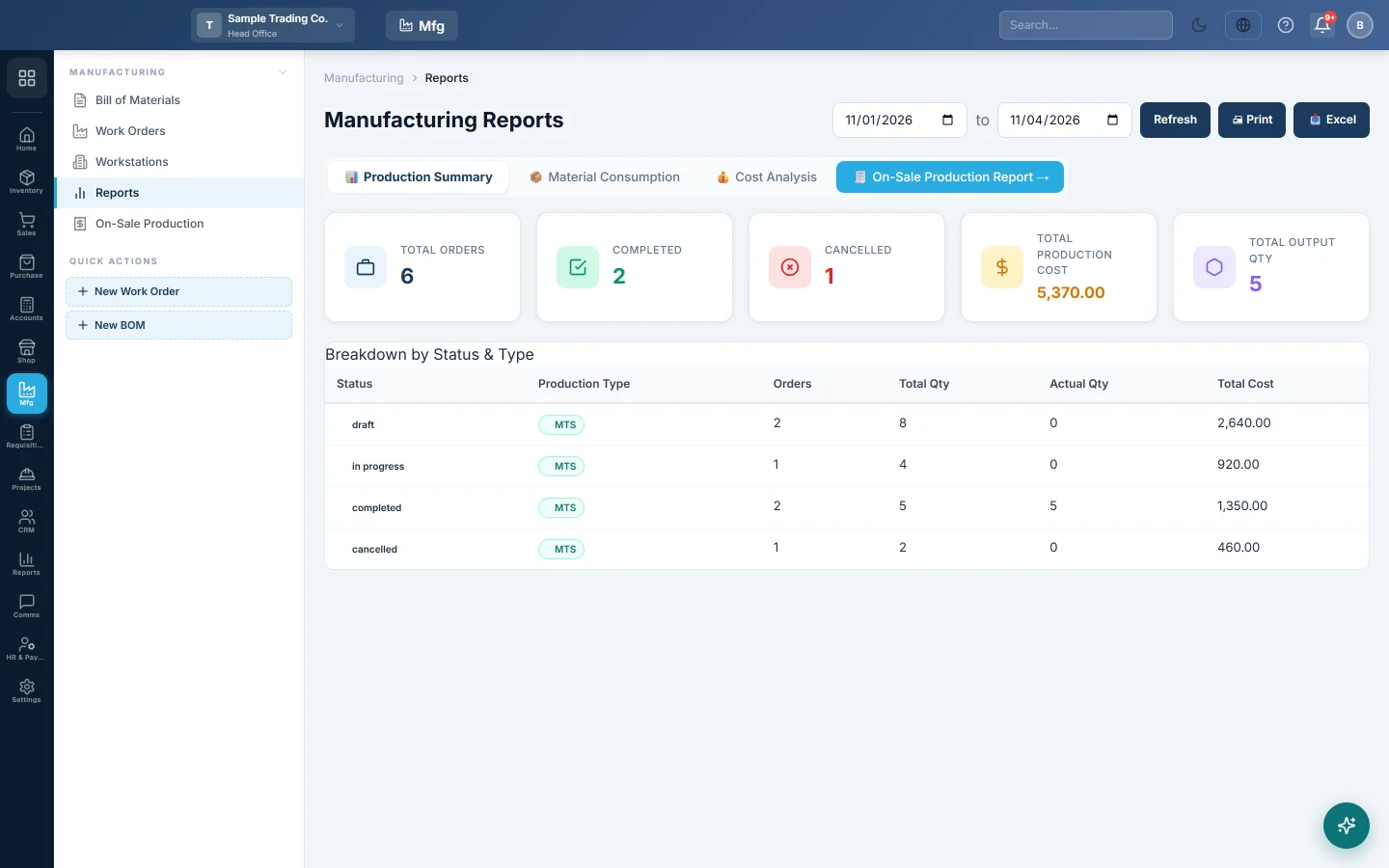
- Click a tab: 📊 Production Summary, 📦 Material Consumption or 💰 Cost Analysis.
- Click Print or Excel to take the report away.
On-Sale Production Report opens the report of work orders raised by sales. See On-Sale Production.
What each report shows
| Report | What it shows |
|---|---|
| Production Summary | Total Orders, Completed, Cancelled, Total Production Cost and Total Output Qty, then a breakdown by status and production type with planned and actual quantities. |
| Material Consumption | Each raw material used in the period, with Total Consumed, Avg Rate, Total Cost and Cost % of all materials. |
| Cost Analysis | Per finished product: WOs, Total Produced, BOM Cost/Unit, Actual Cost/Unit, Sale Price, Profit/Unit and Margin %. |
Production Summary and Cost Analysis count work orders created in the period. Material Consumption counts materials by the date they were consumed.
Common questions
Why does Actual Cost/Unit differ from BOM Cost/Unit? The BOM uses the cost typed in the recipe. The actual cost uses what the materials cost in stock when they were consumed, and the quantity really made.
A product is missing from Cost Analysis. Only completed work orders count. Complete the work order, or widen the dates.
Are make-to-order runs included? Yes. Work orders raised by sales count like any other.
Merci. Si vous avez encore besoin d’aide, écrivez à info@eloerp.net.