Courier Rules
Write rules that choose the courier for an order by city, payment, weight and value, with failover and load splits, and simulate them on recent orders.
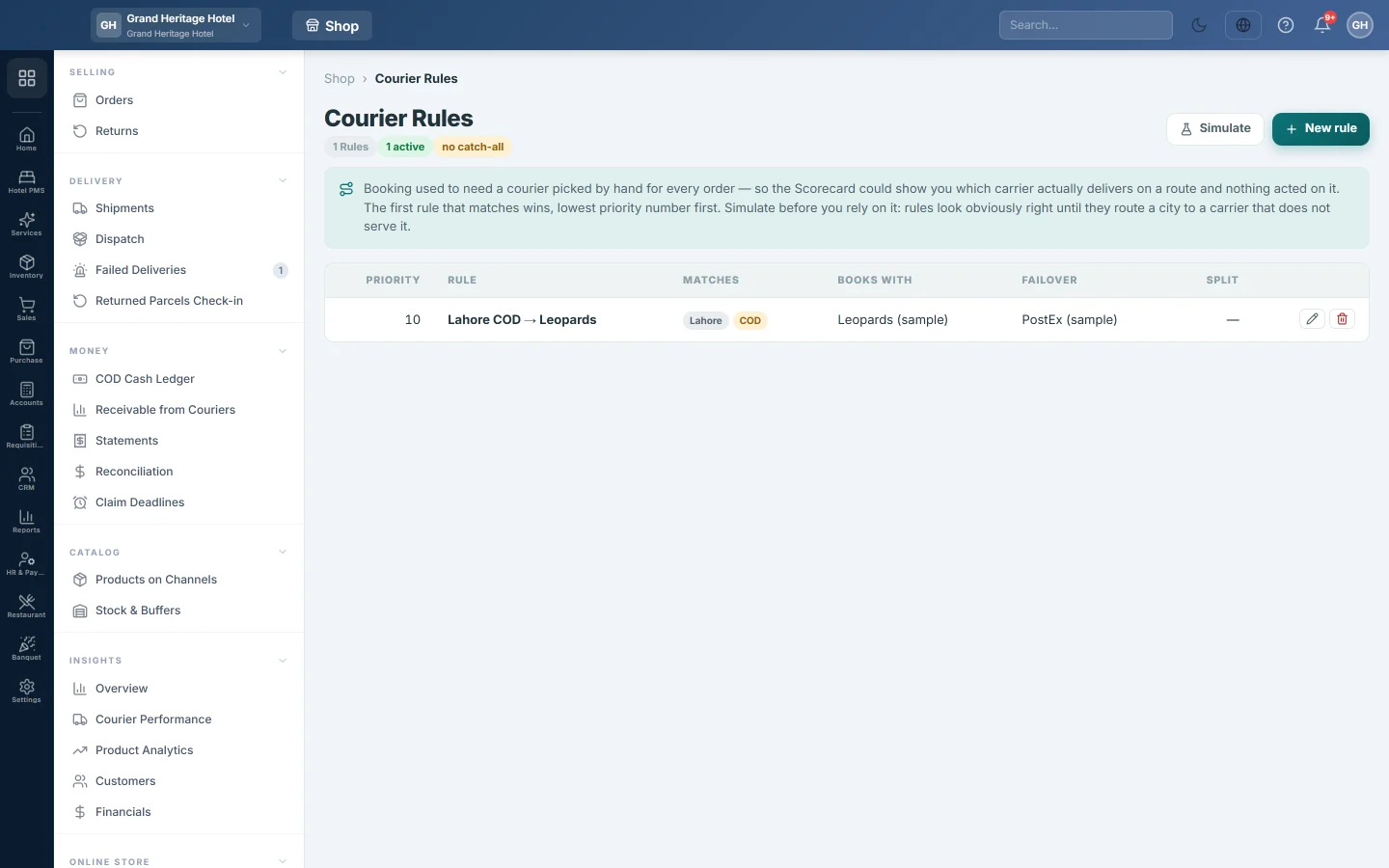
Courier Rules decide which courier an order should go with, for example Karachi COD orders go with Leopards. The first rule that matches wins, lowest Priority number first.
Before you begin
- Add your couriers first. See Courier Accounts.
- To route by real delivery results, the couriers need settled parcels on Courier Performance.
Where to find it
Open Online shop → Setup → Courier Rules.
Add a rule
- Click New rule.
- Type a Name, for example Karachi COD → Leopards.
- Set the Priority. A lower number is checked first.
- Under Match — leave blank for “any”, fill in only what the rule is about: City, Payment (COD or Prepaid), Weight min (kg), Weight max (kg), Value min and Value max.
- Under Then book with, choose the Courier and, optionally, the Service type.
- Optionally tick Route to whichever courier is actually delivering best in this city (from the Scorecard), and set the Minimum settled parcels. Below that number the rule uses the courier you chose.
- Optionally set Share of volume (%) to split orders between several rules at the same priority.
- Optionally pick couriers under Failover — tried in order when booking fails.
- Keep Active ticked and click Save rule.
Simulate the rules
- Click Simulate.
- Read the result for the last 7 days: how many orders are unchanged, how many would change carrier and how many are unmatched.
- Check the rows: Booked with is what you used, Would book with is what the rules choose, and Why is the reason.
Simulate before you rely on a rule. A rule can look right and still send a city to a courier that does not deliver there.
Change, pause or delete a rule
Click the pencil to change a rule. Untick Active to pause it; paused rules show paused and are skipped. Click the bin to delete it.
Common questions
Do I still pick the courier when I book? Yes. On this release the booking screens on Dispatch and Orders still ask you to choose the courier. Use the rules and Simulate to see which courier each order should go with.
How does a split work? Several matching rules at the same priority with a Share of volume (%) share the orders. The same order always lands on the same courier, so booking it again does not switch carrier.
Why is the scorecard choice not used? The city has fewer settled parcels than Minimum settled parcels, so the rule falls back to the courier you chose.
谢谢。 如果仍需帮助,请发邮件至 info@eloerp.net。