Reconciliation
Settle a courier's cash-on-delivery payment or a gateway's payout on one page, by ticking the orders it covers or uploading the settlement file.
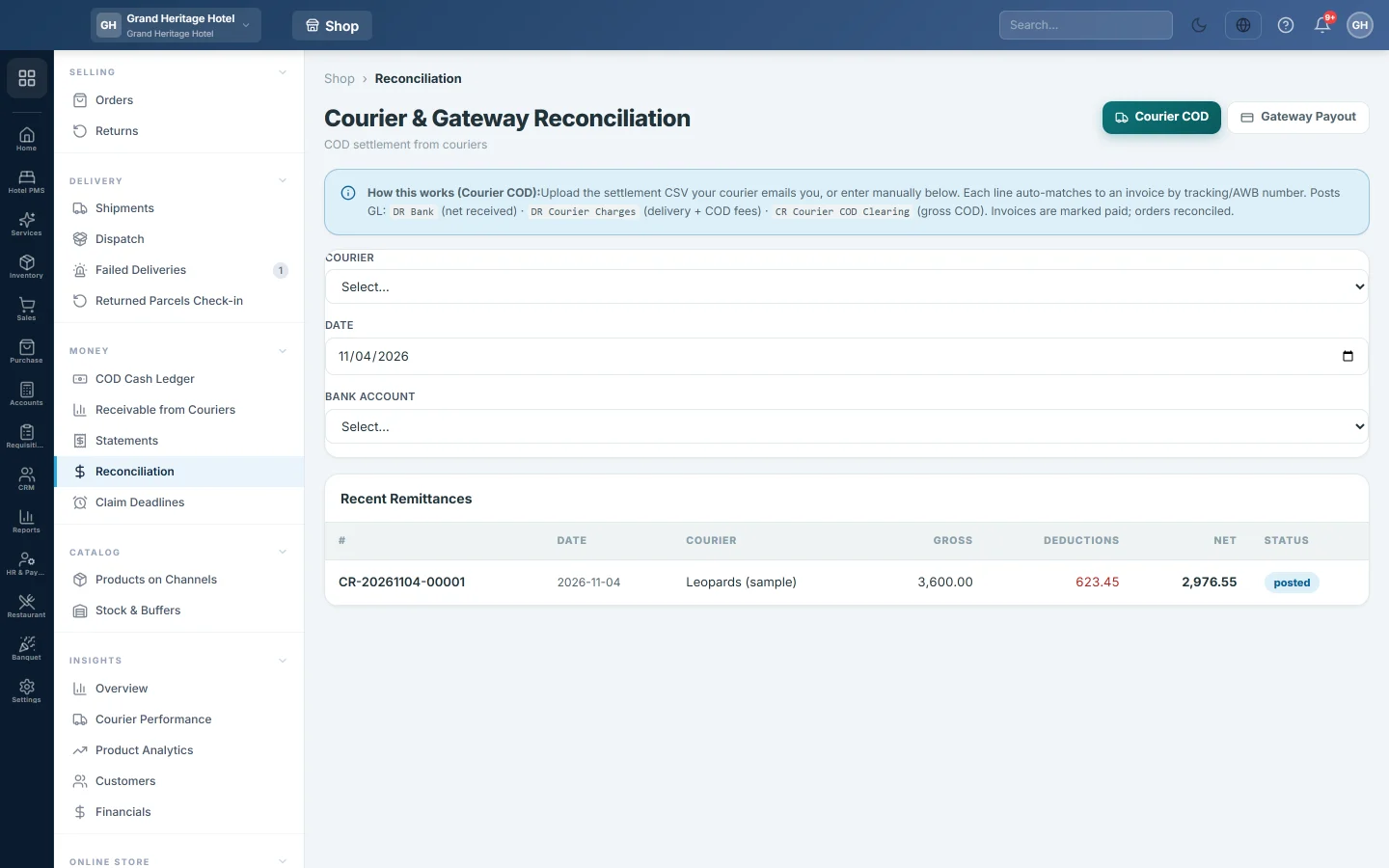
Reconciliation is a one-page desk for settling what a courier or a payment gateway has paid you. Pick the courier or gateway, tick the orders the payment covers or upload their file, and post. It posts the same entries as Statements.
Before you begin
- Your couriers are set up on Courier Accounts and the COD orders were dispatched, so each has a sale invoice.
- The Gateway Payout button appears only when you have a payment gateway, which is made the first time your online store takes a card or wallet payment.
- Your role needs View Reconciliation to open the page and Perform Reconciliation to post. See Users & Roles.
Where to find it
Open Online shop → Money → Reconciliation. The Reconcile buttons on Receivable from Couriers open it too.
Settle a courier payment
- Leave Courier COD selected at the top right.
- Choose the Courier. Its un-settled COD invoices load under Eligible Invoices.
- Set the Date the money arrived and the Bank Account it went into. Each bank shows as bank — account title ··last four digits.
- Tick each invoice the payment covers. The COD Amount fills in from the order.
- Type what the courier kept in Delivery Fee, COD Fee, Other and WHT.
- For a parcel that came back, change Status to Returned (RTO). Its COD and COD fee are cleared; enter any return charge in Delivery Fee.
- Check the Totals row, then click Post Settlement.
Settle a gateway payout
- Click Gateway Payout at the top right.
- Choose the Payment Gateway. Its prepaid orders not yet paid out load.
- Set the Date and the Bank Account.
- Tick the orders in the payout and enter the Fee, Refund and Chargeback for each.
- Click Post Settlement.
Upload the settlement file
Once a courier or gateway is chosen, an Import box appears.
- Click Upload CSV and pick the file the courier or gateway sent.
- Each line is matched to an invoice: by tracking or AWB number for couriers, by transaction ID for gateways, then by order number.
- If the columns cannot be found, Map CSV Columns opens. Choose which column holds Tracking / AWB or Order #, the amounts and, for a courier, the WHT, then click Import with this mapping.
- In CSV Import Preview, check the chips: Matched, Mismatch and Unmatched. Rows marked Not Found have no invoice and cannot be ticked.
- Untick any row you do not want. The footer shows how many rows will post and the Net to bank:.
- Click Post Remittance ({n} rows). The same button posts a gateway payout.
Review what was posted
Recent Remittances (or Recent Payouts) at the bottom lists the last ten, with Gross, Deductions, Net and Status. To see the details or void one, open it on Statements.
What happens in the books
The same as on Statements. For a courier: the bank is debited with the net, the courier's charges and the withholding tax are debited to their accounts, and the courier's COD Clearing is credited with the gross. Each invoice is marked paid. A Returned (RTO) line reverses its sale and puts the goods back into stock.
For a gateway: the bank is debited with the net, fees, refunds and chargebacks are debited to their accounts, and the gateway's Clearing is credited.
Common questions
The Gateway Payout button is missing. You have no payment gateway yet. It appears after your online store takes its first card or wallet payment. See Online Store.
A line says Mismatch. The amount in the file differs from the order's COD by more than the courier's Tolerance ±%, set on Courier Accounts. Check it before you tick it.
No Bank Account is chosen. Where does the money go? To your cash account. Pick the bank account before posting.
Can I undo a settlement? Yes. Open it on Statements and click Void.
Obrigado. Se ainda precisar de ajuda, escreva para info@eloerp.net.