Balance Sheet
What the business owns, owes and is worth on any date, with a check that assets equal liabilities plus equity.
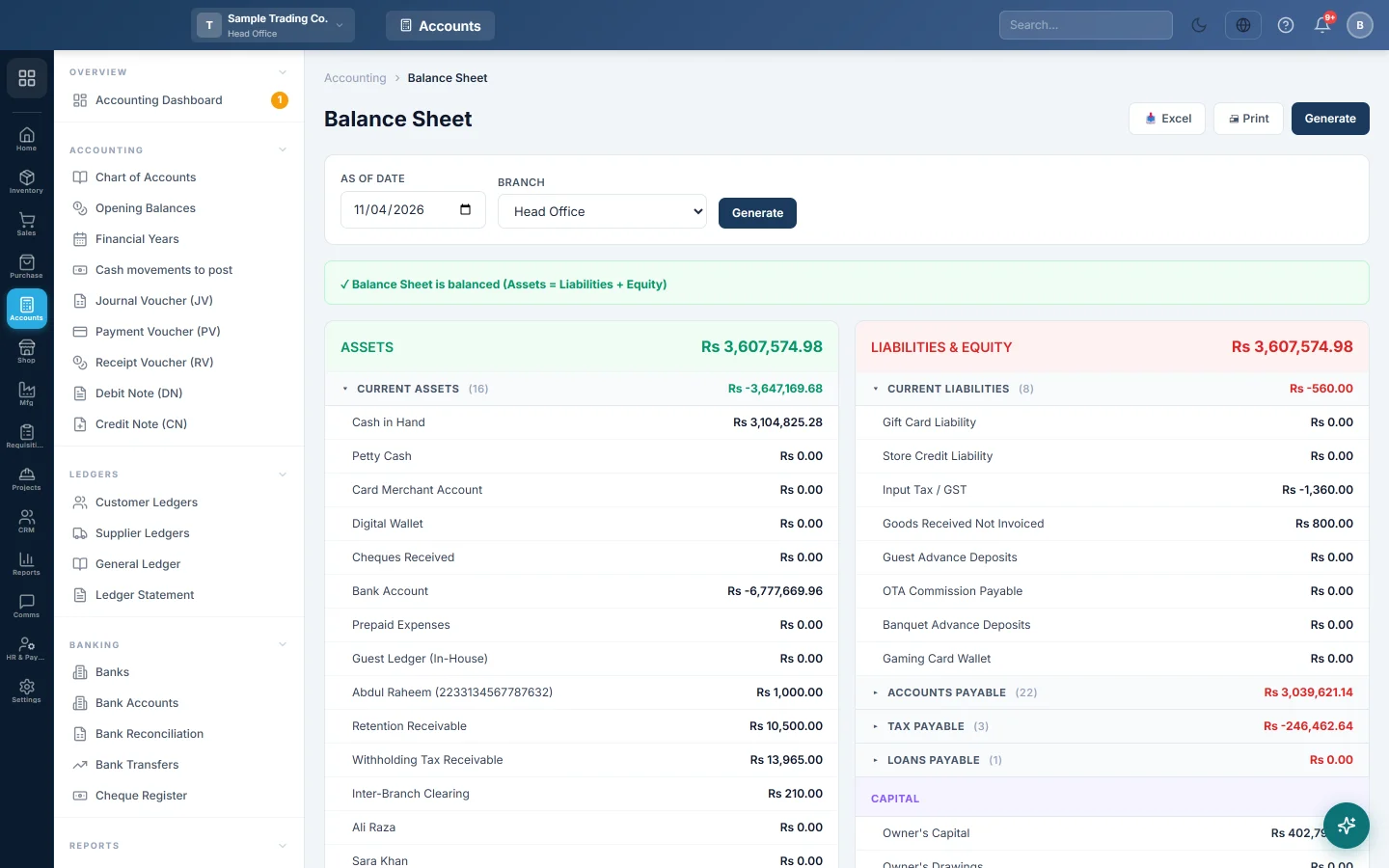
The Balance Sheet shows what your business owns (assets), what it owes (liabilities) and what belongs to the owners (equity) on one date. Assets must always equal liabilities plus equity; the banner at the top checks this for you.
Before you begin
- Your plan must include the Balance Sheet. If it is missing from the menu, your plan does not have it.
- Your role needs permission to view the Balance Sheet. Your administrator sets this in Users & Roles.
- Enter your opening balances first, or the sheet starts from zero. See Opening Balances.
Where to find it
Open Accounting → Reports → Balance Sheet.
Run the report
The report opens for today's date.
- Set As of Date.
- If you work at head office, pick a Branch, or All Branches (Consolidated).
- Click Generate.
Users outside head office do not see the Branch box. Their report always shows their own branch.
Read the report
The left card is ASSETS; the right card is LIABILITIES & EQUITY. Each card lists its accounts by account group, with the group total on the group row. Click a group's name to open or close it. Receivable and payable groups, and any group with more than 50 accounts, start closed.
Each balance is everything posted to the account up to the as-of date, including opening balances.
The equity part ends with the profit not yet moved into Retained Earnings:
- Net Profit or Net Loss, with its dates: the result of the financial year that contains the as-of date, from the start of that year to the as-of date. The Profit & Loss for exactly those dates shows the same figure.
- Unclosed result of earlier periods: profit or loss of earlier years that were never closed. It shows only when there is such an amount.
Total Assets and Total Liabilities + Equity are at the foot of each card.
A worked example:
| Assets | Liabilities & Equity | ||
|---|---|---|---|
| Cash in Hand | Rs 50,000 | Supplier: Main Wholesale | Rs 30,000 |
| Ali Traders (customer) | Rs 20,000 | Owner's Capital | Rs 100,000 |
| Stock in hand | Rs 110,000 | Net Profit | Rs 50,000 |
| Total Assets | Rs 180,000 | Total Liabilities + Equity | Rs 180,000 |
A customer who is also a supplier has one shared account. The sheet shows a net amount owed by them under assets, and a net amount owed to them under liabilities.
Print or export
- Click Print for a printed sheet grouped by section.
- Click Excel to download the same rows as a spreadsheet.
When it does not balance
The banner says Balance Sheet does NOT balance when the two totals differ by Rs 1 or more. Check these in order:
- Run the Trial Balance to the same date. If it does not balance either, fix that first; its Likely cause(s): box names the problem.
- Look for switched-off accounts that still hold a balance. The Balance Sheet lists active accounts only, so reactivate the account or move its balance with a Journal Voucher.
- Check that every account sits under a group with a type of asset, liability, equity, income or expense in the Chart of Accounts.
Common questions
Why does Net Profit here differ from my P&L? This line covers the financial year that contains the as-of date, up to that date. Your P&L may cover another range. Run the Profit & Loss for the dates shown beside Net Profit.
How do I clear the Unclosed result of earlier periods? Close each old year on Financial Years. The closing voucher moves that year's profit into Retained Earnings and the line goes away.
Why is a customer's balance on the liabilities side? The customer has paid you more than they owe, or they are also a supplier you owe money to. Their net balance is shown where it belongs.
Can I see the Balance Sheet of a past date? Yes. Set As of Date to that date and click Generate. Every balance is worked out up to that date.
What is the Translation Reserve line? It appears when a branch keeps its books in another currency. Its balances are converted at the closing rate, and the difference goes to this equity line. See Currencies.
Terima kasih. Jika masih butuh bantuan, kirim email ke info@eloerp.net.