Quotations
Record the prices a supplier quotes you, mark the one you accept, and turn it into a purchase order or invoice.
A purchase quotation keeps the prices a supplier has offered you. When you accept one, you turn it into a purchase order or an invoice without typing the lines again.
Before you begin
- The supplier and products exist, see All Suppliers and All Products.
- Your role needs the purchase quotation permissions. Converting a quotation is a separate permission, see Users & Roles.
Where to find it
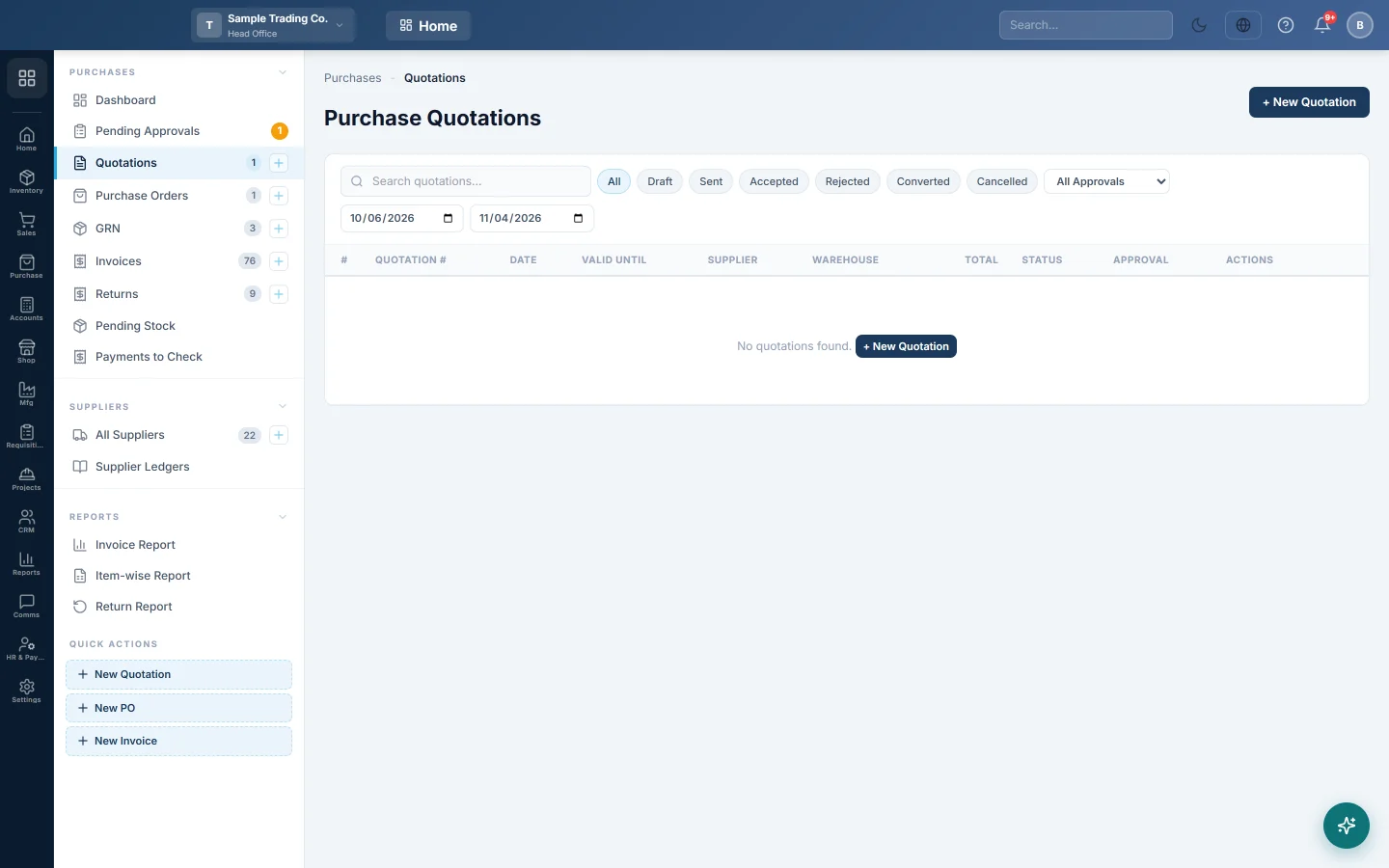
Open Purchases → Purchases → Quotations. The side menu also has a New Quotation quick action.
Record a supplier's quotation
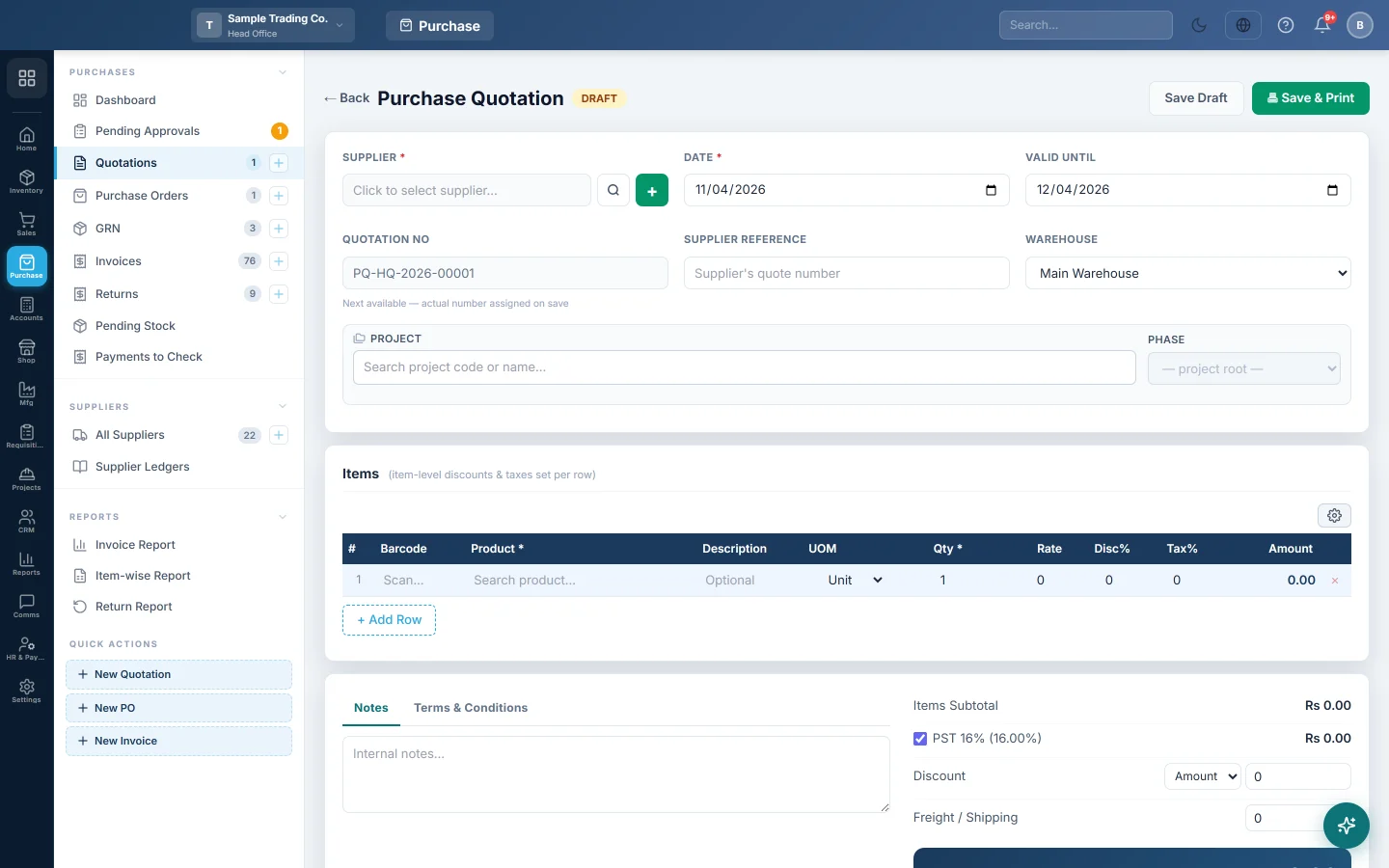
- Click + New Quotation.
- Click the SUPPLIER box and pick the supplier. The + button adds a new one.
- Set the DATE and, if the supplier gave one, VALID UNTIL.
- Type the supplier's own quote number in SUPPLIER REFERENCE.
- Add the products, quantities and quoted rates under the items.
- Click Save Draft, or Save & Print.
Accept a quotation
- Open the quotation.
- Click ✓ Mark Accepted and confirm.
If the quotation's total is at or above the Purchase Quotation approval threshold in Purchase Preferences, ✓ Approve must be clicked first by an approver.
Turn it into an order or an invoice
- Open the accepted quotation.
- Click 📋 Convert to Order to send the supplier a purchase order. Or click 📄 Convert to Invoice if the goods and bill have already come, see Invoices.
- The new draft opens. Check it and carry on from there.
The quotation then shows as Converted and cannot be converted again. In the list, the same actions are small buttons on each row.
Cancel or delete a quotation
- ✗ Cancel marks a quotation you will not use as cancelled.
- A draft can be deleted with 🗑 Delete, or the bin button in the list.
Common questions
Does a quotation change stock or what I owe? No. Only confirmed GRNs and invoices do that.
Can I compare quotes from two suppliers? Enter one quotation per supplier. Filter the list by status, or search, to see them side by side, then convert the one you choose.
I cannot edit a quotation. Only draft and sent quotations can be changed. Accepted, converted and cancelled ones are fixed.
Do I have to make an order first? No. If you do not send orders, convert the quotation straight to an invoice.
Thank you. If you still need help, write to info@eloerp.net.