Dashboard
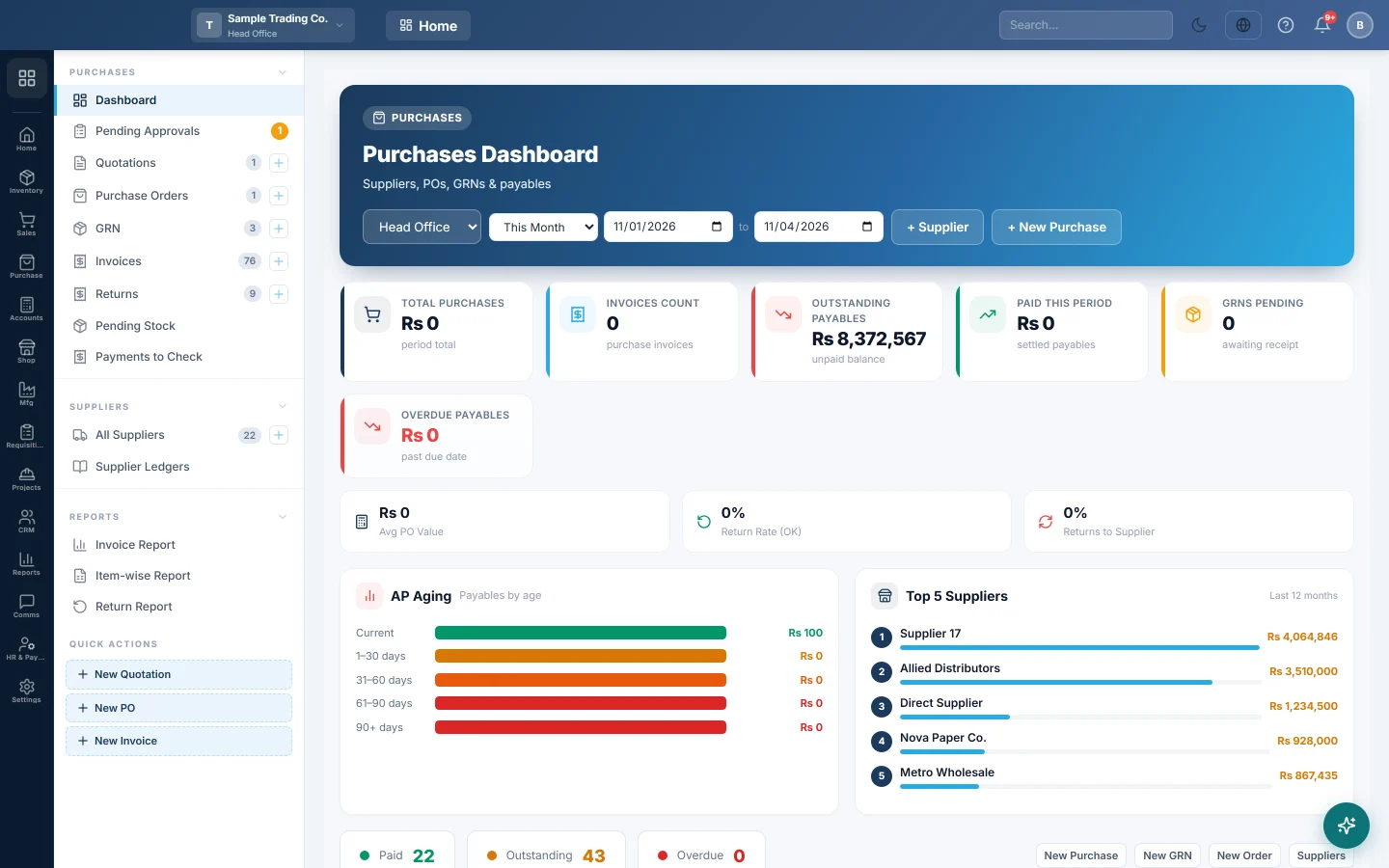
The Purchases home page, with what you bought and owe this period, payables by age, top suppliers and products, and orders on the way.
The Purchases Dashboard is the first page of the Purchases module. It shows what you bought and paid in a period, what you still owe, and what is on the way.
Before you begin
- The figures come from confirmed purchase invoices, orders and GRNs. Drafts are not counted.
- If you work in more than one branch, the dashboard opens on your current branch.
Where to find it
Open Purchases → Purchases → Dashboard.
Choose the period and branch
- Use the date range at the top to pick the period, for example this month.
- If you have several branches, pick one in the branch box, or All Branches.
What the dashboard shows
| Part | What it tells you |
|---|---|
| Total Purchases and Invoices Count | The value and number of confirmed purchase invoices in the period. |
| Outstanding Payables | The unpaid balance on all confirmed bills, whatever their date. |
| Paid This Period | What was paid on the period's bills. |
| Overdue Payables | Unpaid balances past their due date. |
| Avg PO Value and Return Rate | The average order value and returns as a share of purchases. A return rate over 2% is marked (High). |
| AP Aging | Payables split into Current, 1–30 days, 31–60 days, 61–90 days and 90+ days. |
| Purchases Trend | Purchases over time. |
| Top 5 Suppliers and Top 10 Products Purchased | Who and what you buy from most. |
| Inventory On Order | Approved orders still waiting for goods. Click one to open it. |
| Recent GRNs and Recent Purchases | The latest goods receipts and invoices. |
| Lead Time per Supplier | Average days from order to GRN over the last 12 months. |
Start a document
Use + New Purchase at the top for a new invoice, or + Supplier to add a supplier. The quick buttons also have New GRN, New Order and Suppliers.
Common questions
Outstanding Payables differs from my supplier balances. This card adds up unpaid bills. Supplier ledgers also include opening balances, advances and vouchers. See Supplier Ledgers.
Why is Lead Time empty? It needs orders received on a GRN in the last 12 months. Purchases entered straight as invoices have no order date to measure from.
Where do I see which bills are overdue? Open Payables Aging (AP), or check the Due Date column on the invoice list.
Merci. Si vous avez encore besoin d’aide, écrivez à info@eloerp.net.