FBR Reconciliation
For Pakistan FBR Digital Invoicing, paste the invoice numbers from your IRIS portal export and see which match, which FBR is missing and which are only at FBR.
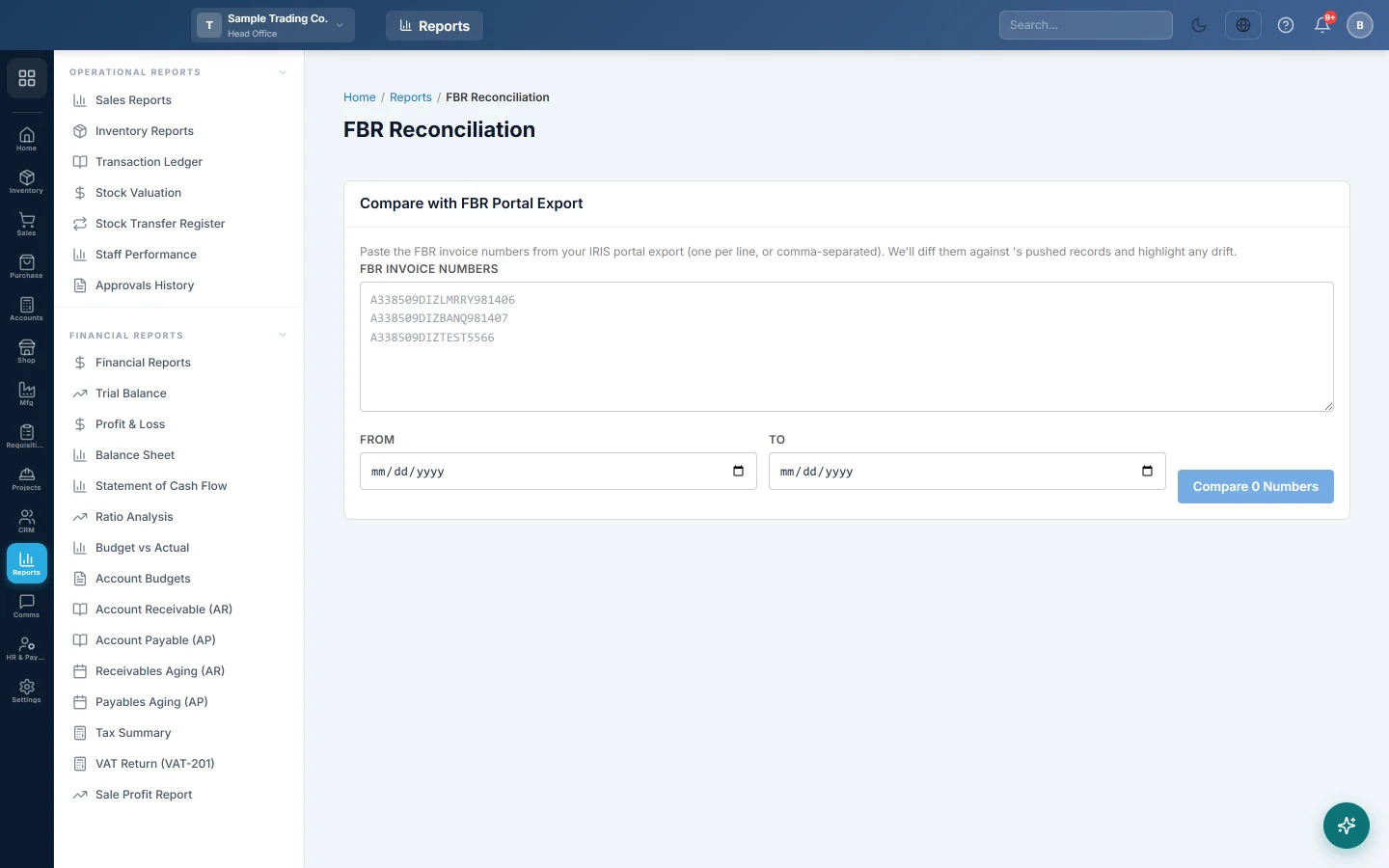
FBR Reconciliation checks that the Federal Board of Revenue (FBR) holds every invoice you pushed, and nothing more. You paste the FBR invoice numbers from your IRIS portal export, and EloERP compares them with its own pushed invoices.
This report is for businesses in Pakistan using FBR Digital Invoicing.
Before you begin
- Your service provider must switch on FBR for your company. Until then this menu item is hidden.
- Your role needs View FBR Reports. Your administrator sets this in Users & Roles.
- Download the list of your invoices from the IRIS portal for the period you want to check.
- The comparison uses the invoices of the branch you are working in. Check each branch on its own.
Where to find it
Open Sales → Reports → FBR Reconciliation.
Compare with the FBR portal export
- Copy the FBR invoice number column from your IRIS export.
- Paste it into FBR Invoice Numbers, one per line or separated by commas.
- Set From and To to the period of the export. These are the dates the invoices were pushed. Leave them empty to compare with every pushed invoice.
- Click Compare 120 Numbers. The button counts the numbers you pasted.
Read the result
The Diff Result cards show:
| Card | What it means |
|---|---|
| FBR portal | How many different numbers you pasted. |
| EloERP | How many invoices EloERP marked as pushed in the dates. |
| Matched | In both lists. Nothing to do. |
| EloERP only | Marked as pushed here, but not in your FBR list. |
| FBR only | In your FBR list, but no pushed invoice here carries that number. |
Click the tabs under the cards to see each list. EloERP only and Matched show the Invoice #, FBR # and Total. FBR only shows just the FBR number.
What to do with the differences
- EloERP only: check the export covers the same dates and branch. If it does, look the invoice up on the IRIS portal by its FBR #, and contact FBR if it is missing.
- FBR only: the number may belong to another branch, another system, or a test. Type it in Search on Authority Submitted Invoices in each branch; the search matches the authority's number.
Common questions
Why do many numbers show as FBR only? Your export probably covers more branches or more dates than you chose here. Match the From and To dates, and run the check in each branch.
Does the comparison change anything? No. It only reads and compares. Nothing is pushed, changed or deleted.
Are amounts compared? No. Only the FBR invoice numbers are matched. Check totals on the FBR Submission Report.
Where do I push an invoice FBR does not have? Open FBR POS Integration. An invoice that FBR never accepted shows there as pending or failed.
谢谢。 如果仍需帮助,请发邮件至 info@eloerp.net。