FBR Submission Report
For Pakistan FBR Digital Invoicing, see how many sale invoices were pushed, are pending or failed in a period, the tax reported and the most common FBR error codes.
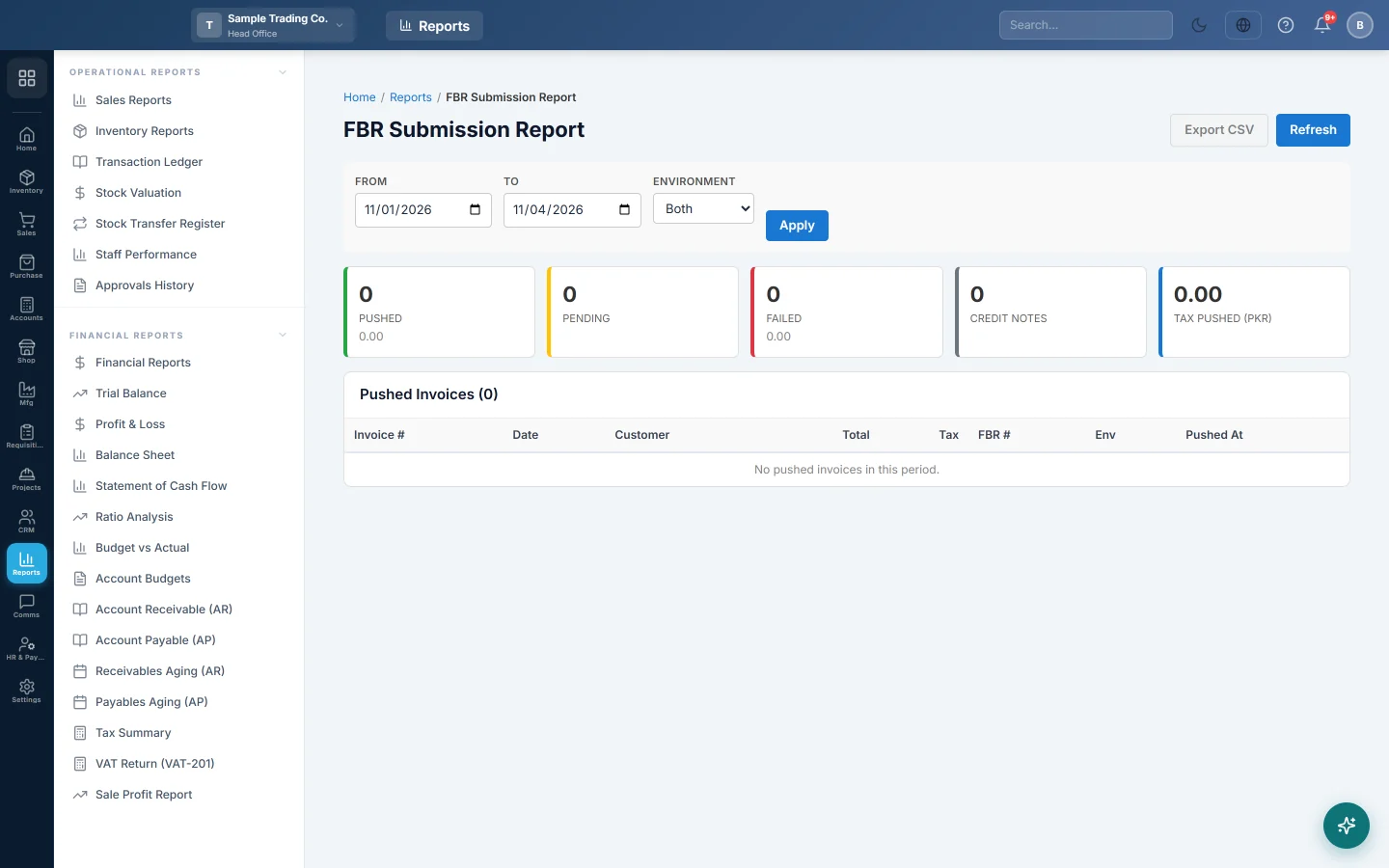
The FBR Submission Report shows how your sale invoices stand with the Federal Board of Revenue (FBR): how many were pushed, how many wait and how many FBR refused, with the most common error codes.
This report is for businesses in Pakistan using FBR Digital Invoicing.
Before you begin
- Your service provider must switch on FBR for your company. Until then this menu item is hidden.
- Set up the FBR connection. See FBR Digital Invoicing.
- Your role needs View FBR Reports. Your administrator sets this in Users & Roles.
- The report shows the branch you are working in.
Where to find it
Open Sales → Reports → FBR Submission Report.
Run the report
The report opens for the current month, from the 1st to today.
- Set From and To. These are invoice dates.
- Pick an Environment: Both, Sandbox or Production.
- Click Apply. Refresh reloads with the same filters.
Read the figures
| Card | What it shows |
|---|---|
| Pushed | Invoices FBR accepted, with their total value underneath. |
| Pending | Invoices in the period with no FBR result yet. |
| Failed | Invoices FBR refused, with their total value underneath. |
| Cancelled | Invoices whose FBR status is cancelled. |
| Tax Pushed (PKR) | The sales tax on the pushed invoices. |
Top Failure Codes lists up to 10 FBR error codes from the period, how often each came back, and a sample message. Fix the most frequent one first: one fix often clears many invoices.
Pushed Invoices lists up to 500 accepted invoices, last pushed first, with Invoice #, Date, Customer, Total, Tax, FBR #, Env and Pushed At. FBR # is the number FBR gave the invoice. Env is sandbox (FBR's test system) or production (live).
Export the pushed invoices
Click Export CSV. The file lists the pushed invoices shown on the page.
Common questions
Why is Pending so high? It counts every invoice in the period that has no FBR result, including invoices that were never meant for FBR and drafts. Open FBR POS Integration to see which invoices are waiting to be pushed.
How do I push a failed invoice again? Fix what the error names, then push it from FBR POS Integration.
What does sandbox on a row mean? It was sent to FBR's test system and does not count with FBR. Go live from FBR Digital Invoicing once your scenarios pass.
How do I check that FBR has every invoice I pushed? Use FBR Reconciliation with the list from the IRIS portal.
Does this cover PRA too? No. For PRA, and for every authority in one list, use Authority Submitted Invoices.
شكرًا لك. إذا كنت لا تزال بحاجة إلى مساعدة، راسلنا على info@eloerp.net.