Slow Moving Products
Find the stock products that sold least, or not at all, in a period, with how much you still hold of each.
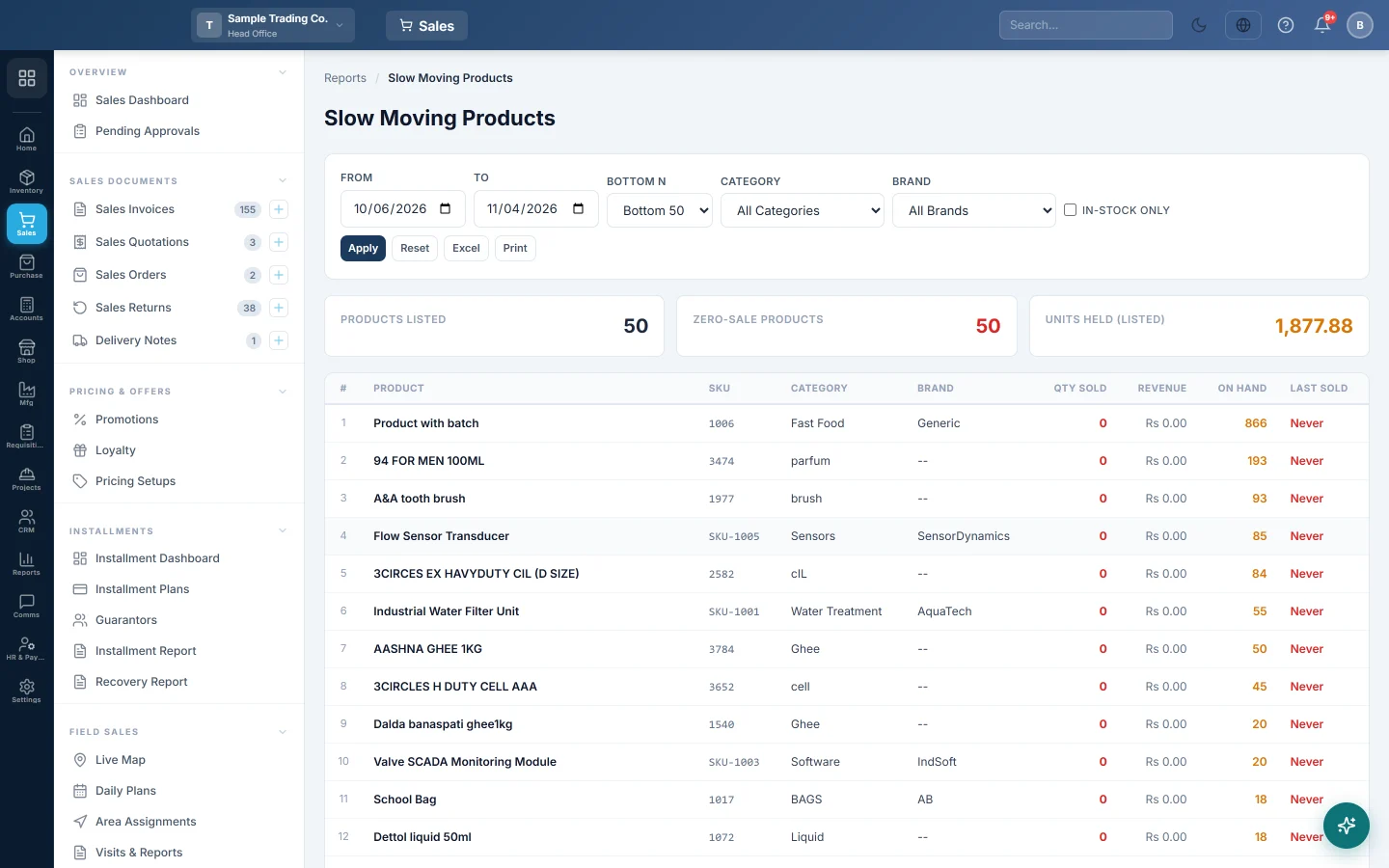
Slow Moving Products lists the products that sold least in a period, starting with the ones that did not sell at all. Use it to find stock to discount, return to the supplier or stop buying.
Before you begin
- Only active products with Stockable ticked are listed. Services and non-stock items are left out. See All Products.
- Sales are counted from confirmed, part-paid and paid invoices of the branch you are working in.
- Your role needs View Sale Invoice Report. Your administrator sets this in Users & Roles.
Where to find it
Open Sales → Reports → Slow Moving Products.
Run the report
The report opens for your company's default date range and loads by itself.
- Set From and To. A longer period, such as 90 days, gives a fairer picture.
- In Bottom N, pick Bottom 25, Bottom 50, Bottom 100 or Bottom 200.
- Pick a Category or a Brand if you want one part of your range.
- Tick In-stock only to hide products you no longer hold.
- Click Apply. Reset puts the filters back.
Read the figures
The cards show Products Listed, Zero-Sale Products (listed products that sold nothing in the period) and Units Held (listed) (the stock on hand of the listed products, in units).
Each row shows Product, SKU, Category, Brand, Qty Sold, Revenue, On Hand and Last Sold. The list is sorted by Qty Sold, lowest first. Products with the same sales are sorted by On Hand, highest first, so the stock tying up the most units comes to the top.
- Qty Sold is counted in the product's base unit.
- On Hand is today's stock, not the stock at the To date.
- Last Sold is the last sale date inside the period. Never means no sale in the dates you chose.
Export or print
Click Excel or Print.
Common questions
A product shows Never but I sold it last year. Last Sold only looks inside From and To. Widen the dates to find the real last sale.
Why is a product with no stock in the list? It sold little and you hold none. Tick In-stock only to hide such products.
Why are my services missing? Only products with Stockable ticked are listed, because a service has no stock to clear.
I need what the slow stock is worth in money. Units Held (listed) is a count, not a value. Use Stock Valuation for the value at cost.
Which products sell fastest? Use Top Selling Products.
Teşekkür ederiz. Hâlâ yardıma ihtiyacınız varsa info@eloerp.net adresine yazın.