Sale Return Report
List the sale returns for a period with the invoice each was made against, its value and the tax given back.
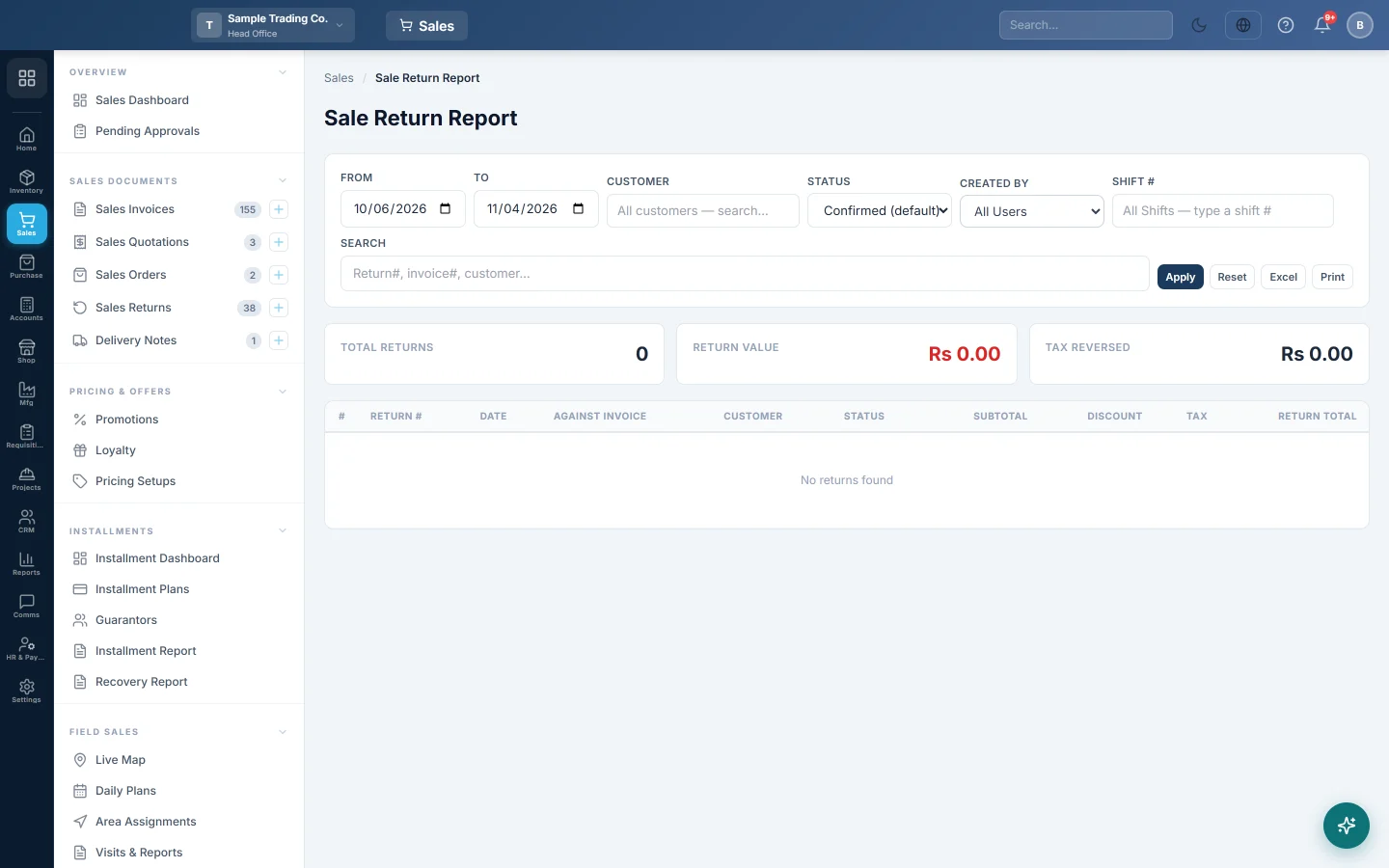
The Sale Return Report lists the goods customers brought back in a period, one row per return, with the invoice it was made against.
Before you begin
- The report shows the branch you are working in. Switch branch in the top bar to see another.
- Your role needs View Sale Invoice Report. Your administrator sets this in Users & Roles.
- Returns are entered on Sales Returns.
Where to find it
Open Sales → Reports → Sale Return Report.
Run the report
The report opens for your company's default date range and loads by itself.
- Set From and To. These are return dates, not invoice dates.
- Pick a Customer, a Status, a Created By user or a Shift # if you need to.
- Type a return number, invoice number, customer or reference in Search to find one return.
- Click Apply. Reset puts the filters back.
Read the figures
The cards show Total Returns, Return Value and Tax Reversed for every return that matches, not just this page. Return Value is the total refunded or credited to customers. Tax Reversed is the sales tax on those returns.
Each row shows the Return #, Date, Against Invoice, Customer, Status, Subtotal, Discount, Tax and Return Total. A return with no customer shows as Walk-in Customer. The Page Totals row adds up the rows on this page only.
Export or print
- Set the page size at the bottom, for example 200 / page, so every return you need is on one page.
- Click Excel or Print.
Common questions
Why are my draft returns missing? The status box starts on Confirmed (default). Pick Draft or Cancelled to see those.
Some returns have no invoice. They were made with Return without invoice (manual), for example for goods sold before you started using EloERP.
Is the return counted in the month of the sale? No. A return counts on its own date. A sale in March returned in April shows in April.
Does the Sale Invoice Report take returns off? No. The Sale Invoice Report shows invoices as they were raised. For sales net of returns, use the Profitability Report.
Which staff take the most returns? Use Staff Performance and turn on the Returns and Return Value columns.
Obrigado. Se ainda precisar de ajuda, escreva para info@eloerp.net.