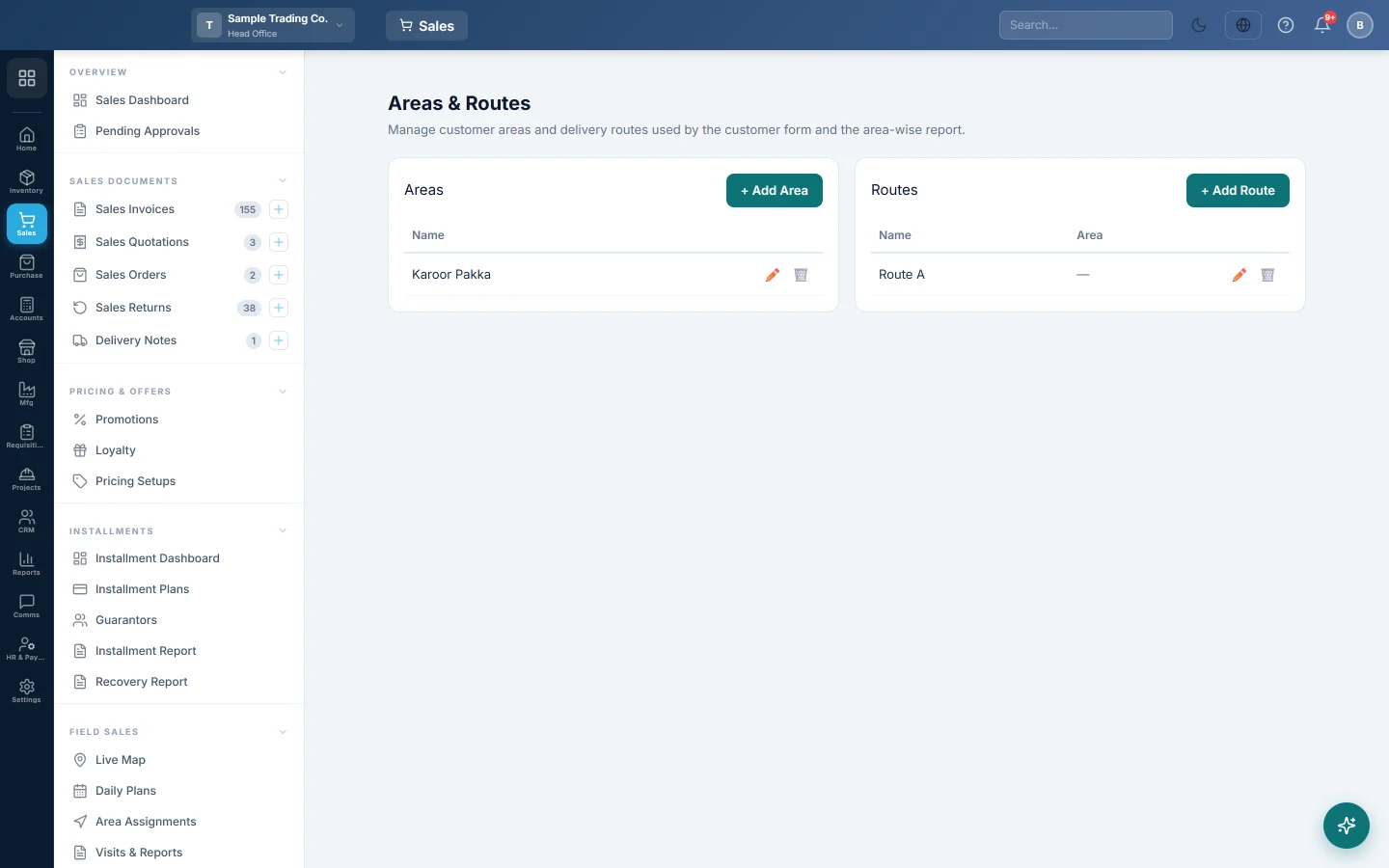
Areas & Routes
Make the areas and delivery routes you put customers in, for filtering the customer list, the area-wise report and field sales plans.
Areas and Routes are labels for where your customers are. An area is a part of town or a territory; a route is a delivery or sales round, which can sit inside an area. You pick them on each customer, then filter and report by them.
Before you begin
- Your role needs access to the Sales customer screens, see Users & Roles.
Where to find it
Open Sales → Customers → Areas & Routes.
You can also add an area or a route from the customer form: click + next to Area or Route.
Add an area
- Click + Add Area.
- Type the Name, for example Gulberg.
- Click Save.
Add a route
- Click + Add Route.
- Type the Name, for example Route 5 — Mall Road.
- Pick its Area if the route lies in one area. It is optional.
- Click Save.
Rename or delete
- Click the pencil (Rename), change the name or area, and click Save.
- Click the bin (Delete) and confirm.
An area or route that customers still use cannot be deleted. Move those customers to another area or route first.
Where they are used
- Customers: set on each customer in All Customers, and filtered with All Areas and All Routes on the list.
- Reports: Area-wise Customers groups customers and their sales by area and route.
- Field sales: Area Assignments gives each salesman areas by weekday, and Daily Plans fills routes from them.
Common questions
What is the difference between an area and a route? An area is where the customer is. A route is the round you or your salesman takes to reach them. Field sales plans use areas.
Delete says customers are assigned. Edit those customers, choose another Area or Route, then delete.
Are areas shared by all branches? They follow your customers. When branches share one customer list, they share one list of areas and routes. When each branch keeps its own customers, each branch has its own areas and routes too.
Obrigado. Se ainda precisar de ajuda, escreva para info@eloerp.net.