Installment Report
One line per installment plan: customer, mobile and address, installments paid and due, balances and days overdue, to print or export for follow-up.
The Installments Report lists your installment plans one per line, with how many installments are paid and due, what is left and how late the next one is. Use it for a call list or a month-end review.
Before you begin
- The Installment feature must be on for your branch, see Features & Add-ons.
- Your role needs the View Installments Report permission, see Users & Roles.
Where to find it
Open Sales → Installments → Installment Report.
Run the report
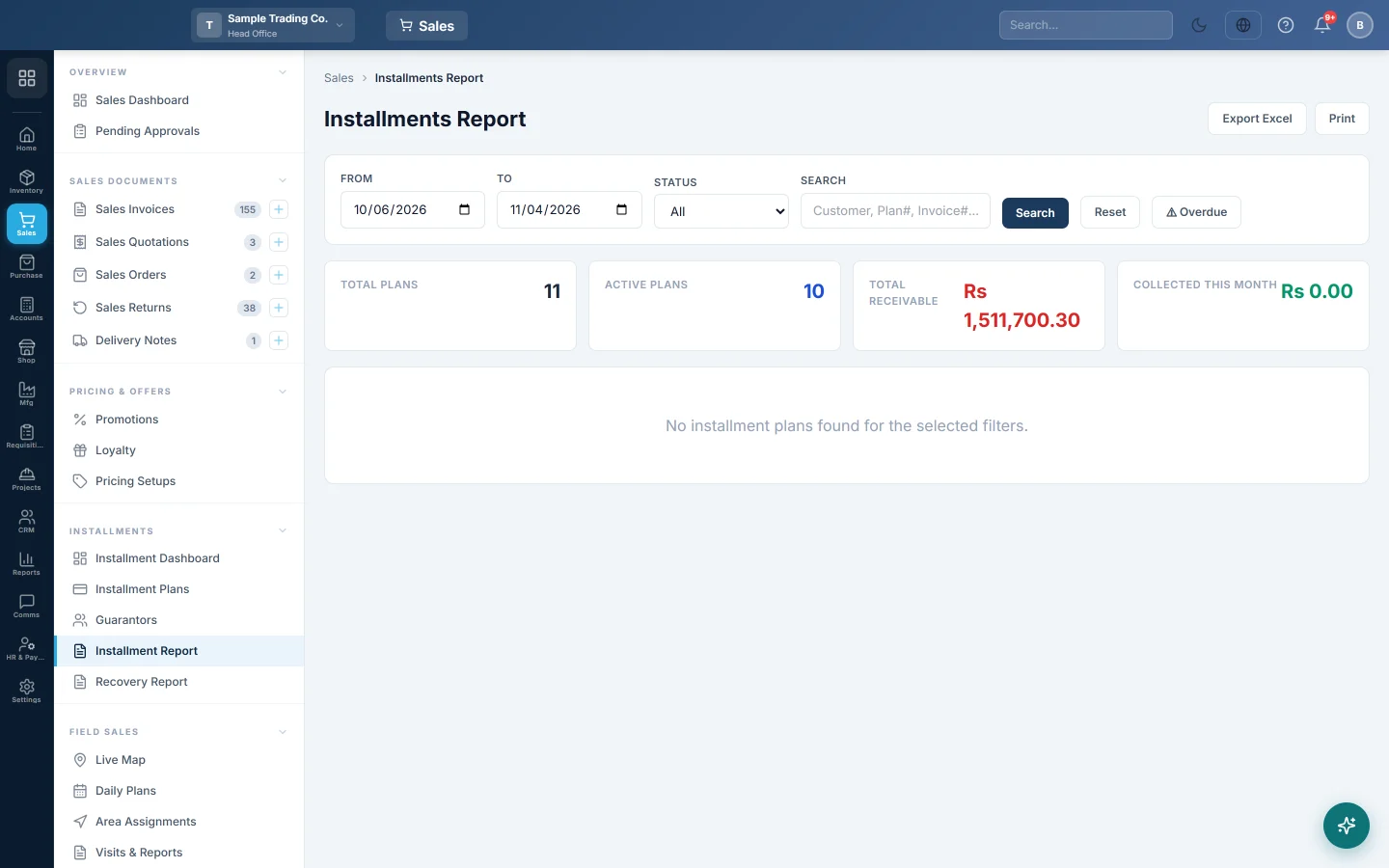
- Set From and To. The report lists plans whose Start Date falls in that range.
- Pick a Status if you want only Active, Completed, Defaulted or Cancelled plans.
- Type a customer name, plan number or invoice number in Search if you need one plan.
- Click Search. Reset goes back to the default dates.
- Click Overdue to show only plans whose next installment is past due and that still have a balance. The button shows how many there are. Click it again to show all.
Read the columns
| Column | Meaning |
|---|---|
| Inst. Amount | The amount of each installment. |
| Paid / Due | Installments fully paid, and installments still to pay. |
| Inst. Balance | The plan total less the down payment and the installments paid. |
| Invoice Balance | What the sales invoice still shows as unpaid. |
| Overdue Days | Days since the next unpaid installment was due. Rows with overdue days are shaded red. |
The Totals row adds up the installment amounts and balances. Click Chart on a row to print that plan's installment chart.
The cards at the top show Total Plans, Active Plans, Total Receivable and Collected This Month for your branch.
Print or export
- Print prints the rows on screen in landscape, with the filters at the top.
- Export Excel downloads the same rows as a spreadsheet.
Common questions
Why do Inst. Balance and Invoice Balance differ? Inst. Balance counts whole installments paid. Invoice Balance follows the money: part payments, discounts and write-offs. Plan interest is in the plan but not on the invoice.
A plan I expected is missing. Check the dates: the report filters on the plan's start date, not on payment dates. It also shows only your current branch.
How do I see each installment, not each plan? Use the Recovery Report, which has one row per installment.
What is the difference from the Installment Dashboard? The Installment Dashboard shows totals and charts. This report lists every plan so you can print or export them.
شكرًا لك. إذا كنت لا تزال بحاجة إلى مساعدة، راسلنا على info@eloerp.net.