Stock Audit
Compares the quantity on the stock report with the stock ledger's closing balance for every product and warehouse, and shows where they disagree.
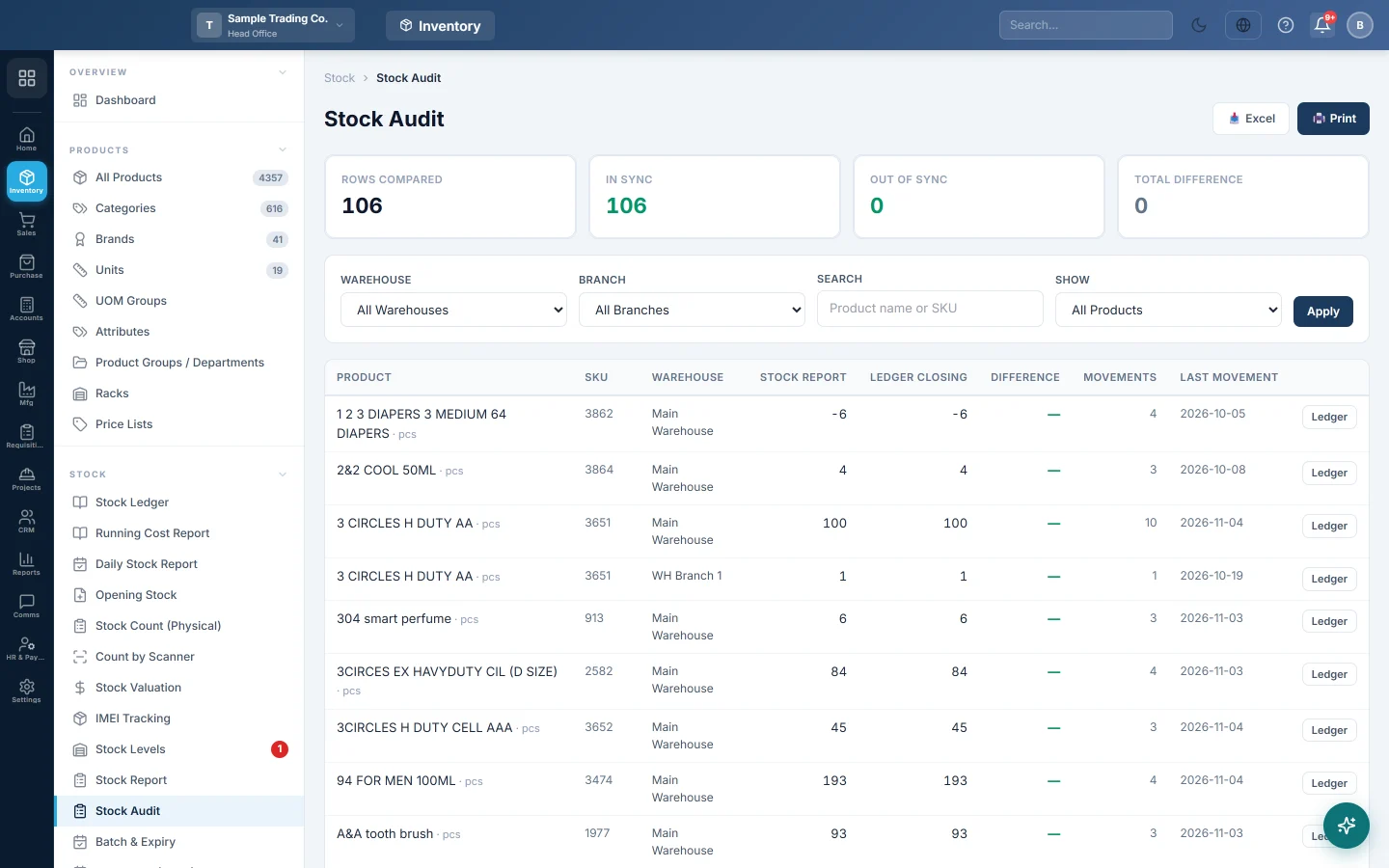
Stock Audit puts two numbers side by side for every product and warehouse: what the stock report says you hold, and where the stock ledger closes. When they differ, the line turns red, so you can find problems before they reach your books.
Before you begin
- You need products with stock movements: purchases, sales, adjustments or transfers.
- Your role needs access to the Inventory module.
Where to find it
Open Inventory → Stock → Stock Audit.
Read the summary
The four cards at the top cover everything the filters include:
- Rows compared: product and warehouse pairs checked.
- In sync: pairs where both numbers agree.
- Out of sync: pairs where they differ. Green when zero, red otherwise.
- Total difference: the size of all differences added up. Under it, net shows the signed total.
Read the table
| Column | What it shows |
|---|---|
| Product, SKU, Warehouse | The pair being compared. All variations of a product are added together. |
| Stock Report | The quantity the stock report shows. |
| Ledger Closing | Total in minus total out on the stock ledger. |
| Difference | Stock Report minus Ledger Closing. A dash means they agree. |
| Movements | How many ledger lines the pair has. |
| Last Movement | The date of the latest ledger line. |
The worst differences come first, so problems are at the top without filtering.
Check your stock
- Pick a Warehouse or Branch, or leave All Warehouses and All Branches.
- Type a product name or SKU in Search and press Enter, if you want one item.
- Choose Differences only in Show to hide the lines that agree.
- Click Apply.
- On a red line, click Ledger to open the Stock Ledger for that product and warehouse.
- Click Print or Excel to keep a copy of the result.
Common questions
What does a positive difference mean? The stock report shows more than the ledger. A negative difference means it shows less.
Will a stock adjustment fix a difference? No. An adjustment moves both numbers by the same amount, so the gap stays. Note the product and warehouse and contact support.
Why does a product with no stock line appear? Products with ledger movements but no stock line are listed on purpose; the report reads their quantity as zero.
Why are services missing? Services and non-stock items have no stock to audit.
How often should I run it? Before a stock count, at month end, and whenever a stock figure looks wrong. See also Stock Levels.
Terima kasih. Jika masih butuh bantuan, kirim email ke info@eloerp.net.