Cash in Hand and Bank Balance on the dashboard
Which ledgers the Cash in Hand and Bank Balance cards on the Business Dashboard add up, and the date they are worked out to.
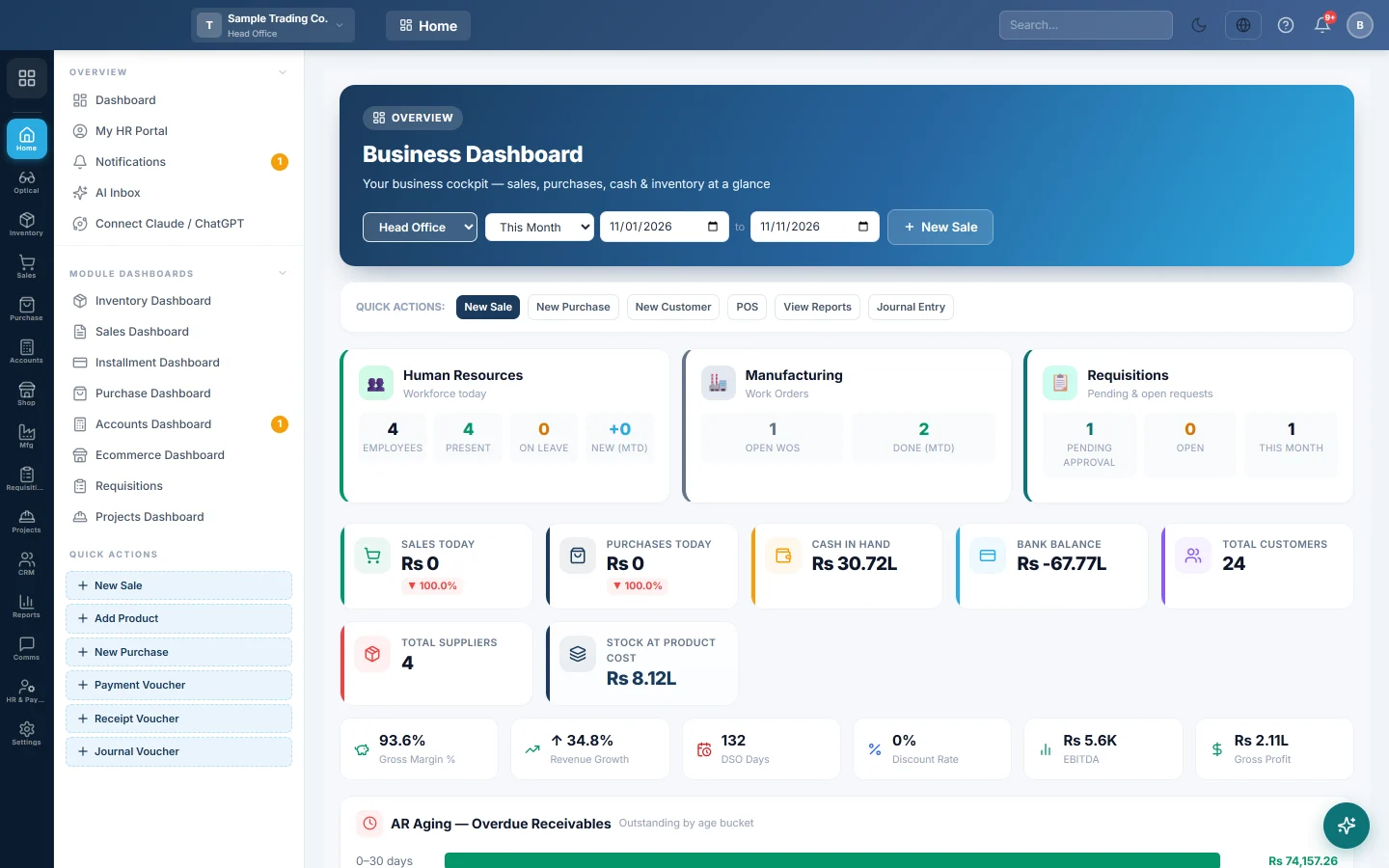
The Business Dashboard is the first page after you sign in. Its Cash in Hand and Bank Balance cards show how much money your books say you hold, in cash and in the bank.
Before you begin
- Your cash and bank accounts are set up as ledgers. See Chart of Accounts and Bank Accounts.
- Each payment method points at its ledger: Account Ledger (Cash/Bank) on Payment Methods.
- Opening balances are entered, or the cards start from zero. See Enter opening balances.
Where to find it
It opens when you sign in. To come back to it, open Home → Overview → Dashboard. The cards sit in the first row, next to Sales Today and Purchases Today.
What Cash in Hand adds up
The balance of every cash ledger in your assets:
- Cash in Hand and Petty Cash, the standard ledgers 1101 and 1102.
- Any other ledger set up as a cash ledger.
- The ledger of each payment method of type Cash.
A ledger linked to a bank account is never counted as cash, even when a Cash payment method points at it.
What Bank Balance adds up
The balance of every other money ledger in your assets:
- Each ledger marked as a bank. Every account you add on Bank Accounts is marked this way.
- The ledger of each payment method that is not cash: Card, Bank Transfer, Cheque, Mobile Payment or Other, for example a mobile wallet.
The two cards never count the same ledger twice. Ledgers are chosen by what they are, never by their name, so a customer called "Cash Customer" is not added.
Which date the balance is at
Each card adds up every voucher up to the last day of the date range picked at the top of the dashboard. Pick last month and you see what you held on the last day of last month. Deleted vouchers are left out.
The figure equals the closing balance of those ledgers on their Ledger Statement and in the Day Book to the same date.
The cards are company-wide. The branch chosen on the dashboard changes the sales and purchase figures, not cash and bank.
Common questions
The cards showed 0 before. They read an old table that nothing posts to. Since 11 November 2026 they read your real ledgers, so the figures appear on their own.
The figure looks too low or too high. Open the ledgers on Ledger Statement to the same date. A missing opening balance, or a payment method pointing at the wrong ledger, is the usual cause.
The balance is below zero. More was paid out of the ledgers than came in, on the books. Check the ledger statement for a missing receipt or opening balance.
Large figures look rounded. The cards shorten big numbers, for example 2.87L or 1.25Cr. The ledger statement gives the exact amount.
Why is a mobile wallet in Bank Balance, not Cash in Hand? Only cash ledgers count as cash. A wallet's payment method is not of type Cash, so it counts with the bank.
Terima kasih. Jika masih butuh bantuan, kirim email ke info@eloerp.net.