Back-dated increment on a paid payroll
When an increment is issued after a month was finalized or paid, the run flags the employee with ↑ Increment; apply the new Basic Salary as a correction and pay the balance.
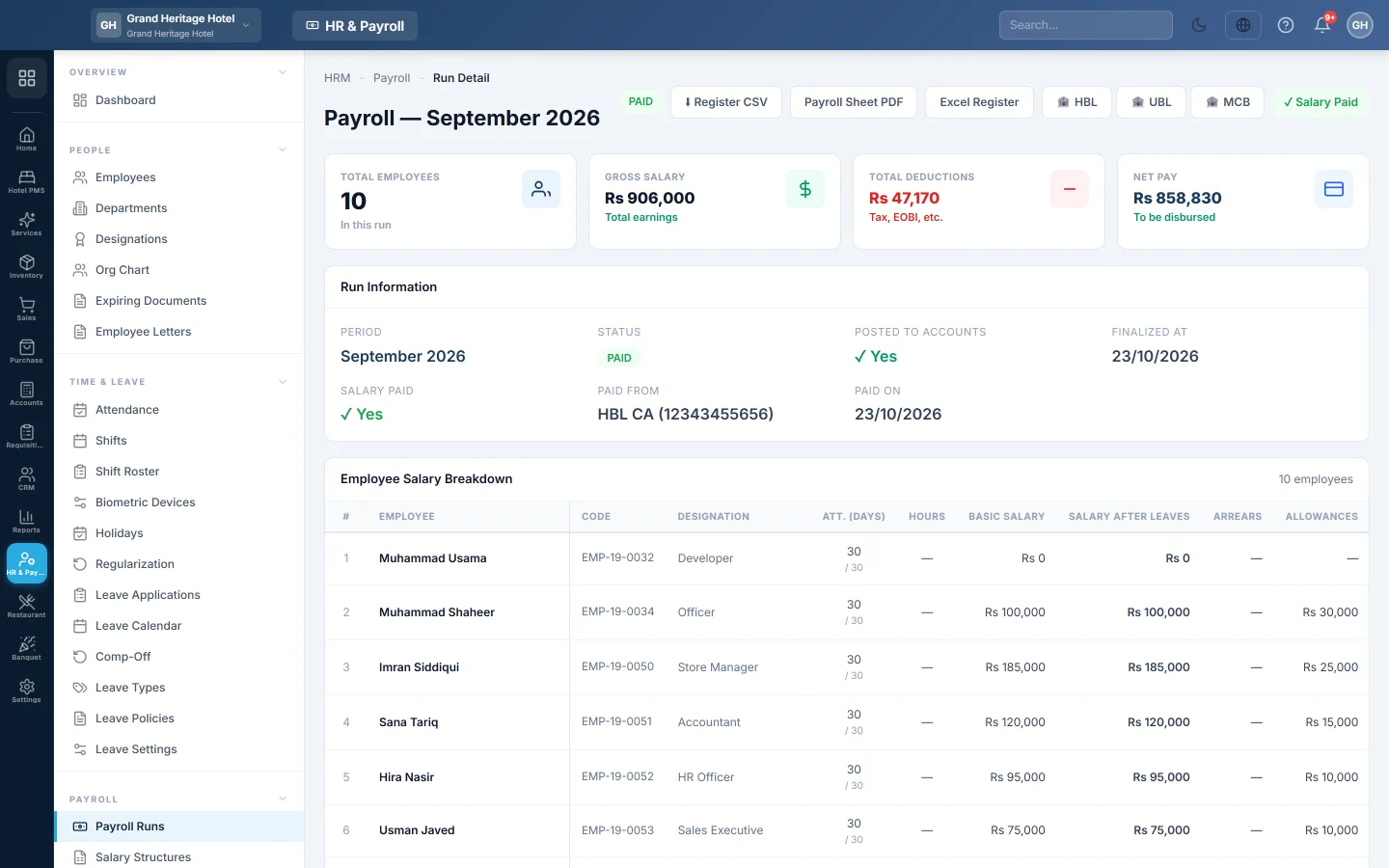
Sometimes a raise is approved after the month's payroll is already finalized or paid, with an effective date inside that month. The run then flags the employee, offers the new Basic Salary, and lets you pay just the difference.
Before you begin
- The employee is paid from their own Basic Salary: Pay from the employee's Basic Salary is on in Statutory & Tax Slabs.
- The increment is issued on Increments with an effective date on or before the end of the paid month.
- Your role can correct payroll runs.
Where to find it
Open HR & Payroll → Payroll → Payroll Runs and click the month.
Issue the increment
- On HR & Payroll → Payroll → Increments, issue the increment with its real effective date, for example 1 October.
- If October's payroll is already finalized, a message names the month. It tells you to open the run, press Edit on the employee, use the new salary, and pay the balance with Pay.
A draft run needs none of this. Click Apply Tax/EOBI/OT on it and the new Basic Salary is picked up by itself.
Apply the new salary to the paid month
- Open the finalized or paid run. The employee's row shows ↑ Increment. Point at it to see the Basic Salary due and the one in the run.
- Click ↑ Increment. The Correct window opens with a yellow note, for example: Basic Salary at Rs 44,000 for this month; this run has Rs 40,000.
- Click Use Rs 44,000 as Basic Salary. The Basic line changes, Recalculate is ticked and the Reason is filled in.
- Check the figures, then click Apply & post correction.
- The message shows what was already paid and the balance to pay.
- Close the window and click Pay on the employee's row. Pay the balance from cash or bank.
If the run was fully paid, it opens for payment again until the balance is paid. The first payment keeps its own date.
Several months back
If the increment reaches back over more than one finalized month, each of those runs shows ↑ Increment. Correct and pay each one in turn.
Another way is to pay the difference in one go on the next draft run, with + Arrears. See Payroll Runs. Use one way or the other, never both, or the raise is paid twice.
What happens in the books
The correction posts its own voucher for the difference only. The extra gross pay is debited to Salary Expense. The extra net pay is credited to the employee's ledger, or Salaries Payable, and any extra tax to Income Tax Payable. The original posting is never edited. Paying the balance then debits the employee's ledger, or Salaries Payable, and credits the cash or bank account. Every step is kept in the run's Corrections log with the reason.
Common questions
There is no ↑ Increment button. The increment was issued before the run was made, its effective date is after the month, or the employee is paid from a salary structure. Also check Pay from the employee's Basic Salary is on.
Can I lower a paid salary this way? Not below what was already paid. Void the payment first in the same window with Void payment, then correct and pay again.
The run was paid with Record Payment. A run paid in one voucher for everyone offers no Edit or ↑ Increment. Pay the difference with + Arrears on the next draft run.
Is the corrected payslip sent? Yes, when you pay the balance with Send payslip via email ticked. See Email payslips.
Спасибо. Если помощь всё ещё нужна, напишите на info@eloerp.net.