Trades & day rates
Keep the list of site trades with their day rate and overtime rate, used to cost daily-wage workers on every project's labour sheet.
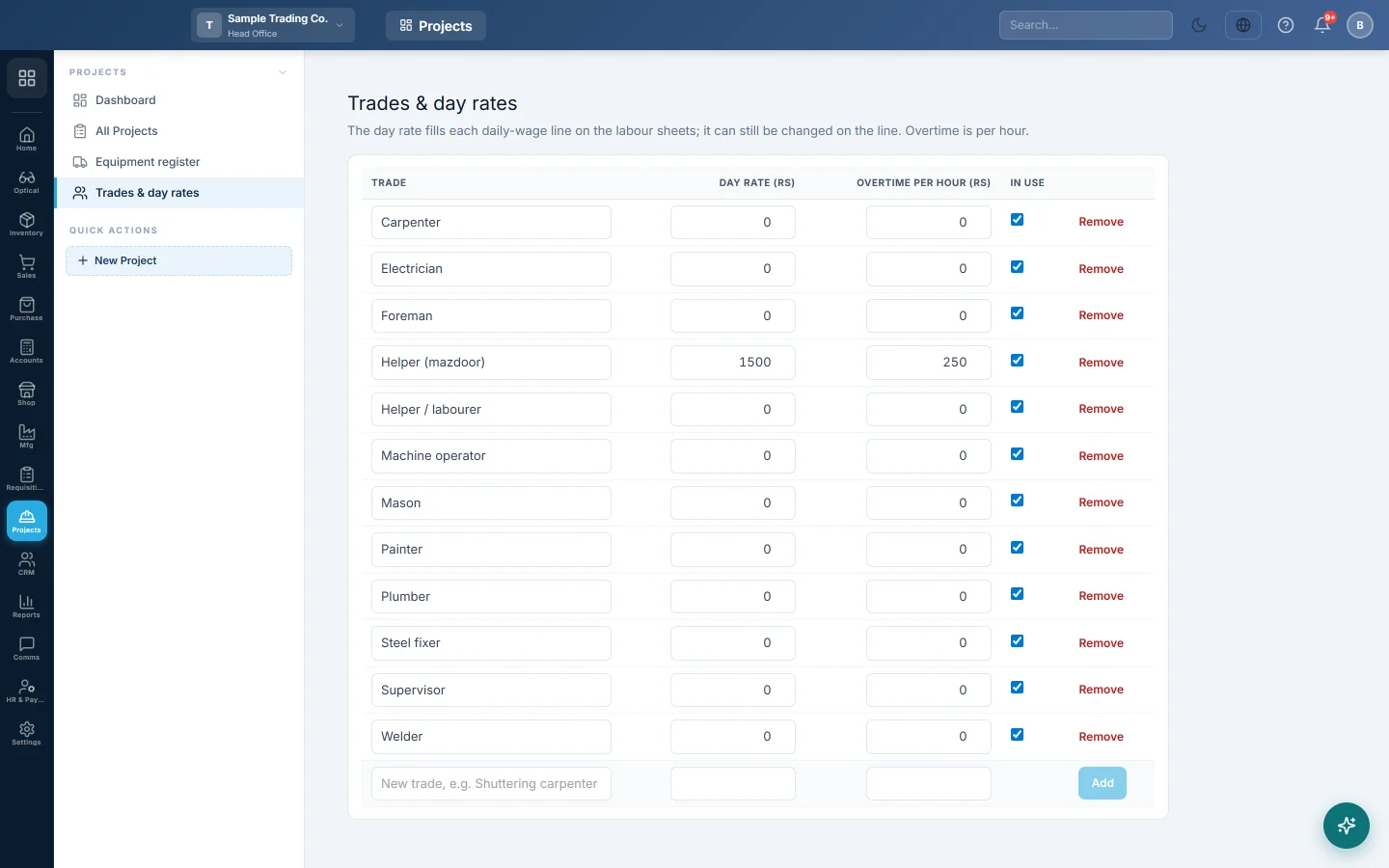
Trades & day rates is the list of site trades, such as mason or steel fixer, with a day rate for each. The rate fills every daily-wage line on the projects' labour sheets.
Before you begin
- Your role needs View Site Labour Sheets to see the list and Edit Site Labour Sheets to change it. See Users & Roles.
Where to find it
Open Projects → Projects → Trades & day rates. The Labour tab of a project also links to it.
The first time the list opens, it holds common trades, such as Mason, Carpenter and Helper / labourer. Their day rates start at 0.
Set the rates
- Type the Day rate for a trade, for example Rs 2,500 for a mason.
- Type the Overtime per hour, for example Rs 350.
- Click outside the box. The row saves at once.
Add a trade
- In the last row, type the trade's name, for example Shuttering carpenter.
- Type its Day rate and Overtime per hour.
- Click Add, or press Enter.
Stop using or remove a trade
- Untick In use to hide a trade from the Trade list on labour sheets.
- Click Remove to take a trade off the list.
Common questions
Does changing a rate change old sheets? No. Each line keeps the rate it was saved with. New lines take the new rate.
Can a worker be paid a different rate? Yes. Type the rate in Day rate on that labour sheet line.
How is overtime costed? Overtime hours on the line × the trade's Overtime per hour.
Thank you. If you still need help, write to info@eloerp.net.