Eye test reminders
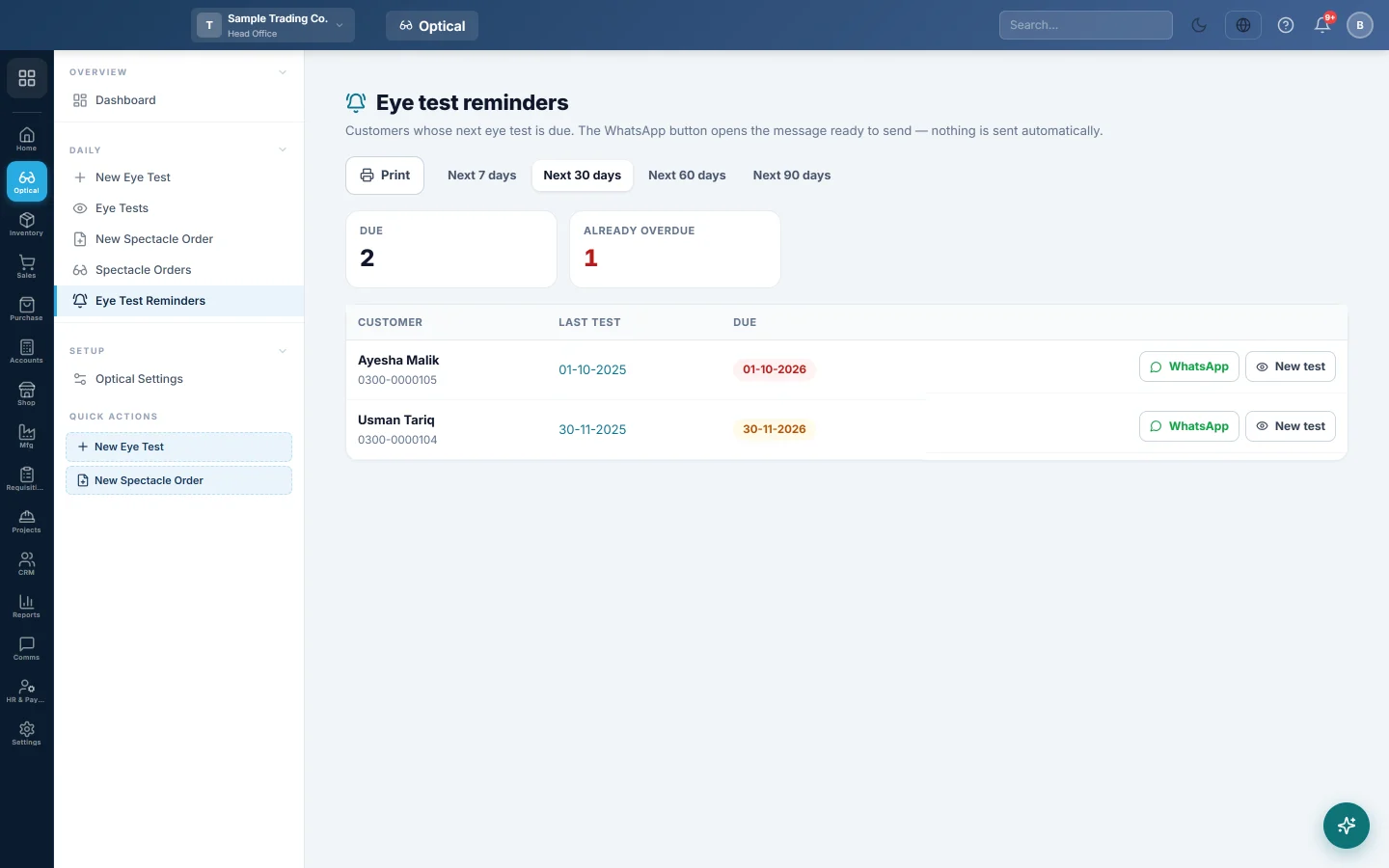
Customers whose next eye test is due or overdue, with a WhatsApp reminder ready to send and a button to start their new test.
Eye test reminders lists customers whose next eye test is due, so the counter can call them back.
Where to find it
Open Optical → Daily → Eye Test Reminders.
Remind customers
- Pick the window: Next 7 days, Next 30 days, Next 60 days or Next 90 days.
- Click WhatsApp on a row. WhatsApp opens with your reminder message typed in. Press send.
- When the customer comes in, click New test.
Already overdue counts customers whose date has passed. Customers more than a year overdue drop off the list.
Change the message
Edit Eye test due under WhatsApp messages in Optical settings.
Print the list
Click Print to print the list for calling, on your letterhead.
Common questions
Where does the due date come from? From Next eye test on the customer's latest test. See Record an eye test.
Does EloERP send these messages by itself? No. Nothing is sent until you press send in WhatsApp.
A customer has no WhatsApp button. Their mobile number is missing or not valid. Add it on the customer.
Спасибо. Если помощь всё ещё нужна, напишите на info@eloerp.net.