Track a spectacle order and hand it over
Move an order from booked to the lab to ready, tell the customer, take the balance and hand the glasses over; cancel an order the right way.
Each order moves through four stages: Booked, At the lab, Ready, Collected. The order page shows the stage, the prescription, what is being made, the payment and the history.
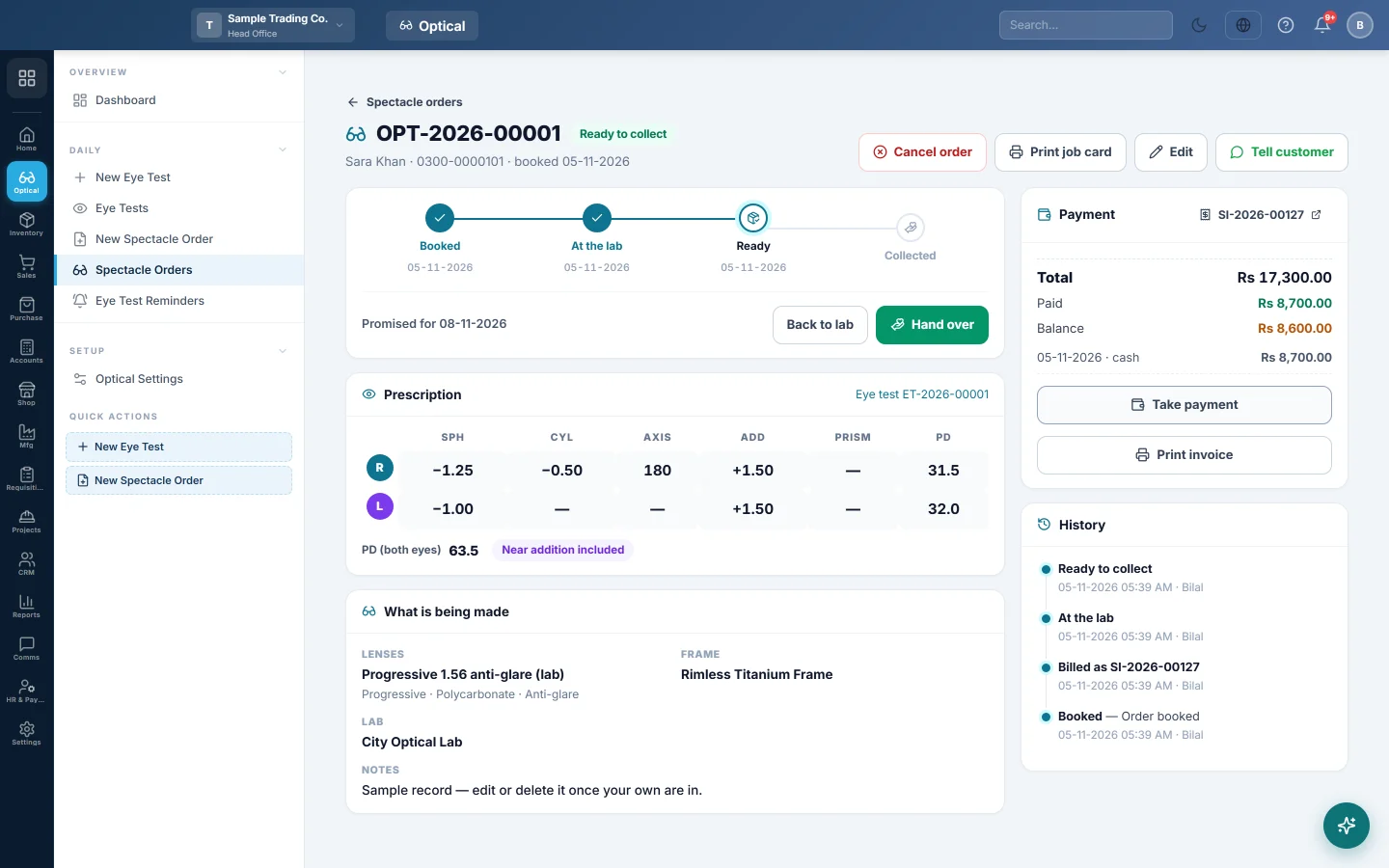
Where to find it
Open Optical → Daily → Spectacle Orders and click the order, or click its card on the Optical dashboard.
Send it to the lab
- Click Print job card and send the lab copy with the frame. Give the customer the tear-off slip.
- Click Sent to lab. Today becomes the sent date.
Mark the glasses ready
- When the glasses come back, click Glasses ready.
- Click Tell customer to open WhatsApp with the ready message and the balance due. Press send.
Click Back to lab if the glasses must go back, for example for a re-fit.
Hand the glasses over
- Click Hand over.
- If a balance is due, the Balance on collection window opens. Pick the Payment method, check the amount and click Take.
- In Hand over glasses, check Collected by and click Hand over.
To let the customer pay later, tick Hand over and keep the balance on the customer's account in step 3. The balance stays on their sales invoice.
Take a payment at any time
Click Take payment in Payment. Click Print invoice to print the sale invoice with the payments so far. The invoice number opens the invoice in Sales.
Cancel an order
- Click Cancel order and type the Reason.
- If the order is billed, cancel or return its invoice in Sales first. That puts the frame back in stock and settles the advance. Then cancel the order.
Common questions
Can I change the lab or the promised date after billing? Yes. Click Edit. Only prices, frame and lenses are locked.
Who did what? History lists every stage with the time and the user.
The customer's numbers changed after a new test. The order keeps the prescription it was made with. Book a new order for new glasses.
Terima kasih. Jika masih butuh bantuan, kirim email ke info@eloerp.net.