Eye tests
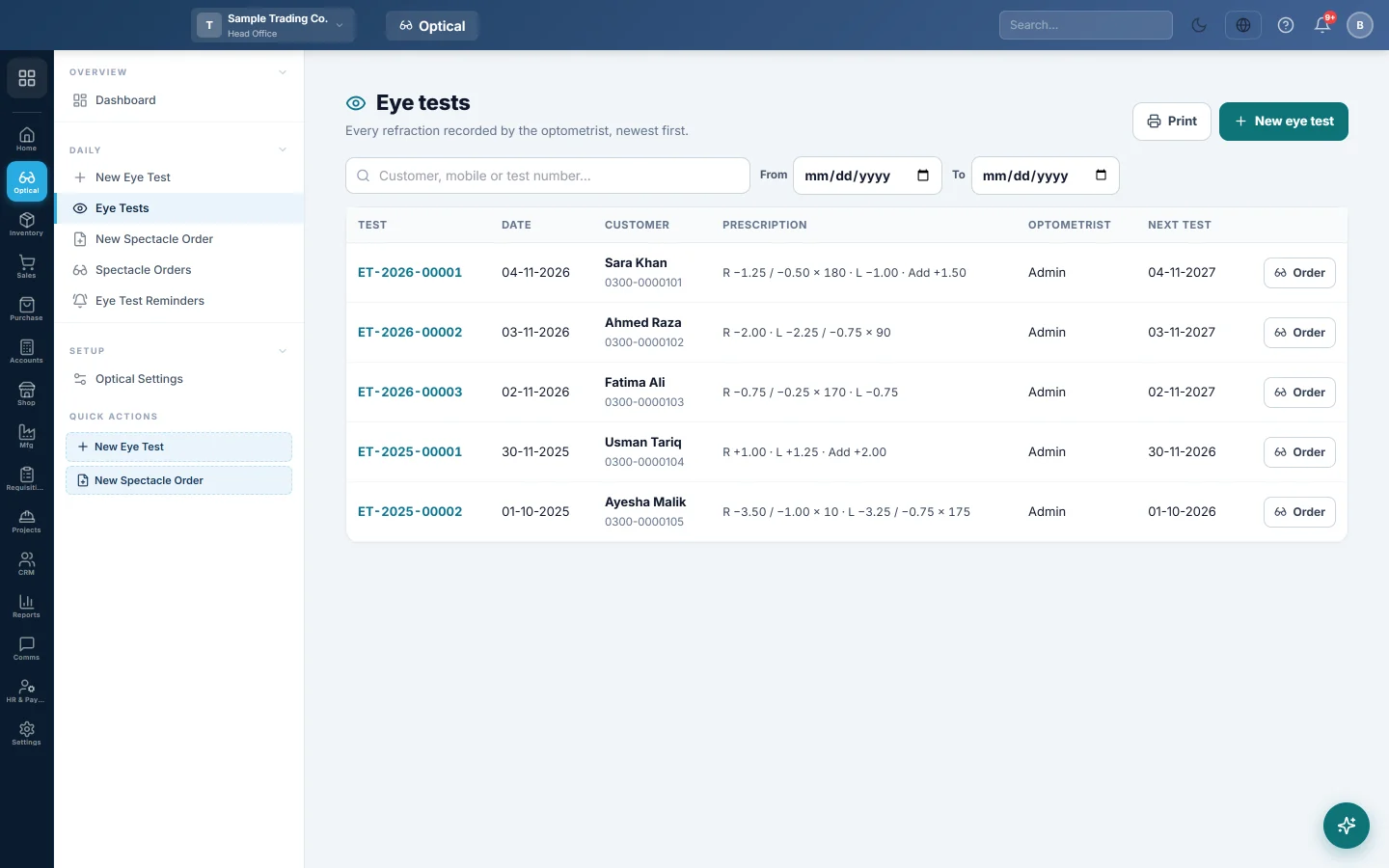
The list of every eye test with the customer, a one-line prescription, the optometrist and the next test date, to search, print or turn into an order.
Eye tests lists every test recorded, newest first, with the prescription on one line.
Where to find it
Open Optical → Daily → Eye Tests.
Find a test
- Type a customer name, mobile or test number in the search box.
- Set From and To to see one period.
- Click a row to open the test.
The prescription reads like R −1.25 / −0.50 × 180 · L −1.00 · Add +1.50: right eye, then left eye, then the near addition. Referred marks a customer sent to an eye doctor.
Make an order from a test
Click Order on the row. A new spectacle order opens with the customer and the prescription filled in. See New spectacle order.
Print the list
Click Print. The list prints on your letterhead with your logo, as filtered on screen.
Common questions
Where is a customer's history? Pick the customer on a new test or order. Their past tests and orders show under History.
Can I print one customer's prescription? Yes. Open the test and click Print prescription. See Optical prints.
Vielen Dank. Wenn Sie weitere Hilfe brauchen, schreiben Sie an info@eloerp.net.