Optical dashboard
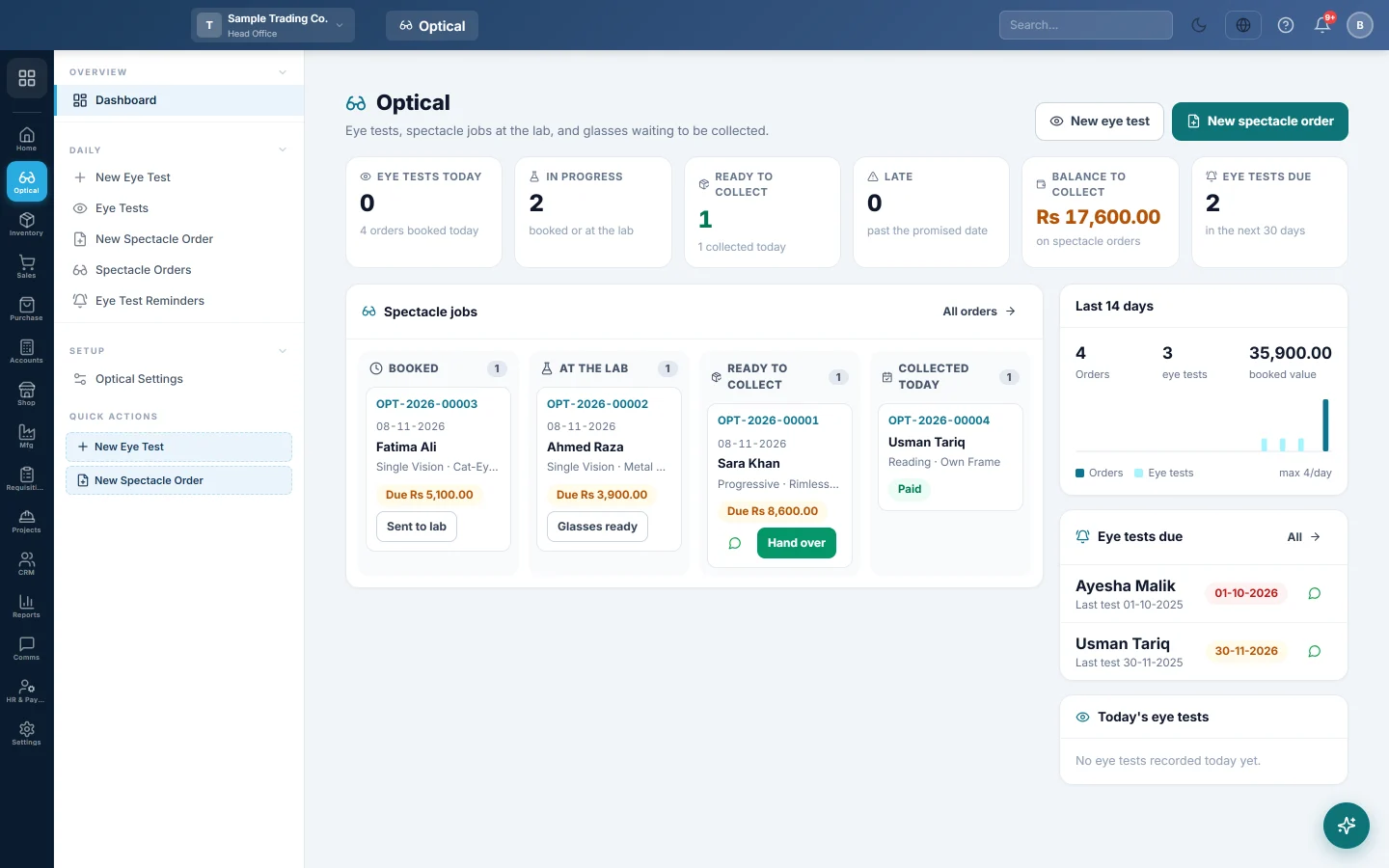
The optical shop's home page, with today's eye tests, every spectacle job by stage, late orders, balances still to collect and eye tests coming due.
The Optical dashboard shows the counter's day at a glance. You see every spectacle job by stage, the late ones, the money still to collect and the customers due for an eye test.
Before you begin
- Optical must be switched on for your company. It is on when you signed up as an Optical Store / Opticians business. Otherwise ask your provider to switch it on.
- You need the View Optical Dashboard, Eye Tests & Spectacle Orders permission, or one of the Optical record permissions.
Where to find it
Open Optical → Overview → Dashboard.
Read the counters
- Eye tests today: tests recorded today, and the orders booked today.
- In progress: orders booked or at the lab.
- Ready to collect: glasses waiting for the customer, and how many were collected today.
- Late: orders past their promised date that are not ready yet.
- Balance to collect: what customers still owe on their spectacle orders.
- Eye tests due: customers whose next eye test falls in the next 30 days.
Click a counter to open the matching list.
Move a job along the board
The Spectacle jobs board has four columns: Booked, At the lab, Ready to collect and Collected today. Each card shows the order number, the customer, the lens type and frame, and the balance due.
- On a Booked card, click Sent to lab when the job goes to the lab.
- On an At the lab card, click Glasses ready when the glasses come back.
- On a Ready to collect card, click the WhatsApp button to tell the customer, then Hand over when they collect. See Track a spectacle order and hand it over.
Click a card itself to open the order.
The side panels
- Last 14 days: orders and eye tests per day, and the value booked.
- Eye tests due: the next customers to call back, with a WhatsApp button. See Eye test reminders.
- Today's eye tests: the tests recorded today. Click one to open it.
Common questions
I don't see Optical on the left bar. Optical is not switched on for your company, or your role has no Optical permission.
A job is missing from the board. The board shows open orders and today's collections. Older collected and cancelled orders are on Spectacle orders.
Does the WhatsApp button send the message? No. It opens WhatsApp with the message typed in. You press send.
Teşekkür ederiz. Hâlâ yardıma ihtiyacınız varsa info@eloerp.net adresine yazın.