Connect your Shopify store
Connect a Shopify store with an Admin API access token so its orders come into EloERP, and pull or push products.
Connecting your Shopify store brings its orders into EloERP, so you confirm, ship and account for them here. You connect it with an access token from a custom app in your Shopify admin.
Before you begin
- You are the owner or a staff member allowed to create apps in your Shopify admin.
- Your role in EloERP needs the online shop platform permissions. See Users & Roles.
- Your products in EloERP that you want on Shopify are ticked Ecommerce. See All Products.
Where to find it
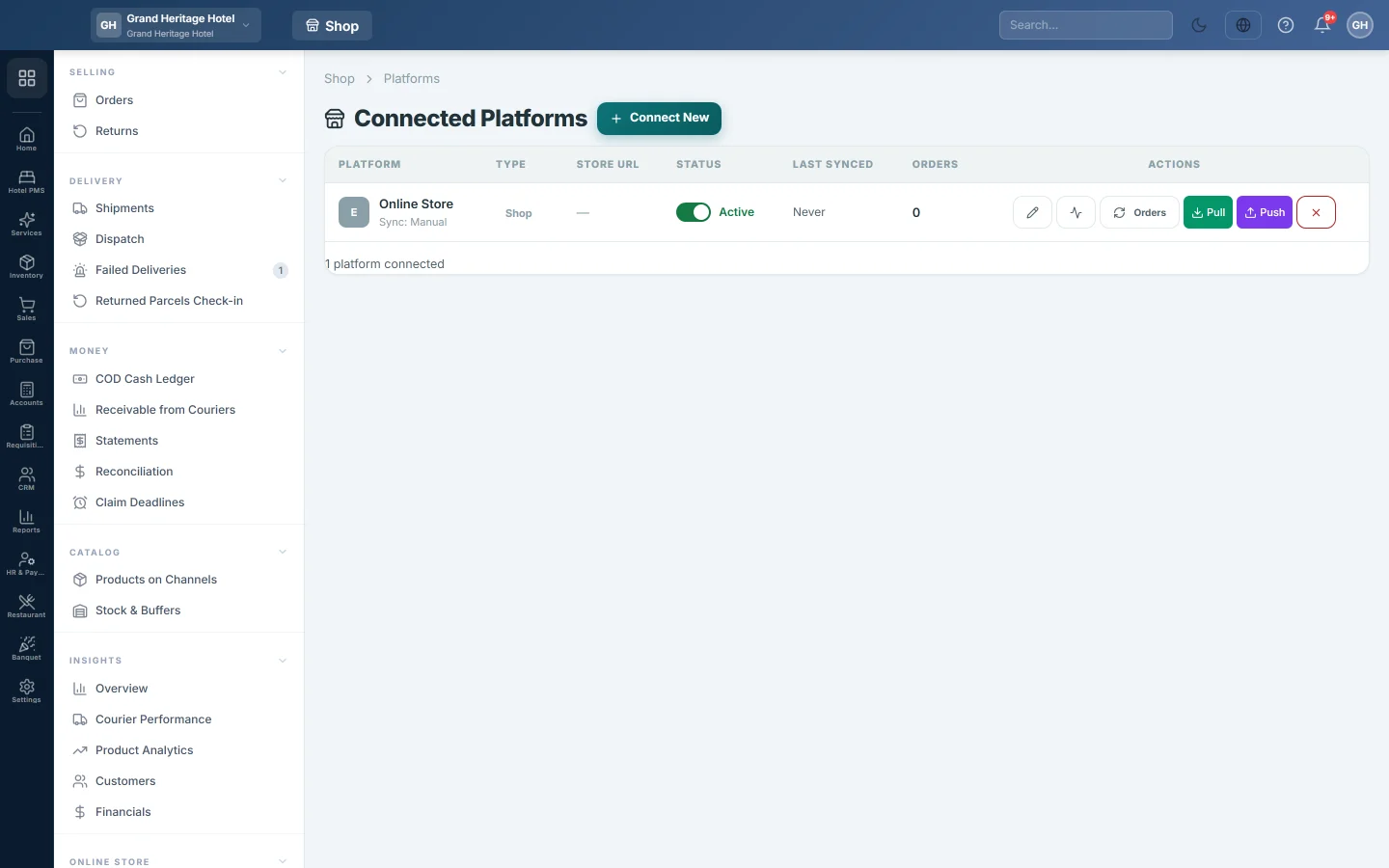
Open Online shop → Setup → Channels.
Get the keys from Shopify
- In your Shopify admin, create a custom app for your store.
- Give it Admin API access to orders, products and inventory, to read and write.
- Install the app on your store.
- Copy the Admin API access token (it starts with shpat_), the API key and the API secret key. Shopify shows the access token only once.
Connect it in EloERP
- Click Connect New.
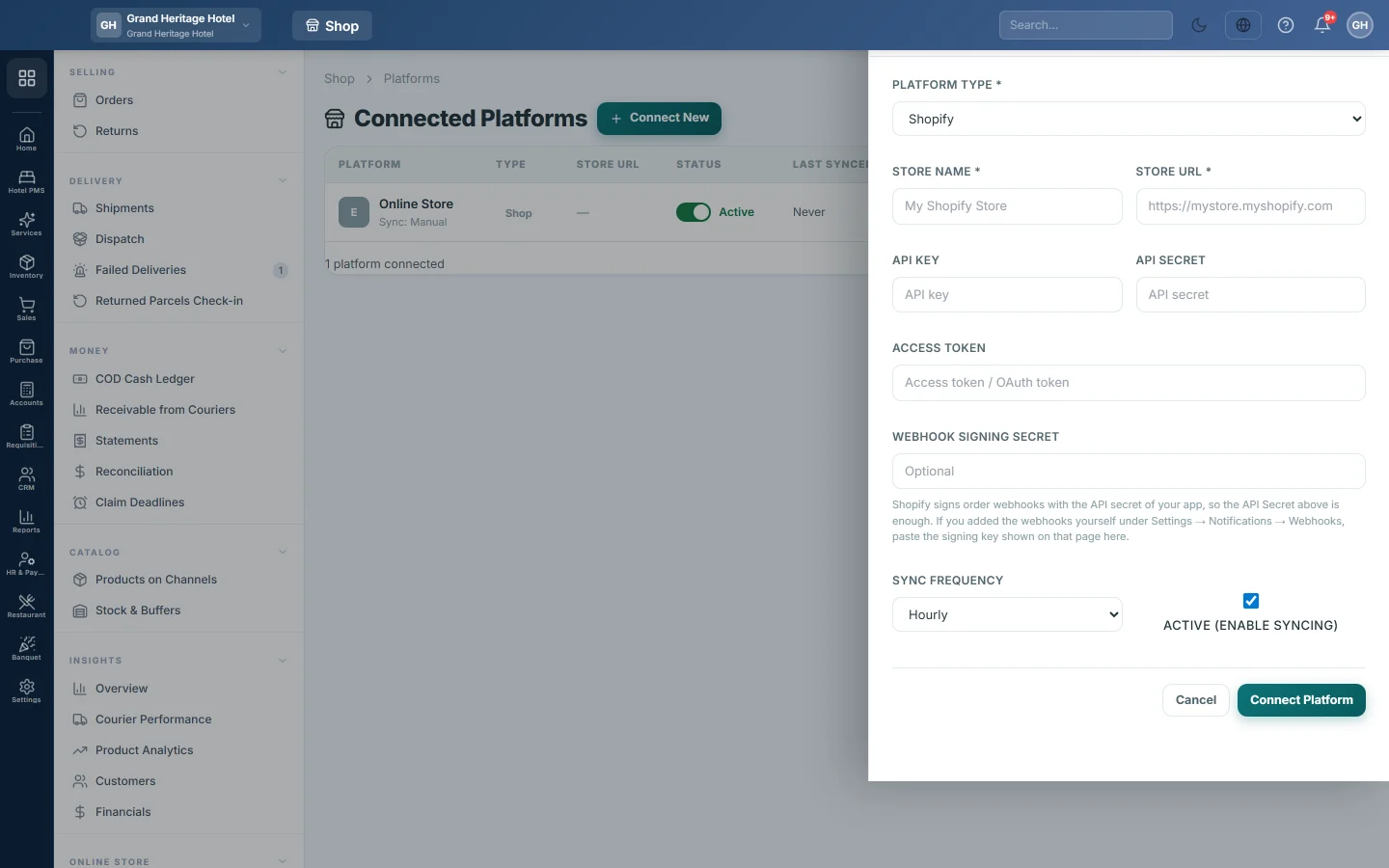
- Choose Shopify in Platform Type.
- Type a Store Name, for example Main Shopify Store.
- Type the Store URL, for example https://mystore.myshopify.com.
- Paste the API Key, the API Secret and the Access Token.
- Leave Webhook signing secret empty: Shopify signs order webhooks with your app's API secret. Fill it only if you added the webhooks yourself under Shopify's Settings → Notifications → Webhooks, with the signing key shown there.
- Leave Active (enable syncing) ticked.
- Click Connect Platform.
- Click Test Connection on the new row. It should say the connection worked.
Bring in orders and products
- Click Orders on the row to bring in new Shopify orders, every page of them, through the same importer the webhooks use. They appear in Orders.
- Click Pull to read your Shopify products into EloERP, with their categories and images.
- Click Push to send your Ecommerce products to Shopify. It asks you to confirm first.
Check each run on Sync Logs.
Common questions
Test Connection fails with error 401. The access token is wrong or the app was uninstalled. Make a new token in Shopify and paste it in Access Token with the pencil button.
Where is the access token after I saved it? Saved keys, the webhook signing secret included, are never shown again. The field says it is saved; leave it blank to keep it.
I changed a product on Shopify and nothing changed here. Product events from the store are logged and ignored; your catalogue in EloERP is the master. Click Pull to read the store's products, or ask your service provider to set the channel to pull products by webhook.
Should I pull or push first? If your products already live in Shopify, Pull them first, so they are linked rather than created twice. If they live in EloERP, Push.
Orders are missing. Click Orders again, then check Sync Logs for a failed entry.
شكرًا لك. إذا كنت لا تزال بحاجة إلى مساعدة، راسلنا على info@eloerp.net.