Take card and wallet payments
Let shoppers pay your online store by card, PayPal, JazzCash, Easypaisa or bank transfer, and confirm bank transfers when the money arrives.
Besides cash on delivery, your online store can take card, PayPal, JazzCash and Easypaisa payments, and bank transfers. You set them on the Payments tab of the Online Store page.
Before you begin
- The online store is switched on for your company and you are a company administrator. See Online Store.
- You have a merchant account with the gateway and its keys. The gateway gives them to you; EloERP does not.
- For bank transfers, the bank account is set up as a payment method. See Payment Methods.
Where to find it
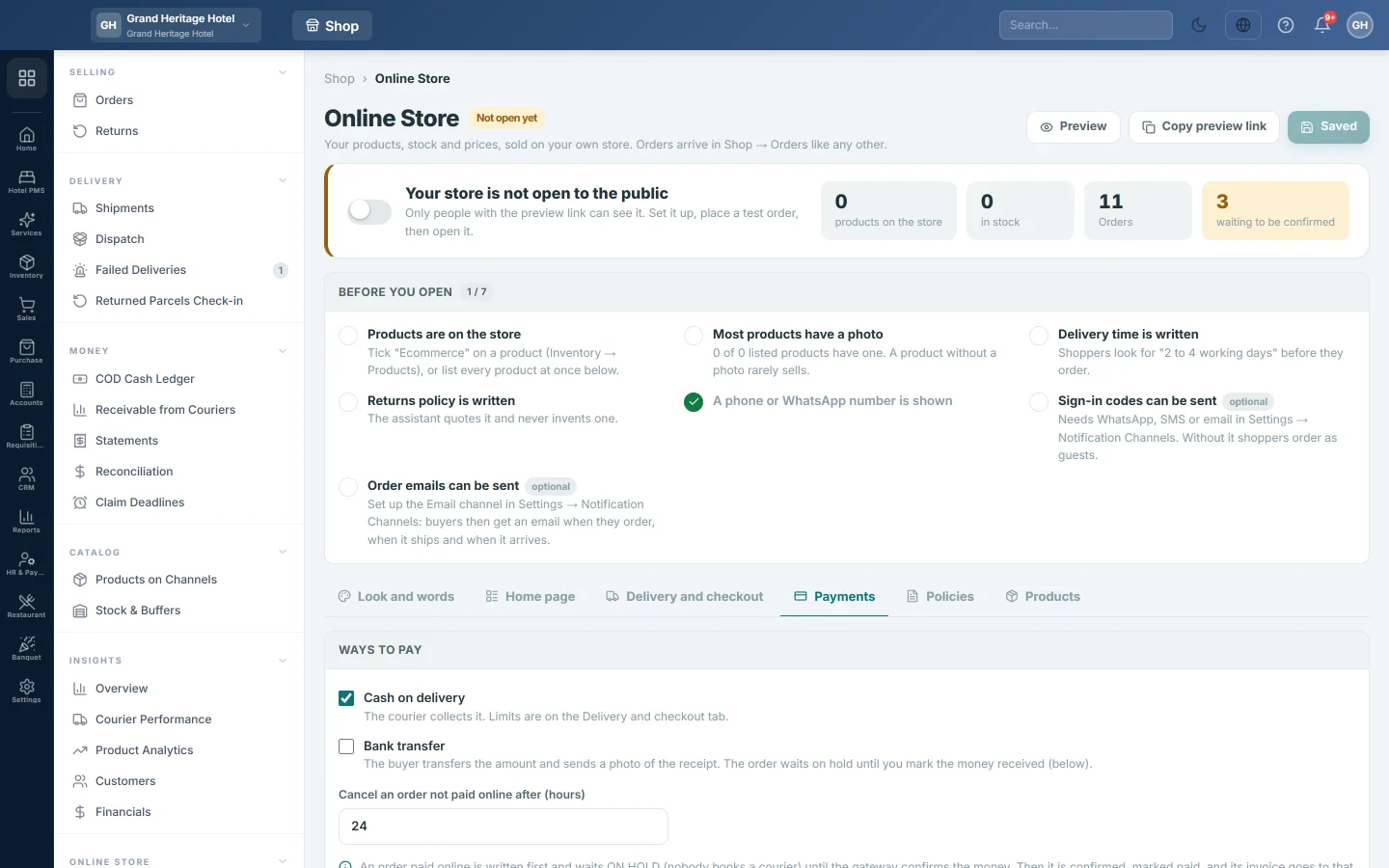
Open Online shop → Online Store → Online Store and click the Payments tab.
Choose the ways to pay
- Under Ways to pay, tick Cash on delivery to let the courier collect the money.
- Tick Bank transfer to take transfers, and type your account details in Your account details, as the buyer should see them.
- Set Cancel an order not paid online after (hours). An online payment not finished in that time cancels the order. It is 24 hours unless you change it.
- Click Save changes at the top of the page.
Set up a gateway
Each gateway has its own box. Its pill says Not set up, Keys in or Keys checked.
-
Type the keys from your gateway account:
Gateway Keys Card (Stripe) Secret key; optionally the Publishable key and the Webhook signing secret. PayPal Client ID and Secret. JazzCash Merchant ID, Password and Integrity salt. Easypaisa Store ID, Hash key, Merchant account number, API user name and API password. -
Leave Test mode ticked while you try it. Test mode uses the gateway's sandbox, so no real money moves.
-
Click Save keys.
-
Click Check the keys. The message says whether the gateway accepted them.
-
Tick the gateway's own box to offer it to shoppers.
-
Click Save changes at the top of the page.
-
Place a small test order through Preview. When it works, untick Test mode, enter your live keys and click Save keys again.
For Stripe and PayPal, the box shows a webhook address. Add it in the gateway's dashboard, so a payment counts even if the buyer closes the page.
Saved keys are never shown back in full. Leave a box blank to keep the saved key.
What the shopper sees
At checkout the shopper picks the way to pay. For a gateway they click Pay now and finish on the gateway's own secure page. For a bank transfer they see your account details and can send a photo of the receipt from their order page.
Confirm a bank transfer
Orders paid by bank transfer wait on hold until you see the money.
- On the Payments tab, find the order under Bank transfers to check.
- Open the Receipt photo or Receipt (PDF) the buyer sent and check your bank.
- Choose the account in Money came into….
- Click Mark received. The order is confirmed, marked paid and is ready to book.
The Recent online payments table shows the latest gateway payments, their amount and Status.
What happens in the books
An order paid online waits on hold until the gateway confirms the money. Then it is confirmed, marked paid, and nothing is collected on delivery. EloERP makes a payment method named after the gateway the first time, and when the order is dispatched its invoice is settled to that gateway's clearing account. The goods leave the order's warehouse when that invoice posts. The gateway's later payout to your bank is matched on Statements.
If the stock is short and Allow Negative Stock is off in POS settings, the invoice still posts. The order's timeline then reads stock not issued, an alert is raised, and the next dispatch of the order issues the stock once.
A bank transfer is settled to the account you chose in Money came into….
Common questions
An online order is on hold. It is waiting for the gateway to confirm the payment. If it is not paid in time, it is cancelled by itself.
A customer paid twice. The second payment shows on the order's timeline. Refund it from the gateway's dashboard.
Stripe says the key is a test key but the store is live. Stripe goes by the key. Enter the live secret key, or tick Test mode to match.
Which gateway suits buyers abroad? Stripe or PayPal, for a store that sells in a foreign currency. Stripe needs a business with a Stripe account; it does not sign up businesses in Pakistan.
Can customers use these gateways to pay what they owe on account? Yes, when your company has the customer portal. A gateway whose keys are in here can be ticked under Online payment in Settings → Configuration → Customer Portal. See Let customers pay from their statement.
شكرًا لك. إذا كنت لا تزال بحاجة إلى مساعدة، راسلنا على info@eloerp.net.