Hand parcels to the courier
Print the CN labels and the load sheet for booked orders, scan each parcel out as the rider collects it and follow it until delivery.
Once orders are booked, each parcel needs its CN label, the rider needs a load sheet to sign, and every parcel should be scanned out so you know exactly what left the building. This task covers the daily pickup.
Before you begin
- The orders are booked with a courier and have a CN. See Turn an online order into an invoice.
- You have a barcode scanner, or you can type the CN numbers.
Where to find it
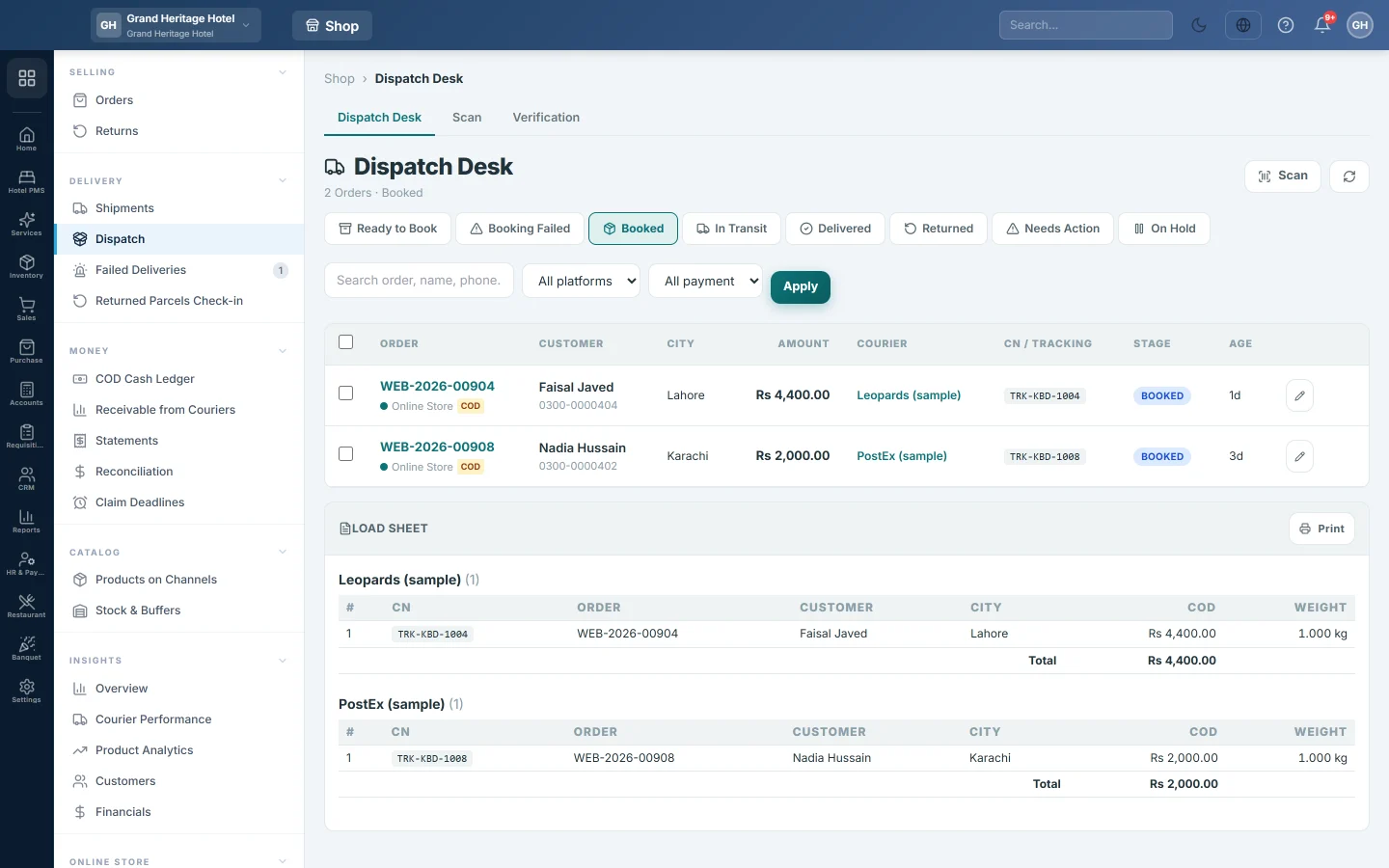
Open Online shop → Delivery → Dispatch, then the Booked tab of the Dispatch Desk.
Print the labels
- Open the order and click Print CN. The courier's own label opens as a PDF.
- Print it and stick it on the parcel.
The print menu on the order also has the invoice and the packing slip. On the Orders list you can tick many orders and print Courier labels for all of them at once. See Orders.
Print the load sheet
- On the Booked tab, scroll to Load Sheet. It groups the parcels by courier, with CN, city, COD amount and weight, and a COD total per courier.
- Click Print.
- Ask the rider to count the parcels and sign the sheet.
Scan each parcel out
- Click the Scan tab.
- Choose Scan out (Ship).
- Scan each CN as the rider takes the parcel.
| Banner | Meaning |
|---|---|
| Scanned | The parcel is marked Dispatched. Scanning posts nothing; if the order has no invoice yet, the banner says so, and you post it from the order page with Create Fulfillment. |
| Already done | It was scanned or picked up before. |
| Not found | No consignment has this number. Check the label. |
| Problem | For example, a returned parcel scanned out by mistake. |
The header counts scanned OK and need attention, and Recent scans lists every scan.
Follow the parcels
From here the courier's updates move each order to In Transit and then Delivered. Follow them on Shipments. A failed attempt lands on Failed Deliveries.
Common questions
A parcel on the load sheet did not go. Leave it unscanned. If it will not ship at all, cancel its booking on Shipments.
Print CN says the order is not booked yet. The order has no consignment. Book it first.
The rider collected fewer parcels than were booked. Compare Recent scans with the load sheet; the parcels not scanned are the ones still with you.
谢谢。 如果仍需帮助,请发邮件至 info@eloerp.net。