Print or correct an imaging report
Print the signed A4 imaging report for the patient, and amend a signed report with a reason when it needs correcting.
Once a radiologist signs a report, you can print it on A4 with your letterhead. A signed report changes only through an amendment, which keeps the reason on record.
Before you begin
- At least one exam on the order has a signed report. See Report and sign a scan.
- To amend, your role needs Verify / Sign Imaging Reports (Radiologist). See Users & Roles.
Where to find it
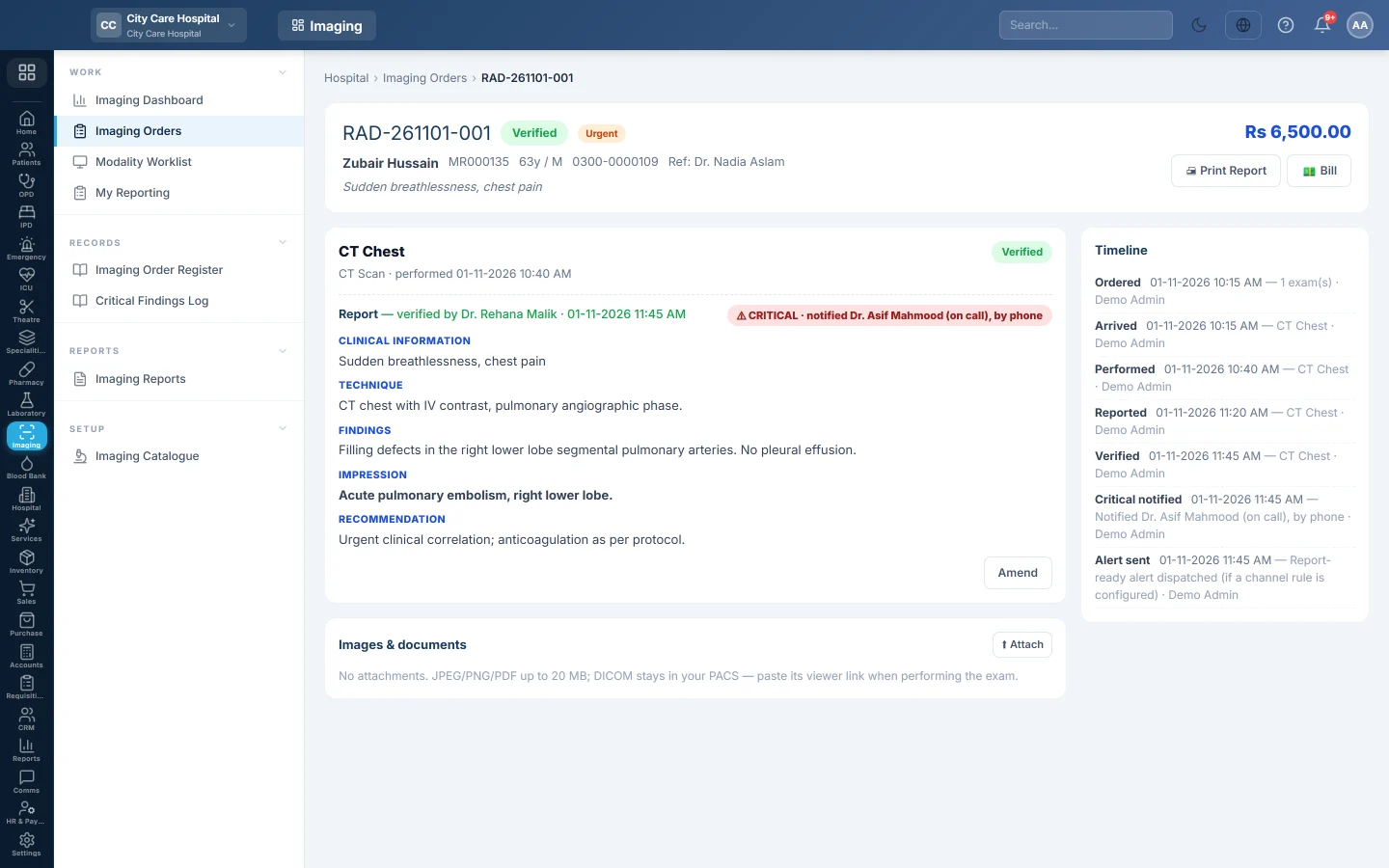
Open Imaging → Work → Imaging Orders, click Verified and open the order.
Print the report
- Open the order.
- Click Print Report.
The A4 report carries your letterhead, the patient and the referring doctor, then one section per signed exam with its findings, impression and recommendation. Each section ends with the radiologist's name and sign-out time. A critical report shows the critical banner with who was told and when.
The print is logged as Printed in the order's Timeline.
Tell the patient the report is ready
When the last exam on an order is signed, EloERP can send the patient an SMS or WhatsApp message. It goes only when your hospital has a message rule for Radiology report ready in Comms. The Timeline shows Alert sent when it fires.
Amend a signed report
- Open the order.
- Click Amend on the exam card.
- Type the reason, for example Laterality corrected to left, and confirm.
- Correct the report and click Save draft.
- Sign it again with Verify & Sign.
The reason shows under the report as Amended, and the Timeline keeps the amendment with the user and time. While amended, the exam is back in To Verify and prints as preliminary.
Common questions
The Print Report button is missing. No exam on the order is signed yet.
Can I print a preliminary report? Only next to a signed one. Print Report appears once one exam on the order is signed; drafts on the same order print marked preliminary.
Does amending change the bill? No. The bill and the exams stay as they were.
Where do I see all amended or critical reports? Critical reports are on the Critical Findings Log. Amendments show on each order's Timeline.
Спасибо. Если помощь всё ещё нужна, напишите на info@eloerp.net.