Perform an exam
Record that the patient arrived and the imaging exam was done, with the technologist, films, contrast and the link to the images.
When the radiographer finishes an exam, they mark it performed. This hands the exam to reporting and records who did it, the films used and where the images are.
Before you begin
- Your role needs Perform Exams (Technologist Worklist). See Users & Roles.
- The order exists. See Order an imaging study.
Where to find it
Open Imaging → Work → Modality Worklist, or open the order from Imaging → Work → Imaging Orders.
Mark the patient arrived
Click Arrived on the exam's card on the worklist or on the order. The exam moves to Arrived. This step is optional; Perform fills in the arrival time if you skip it.
Record the exam
For a quick record, click Performed on the worklist card. You are saved as the technologist.
For the full record, use the order:
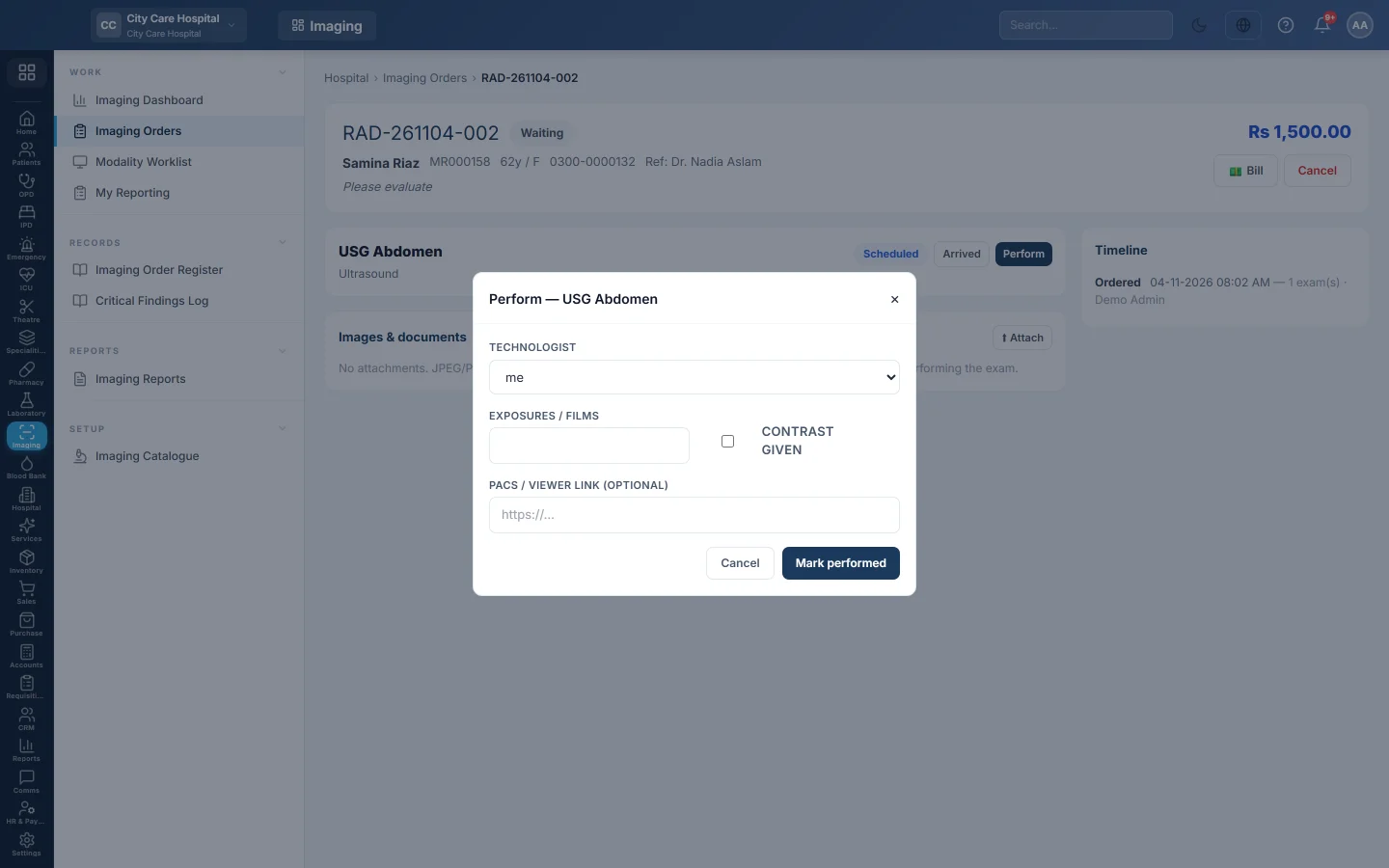
- Open the order and click Perform on the exam card.
- Choose the Technologist, or leave me.
- Enter the Exposures / films used.
- Tick Contrast given if contrast was used.
- Paste the PACS / viewer link (optional) if the images are in an outside viewer. When your hospital uses the PACS link, paste the Study Instance UID instead, or link it later.
- Click Mark performed.
The exam moves to To Report. If the exam has a report template, the report is pre-filled and ready for the radiologist.
Link the PACS study later
When the PACS link is on and the study arrives after the exam was marked performed:
- Find the study in your PACS by the Acc. number on the exam card.
- On the order, click Link PACS study.
- Paste the Study Instance UID and click Link study.
The Images button then opens the study. A UID already linked to another exam is refused.
Attach images or documents
- On the order, click Attach under Images & documents.
- Pick a JPEG, PNG, WebP or PDF file up to 20 MB.
Use it for a phone photo of a film, a printed ultrasound or an outside report. DICOM files stay in your PACS.
Common questions
Perform says Already performed. Someone else marked it a moment ago. Refresh the page.
The UID is refused. A Study Instance UID has digits and dots only, such as 1.2.840.113619.2.55.3. Copy it again from the PACS.
I marked the wrong exam performed. It cannot be undone, and the order can no longer be cancelled. Tell the radiologist, who notes it in the report.
谢谢。 如果仍需帮助,请发邮件至 info@eloerp.net。