Print a lab report
Print a released lab report on A4 with your letterhead, signatories and flags, and reprint it later from the order.
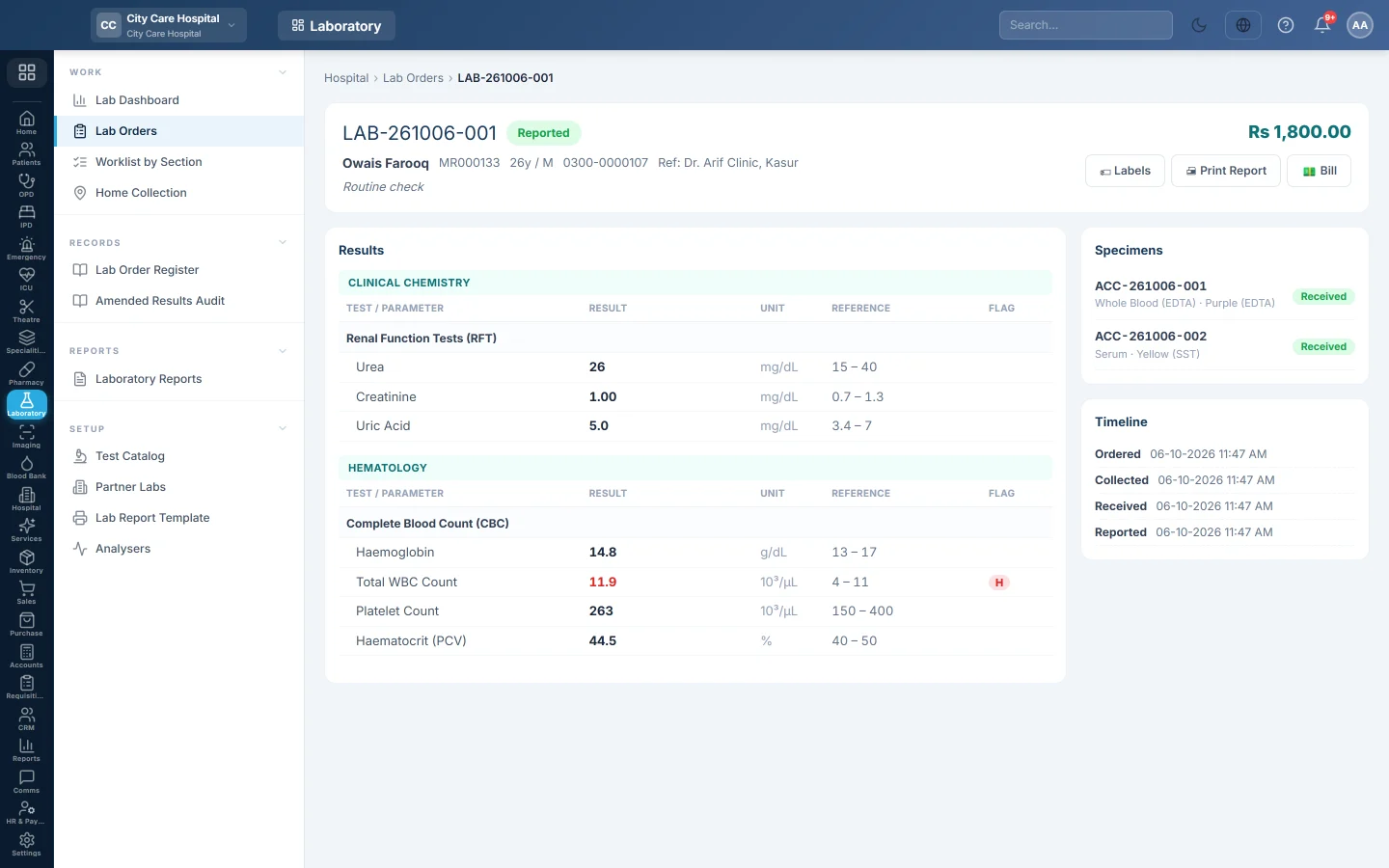
Once a report is released, you print it from the order. The layout comes from your lab report template.
Before you begin
- The report is released, so the order shows Reported. See Verify and sign out a lab report.
- Your letterhead, signatories and columns are set in Lab Report Template.
Where to find it
Open Laboratory → Work → Lab Orders, click the Reported chip and open the order.
Print the report
- Click 🖨 Print Report.
- Check the preview in the print window.
- Print, or save it as a PDF to send to the patient.
The report shows the patient's details, each test with its result, unit, reference range and flag, and the signatories. High and low values are marked. A test done by a partner lab prints Performed at with that lab's name under it.
To reprint, open the order again and click 🖨 Print Report. The report always prints the released values.
Print other papers
- 🏷 Labels prints the barcode labels for the tubes.
- Print Register on Lab Orders prints a list of orders with their stage and amount.
- The receipt prints when you bill the order. See Bill a lab order.
Common questions
There is no Print Report button. The report is not released yet. It must be signed out first.
The header prints over my pre-printed paper. In Lab Report Template, choose Pre-printed paper and set the top and bottom blank space.
Can I hide the reference range column? Yes. Untick Reference range under Result columns in the template.
Can I print a report in Urdu? Tick Bilingual (add Urdu labels) in the template. The patient details then carry Urdu labels too.
谢谢。 如果仍需帮助,请发邮件至 info@eloerp.net。