Run a screening camp and track arrivals
From planning a free camp to counting how many referred people came for treatment, step by step, including offline screening and linking people to patient records.
A camp is worth what it brings back to the hospital. This walk-through follows one free eye camp from planning to the sponsor's report.
Before you begin
- The Charity module is on. See Camps & Outreach.
- If a donor pays for the camp, record their sponsorship first. See Donations & Funds.
Where to find it
Open Hospital → Finance → Camps & Outreach.
Before the camp
- Click New Camp and fill in the name, place, dates, team lead and budget.
- Choose Paid from (the fund) and Sponsored by (the sponsorship).
- Set Status to Planned and click Save camp.
On the camp day
- Open the camp and set Status to Running.
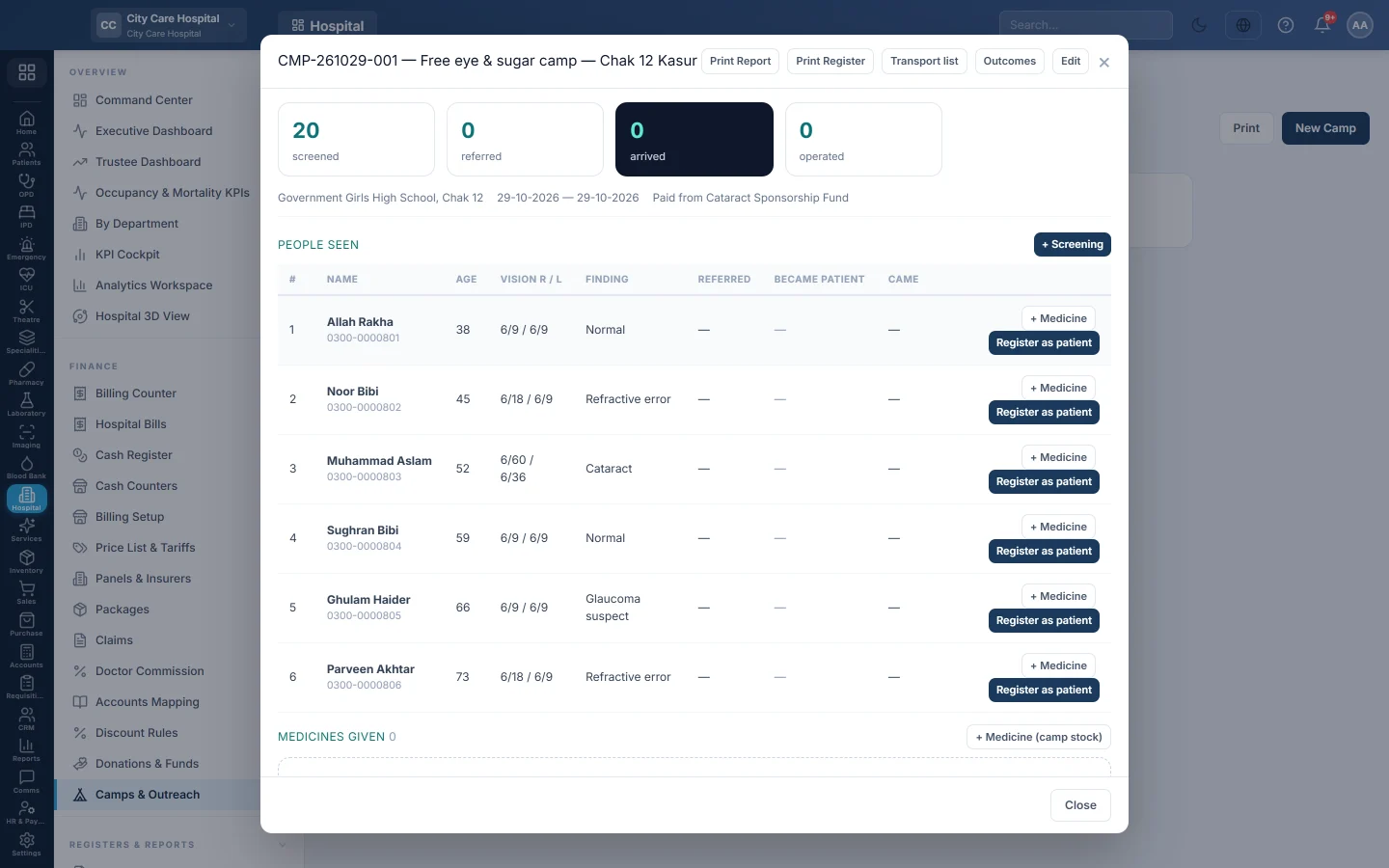
- For each person, click + Screening, record them and click Save & next.
- Always take the ID card number where you can. It is what links them later.
- Tick Referred to the hospital for anyone who needs surgery, a clinic visit or glasses.
- Record medicines handed out with Medicine.
No signal at the venue? Keep recording. The page shows how many screenings are saved on the device; click Sync now when you are back online.
After the camp
- Set Status to Completed and enter What it actually cost.
- Print the Transport list for the surgery-day pick-up.
- As referred people come in, link them under These people look like patients on our register, or click Register as patient on their screening.
Report to the sponsor
- Open the camp.
- Read screened, referred, arrived, operated and cost per arrival.
- Click Print Report and Outcomes.
The same numbers appear in the camp register in the Reports Library.
Common questions
A patient came but the camp did not count them. Their screening is not linked. Link it; arrival then counts any visit on or after the camp date.
The match suggests the wrong person. A phone number can belong to a whole family. Link only when the name and age agree.
Can I record a camp after it happened? Yes. Enter it with past dates and add the screenings from the paper register.
谢谢。 如果仍需帮助,请发邮件至 info@eloerp.net。