Set up welfare bands (who pays)
Build the welfare ladder that decides what share of a bill a patient pays and which fund pays the rest, add a means test, and assess patients onto a band.
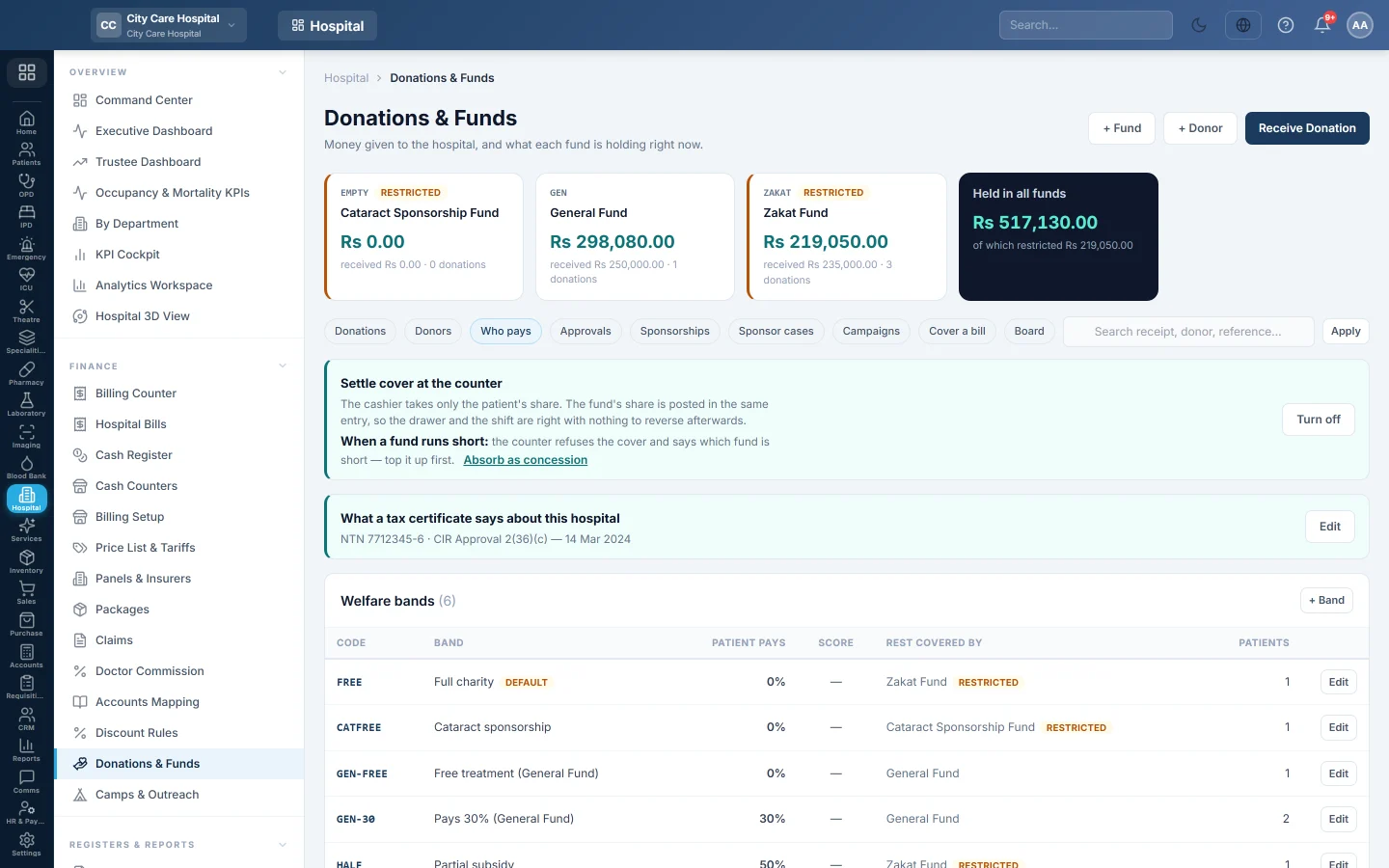
A welfare band says what share of the bill a patient pays: nothing, half, or the full price. The rest comes from a fund or is written off as the hospital's concession. The welfare officer assesses each patient onto a band; patients nobody assessed fall to the default band.
Before you begin
- The Charity module is on and at least one fund exists. See Donations & Funds.
- Setting up bands needs the welfare setup right; assessing needs the welfare assess right.
Where to find it
Open Hospital → Finance → Donations & Funds and click the Who pays tab.
Start with a ready ladder
If you have no bands yet:
- Choose who covers the rest: a fund (Covered by …) or Cover written off as a concession.
- Click Create a free / half / full ladder.
You get three bands to rename, re-rate or delete afterwards.
Add or change a band
- Click + Band, or Edit on a band.
- Type a Code such as FREE and a Name such as Full charity.
- Under Subsidy, choose A share of the bill and type Patient pays as a percent (0 is free, 100 is full price). Or choose A fixed amount and type what it Covers up to on each bill.
- In Rest covered by, choose a fund or The hospital (concession).
- Type Valid for (days). Blank means until revoked.
- Under Who must approve a concession on this band, click + Approval level and set the amount above which each level signs.
- Choose the Deposit at admission: the full deposit, A share of it or No deposit.
- To let the means test suggest this band, set the score range.
- Write What the officer should see, such as income proof or CNIC.
- Tick Give this band to patients nobody has assessed on one band only: the default.
- Click Save band.
Add a means test (optional)
Under Means test, click + Rule for each rule, for example income under 25,000 → 30 points, and click Save rules. The band whose score range holds the total is suggested on the assessment. With no rules, the officer picks the band by hand.
Assess a patient
- Click Assess a patient, or Assess on a request under Waiting for assessment.
- Search for the patient.
- Fill in Monthly income, Dependents, Assets (value) and Support already received / month. The score and suggested band appear.
- Choose the Band. If it differs from the suggested one, say why.
- Type the Estimated cost of treatment when the band needs approval above an amount.
- Set Review on, write the Evidence seen, and tick consent if the patient agrees donors may see their name.
- Click Save assessment.
For a Zakat-funded band, click Upload Mustahiq form on the patient's row. Zakat pays only after the declaration is uploaded.
Front-desk staff send patients to this queue with Request concession on registration, admission and billing screens.
Settle cover at the counter
Click Turn on next to Settle cover at the counter. The cashier then takes only the patient's share. Choose what happens when a fund runs short: refuse, or Absorb as concession.
Common questions
A patient was never assessed. They get the default band. If there is no default band, they pay in full.
A decision expired. Assessments lapse after their valid days and show under Due for review. Click Re-assess.
Can I take a patient off a band? Click Revoke on their row.
谢谢。 如果仍需帮助,请发邮件至 info@eloerp.net。