Seasons
Mark the date ranges, such as peak season, Ramadan or New Year, that carry their own room prices in your rate plans.
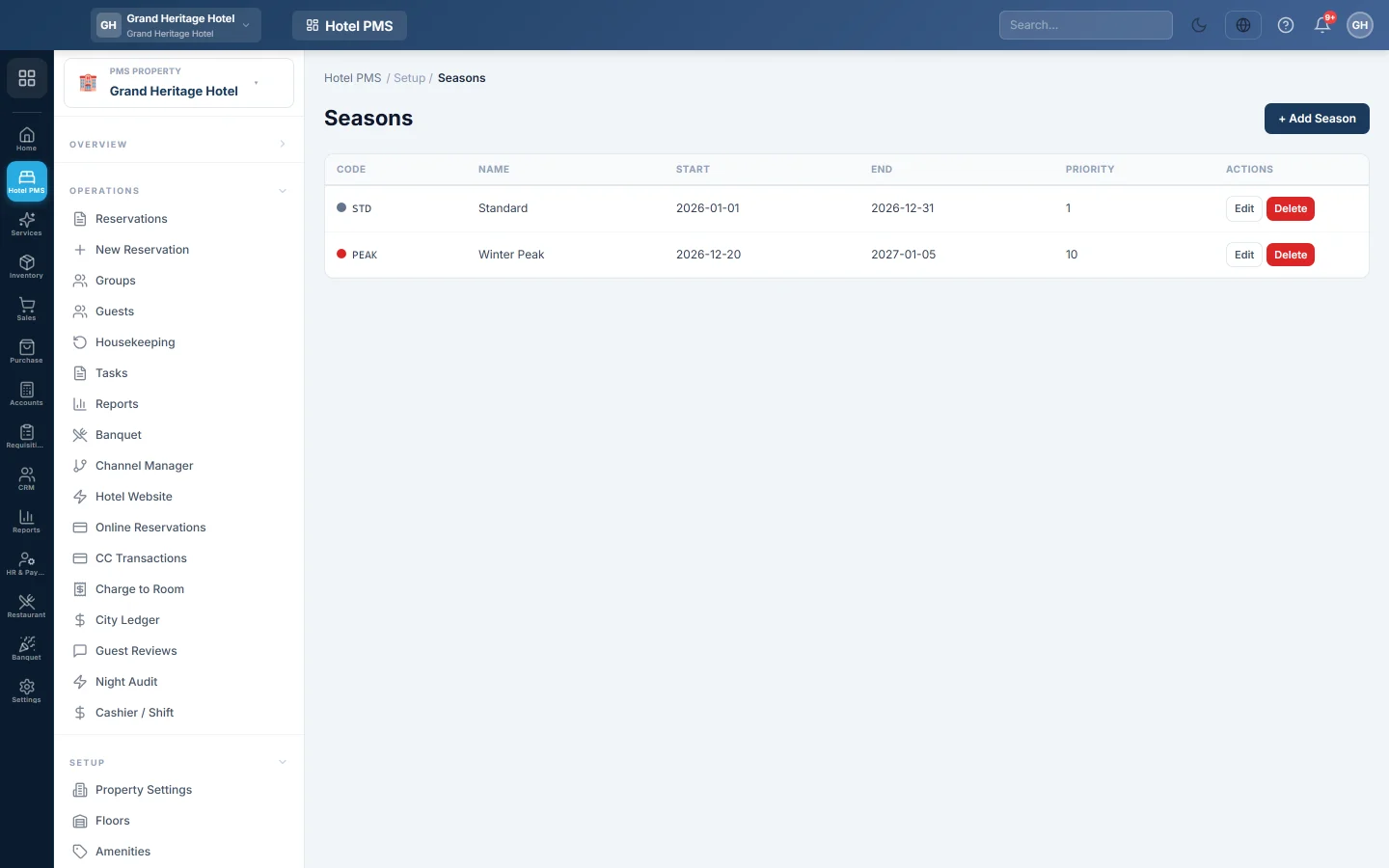
A season is a date range with its own prices, for example peak summer, Ramadan or New Year week. You create the season here, then give it prices in each rate plan's Rate Grid.
Before you begin
- Seasons belong to the hotel picked in the PMS Property box in the side menu.
- Your role needs the seasons permissions. See Users & Roles.
Where to find it
Open Hotel → Setup → Seasons.
Add a season
- Click + Add Season.
- Enter a Code, for example PEAK or RAM, and a Name, for example Peak Season.
- Pick the Start Date and End Date. Both days are inside the season.
- Set the Priority (higher wins overlap), from 0 to 100.
- Pick a Color to tell seasons apart in the list.
- Click Save.
Then open Rate Plans, click Rate Grid on a plan, and add rows for this season.
How a night finds its season
For each night of a stay, EloERP looks for a season that covers that date. When two seasons overlap, the one with the higher Priority wins. A night outside every season uses the rate grid rows set to All year.
Edit or delete a season
Click Edit to change the dates or priority, or Delete and confirm to remove the season. After a delete, the nights it covered use the All year prices, so check your rate grids.
Common questions
I added a season but prices did not change. A season has no prices of its own. Add rows for it in the plan's Rate Grid.
Does a season repeat every year? No. A season covers the dates you enter. Add a new season, or change the dates, for next year.
Do existing bookings change when I edit a season? No. A booking keeps the nightly rates it was quoted. It is priced again only when you change its dates, room type or rate plan.
شكرًا لك. إذا كنت لا تزال بحاجة إلى مساعدة، راسلنا على info@eloerp.net.