Guest Reviews
Collect guest feedback with a survey after check-out, log reviews from Google, TripAdvisor or comment cards, and follow up unhappy guests before they post publicly.
Guest Reviews gathers what guests think of their stay: answers to your own survey after check-out, and reviews you log from elsewhere. Low ratings are flagged for follow-up so a manager can call the guest while there is still time to fix it.
Before you begin
- To send surveys, a notification rule for the survey event and a working email or message channel are needed. See Alerts and ask your administrator about notification rules.
- Your role needs the reputation permissions. See Users & Roles.
Where to find it
Open Hotel → Operations → Guest Reviews.
Turn on the survey after check-out
- Click Settings.
- Tick Ask every guest for feedback after checkout. It is off by default.
- Set Flag for follow-up at or below, for example 3 ★ or lower.
- Click Save.
From then on, each guest gets one survey link when they check out. A guest is never asked twice for the same stay.
Read the reviews
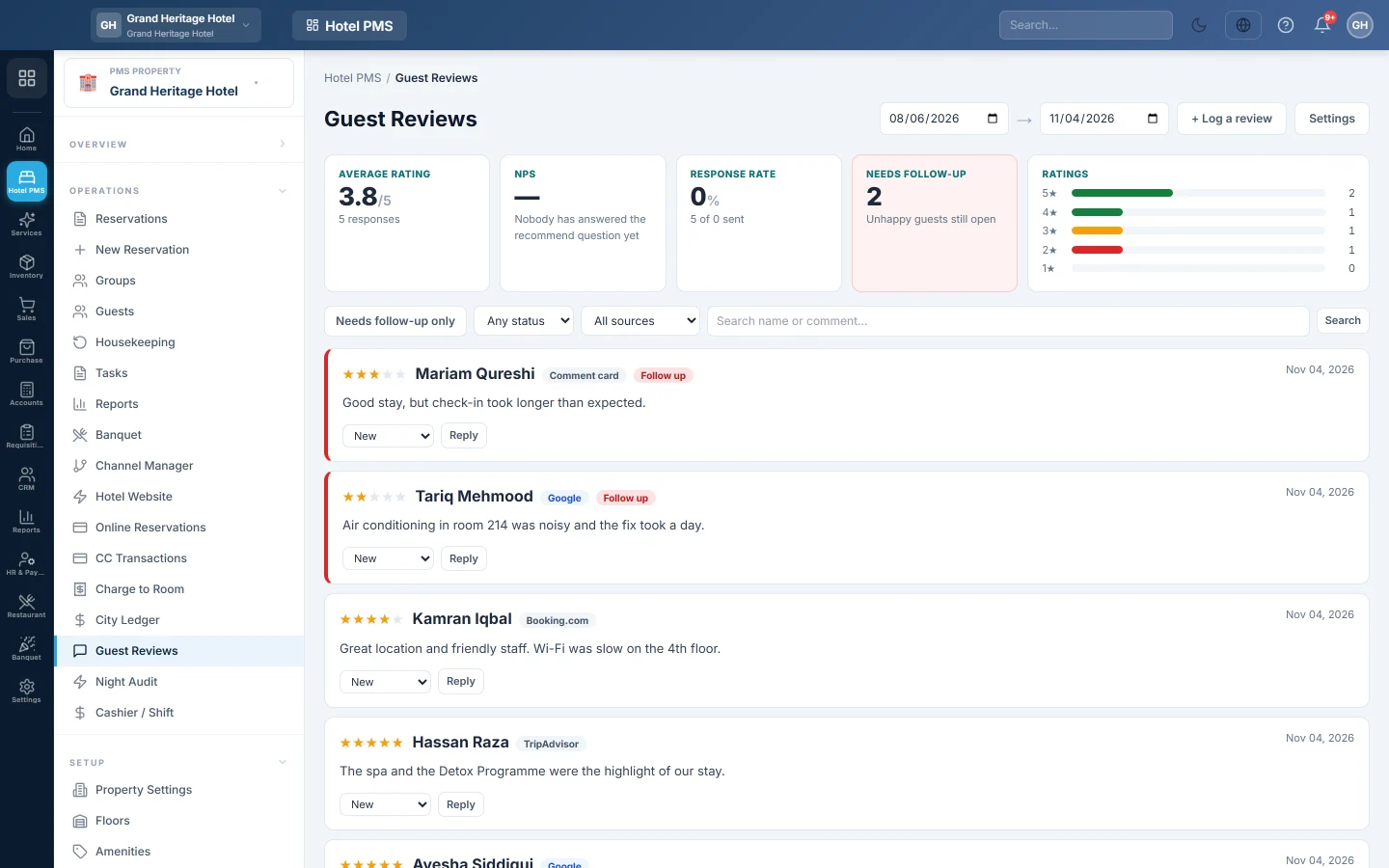
- Average rating with the number of responses, and how many guests are promoters or detractors.
- Response rate: how many surveys were answered out of those sent.
- Needs follow-up: unhappy guests whose review is still open.
Filter the list with Needs follow-up only, the status (New, In progress, Closed), the source (Our survey, Google, TripAdvisor, Comment card) and Search name or comment….
Follow up a review
- Click Reply on the review.
- Type what you told the guest, and an Internal note if needed; the guest never sees the note.
- Click Save.
The reply is recorded so the team sees the review was handled. It is not sent to the guest; contact the guest the way you normally would.
Log a review from elsewhere
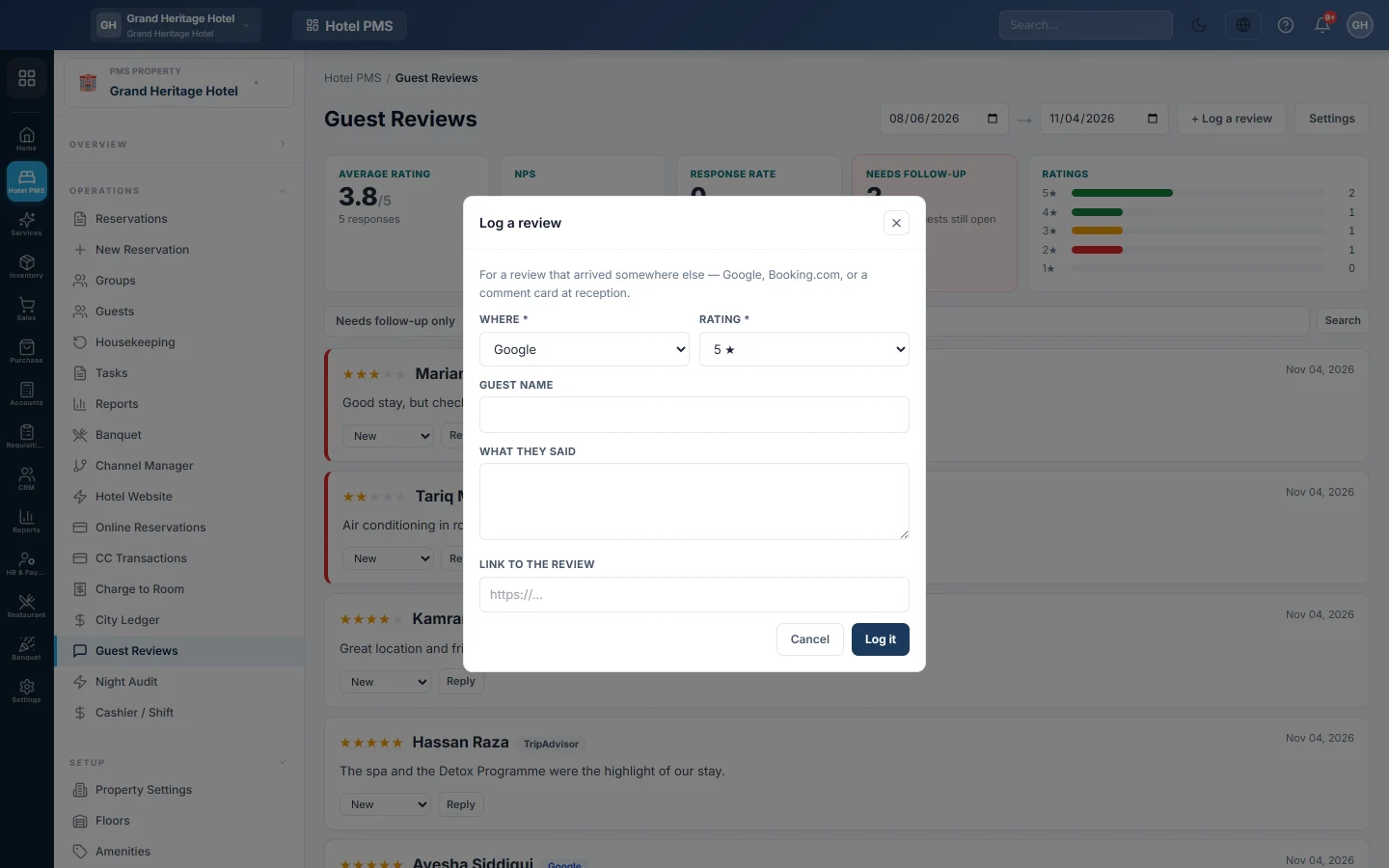
- Click Log a review.
- Pick Where the review appeared, for example Google or a comment card at reception.
- Pick the Rating and enter the Guest name, What they said and the Link to the review.
- Click Log it.
Common questions
The list says Automatic post-stay surveys are off. Turn them on in Settings.
Surveys are on but nobody answers. Check Response rate. If nothing is sent, the survey message rule or the email channel is missing.
Does a low rating alert anyone? Yes. A response at or below your follow-up score is flagged and raises an alert.
Can I reply on Google from here? No. Reply on Google itself, then record what you said here.
Vielen Dank. Wenn Sie weitere Hilfe brauchen, schreiben Sie an info@eloerp.net.