Deleted entries
The read-only archive of every entry removed from the books, with a full copy of the document, its lines, vouchers, stock and payment rows, who removed it and why.
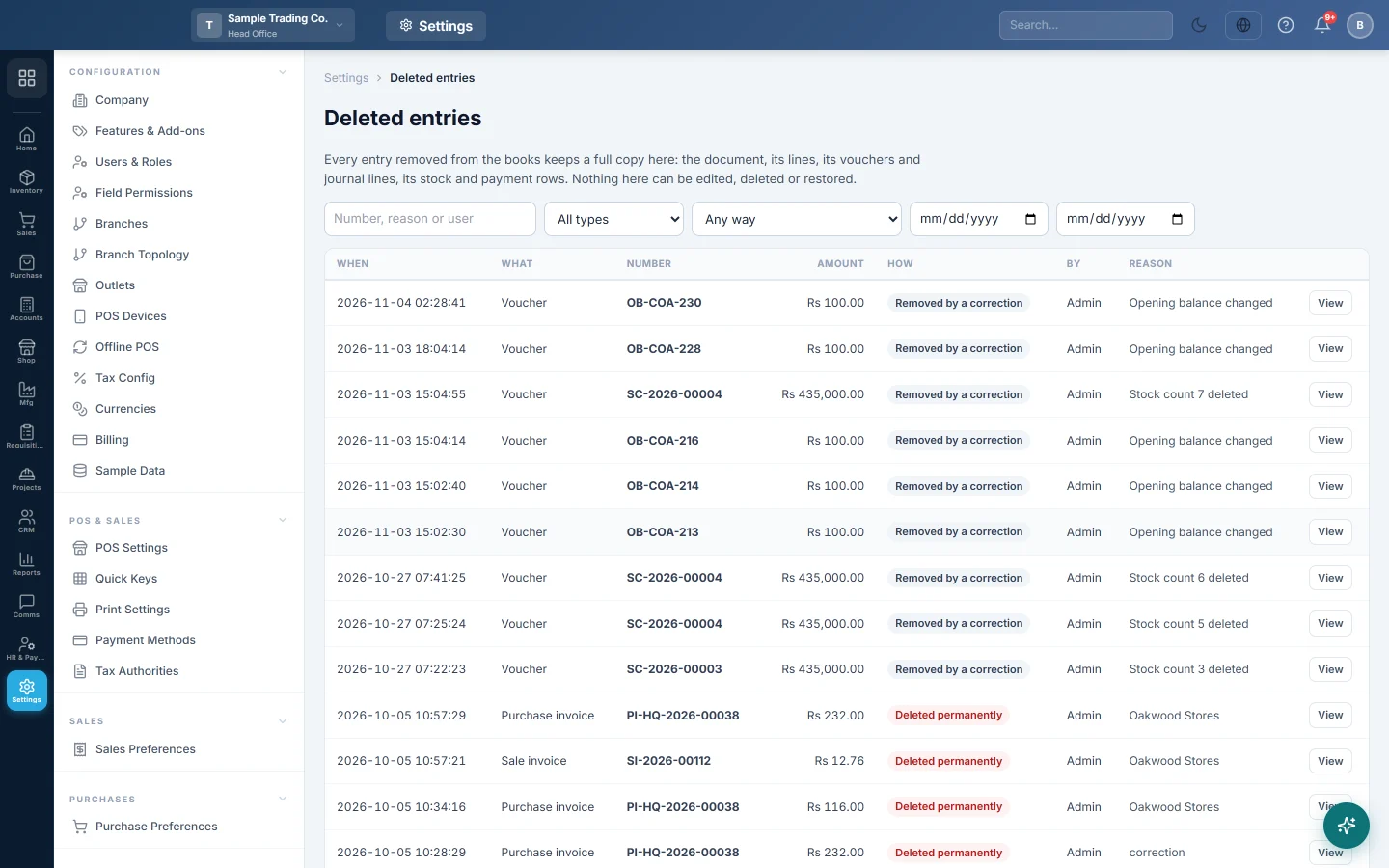
When an entry is removed from the books, a full copy is kept here: the document, its lines, its vouchers and journal lines, and its stock and payment rows. Use it to see what was removed, by whom and why. Nothing here can be edited, deleted or restored.
Before you begin
- You need a role with the permission to view the audit log.
Where to find it
Open Settings → System → Deleted entries.
Find a removed entry
- Type a document number, a reason or a user name in the search box.
- Choose a type in All types, for example Sale invoice, Purchase invoice, Sale return, Purchase return, Voucher or Account.
- Choose how it was removed in Any way (see below).
- Set a date range with the From and To dates.
Each row shows When, What, Number, Amount, How, By and Reason.
| How | What it means |
|---|---|
| Deleted permanently | Someone used Delete permanently on the document or ledger entry. |
| Removed by a correction | The old ledger entries were removed when a posted document was cancelled, edited or deleted. This happens when Accounting Preferences are set to delete old entries. |
| Merged | An account was merged into another account. |
Look at the archived copy
- Click View on the row.
- Read who removed it, when, from which address and the Reason.
- Under Removed in the same action, see the other entries removed with it, such as the invoice's vouchers.
- Scroll through the sections for the document, its lines and its postings.
- Click Print for a paper copy.
Common questions
Can I restore a deleted invoice? No. The archive is a record only. To bring it back, enter the document again from the copy shown here.
Who deleted this voucher? The By column shows the user. Click View for the date, time and address.
Why is an entry here when nobody deleted it? It was Removed by a correction: someone edited or cancelled a posted document, and the old ledger entries were replaced.
Can I clear this list? No. Nothing here can be deleted, so the history always stays complete.
谢谢。 如果仍需帮助,请发邮件至 info@eloerp.net。