Salary Setup
Build salary structures, the base salary plus allowances and deductions for a grade, that payroll uses to pay each employee.
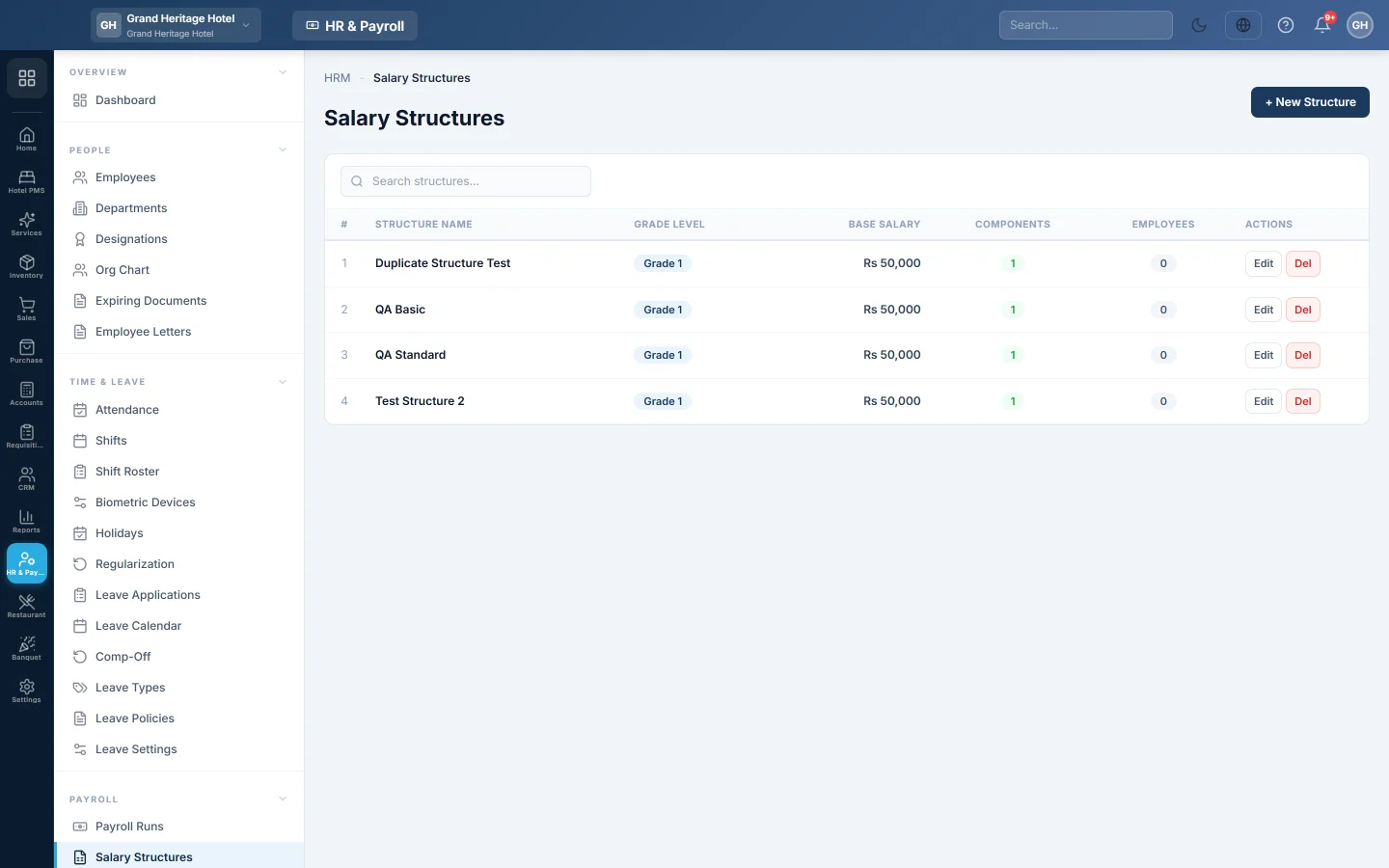
Salary Setup is where you build salary structures: a base salary and the allowances and deductions for a grade of staff, such as Grade A - Manager. Payroll uses the structure assigned to each employee to work out their pay. The menu item opens the Salary Structures page of HR & Payroll.
Before you begin
- Your plan must include the HR & Payroll module. Without it this menu item is hidden.
- You need a role that can view and edit salary structures.
- Set up the salary components (allowances and deductions) first. See Salary Components.
- Statutory rates and tax slabs are set under Statutory & Tax Slabs.
Where to find it
Open Settings → HR & Payroll → Salary Setup. The same page is under HR & Payroll → Payroll → Salary Structures.
Create a salary structure
- Click + New Structure.
- Under Structure Details, type the NAME, for example Grade A - Manager.
- Type the GRADE LEVEL, for example 1, if you use grades.
- Type the BASE SALARY.
- Add a DESCRIPTION if it helps.
- Under Salary Components, click Load Defaults to add the usual components, or + Add Component to add them one by one.
- For each component, enter a Fixed Amount or a % of Basic. The Computed column shows the result.
- Check Total Earnings, Total Deductions and NET PAY at the bottom.
- Click Create Structure.
Give a structure to an employee
- Open the employee in HR & Payroll → Employees and save them first if they are new.
- In the salary structure section, choose the Structure.
- Set the Effective From date.
- Click Assign.
The structure marked CURRENT is the one in force. A payroll run pays each month on the structure in force for that month, so a new structure from a later date does not change earlier months. See Payroll Runs.
Common questions
Several employees share a grade. Do I make one structure each? No. Make one structure per grade and assign it to everyone in that grade.
An employee got a raise. Assign a new structure with an Effective From date, or record an increment under HR & Payroll → Payroll → Increments. Earlier months keep the old pay.
Load Defaults added nothing. The default components do not exist in your company yet. Add them under Salary Components first.
I do not see Salary Setup in Settings. Your plan does not include HR & Payroll, or your role cannot open salary structures.
Спасибо. Если помощь всё ещё нужна, напишите на info@eloerp.net.