Employees
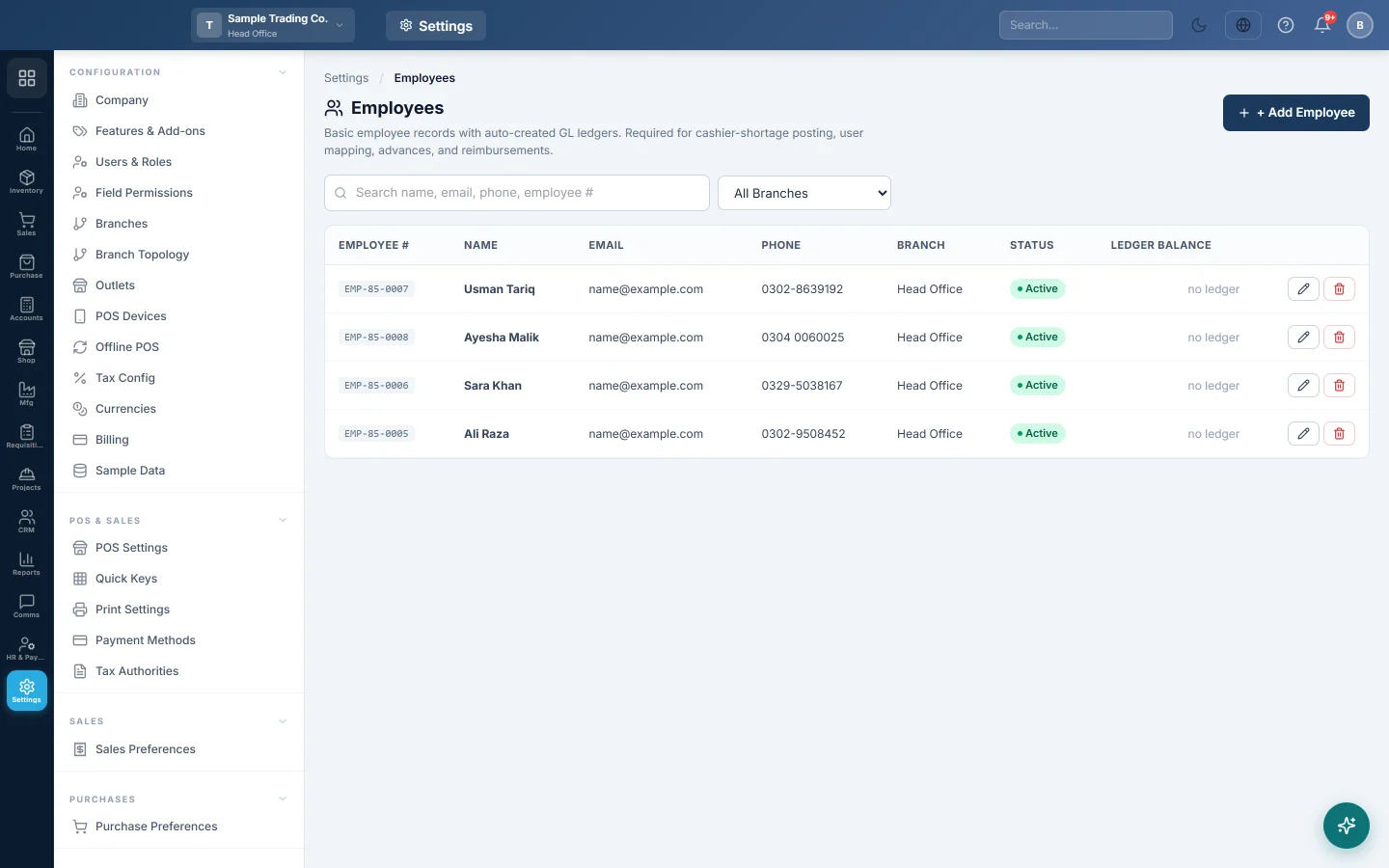
A simple staff list with a ledger for each person, for companies without the HR module, used for cashier shortages, salary advances, reimbursements and linking users to staff.
This page keeps a basic record of each employee, with their own ledger in your books. You need it even without the HR module: it is where a cashier's cash shortage, a salary advance or a reimbursement is posted.
Before you begin
- You need a role that can manage employees.
- Add the branch first. Employees belong to one branch. See Branches.
- Companies with the HR & Payroll module also have the full employee file under HR. See Employees.
Where to find it
Open Settings → People → Employees.
Add an employee
- Click Add Employee.
- Type the Full Name.
- Choose the Branch.
- Fill in the Email, Phone, CNIC (national ID number) and Joining Date if you have them.
- Leave Status on Active.
- Keep Create / keep GL ledger on.
- Click Save.
The employee gets an Employee # automatically.
Why each employee has a ledger
With Create / keep GL ledger on, an asset ledger is created for the employee under Staff Advances / Employee Receivables. The Ledger Balance column shows what the employee owes the business.
| Entry | What it posts to the employee's ledger |
|---|---|
| Cash shortage on a Z-report | The missing cash is charged to the cashier's ledger. |
| Salary advance | The amount given is recorded as owed by the employee. |
| Reimbursement | The money paid back to the employee. |
A row showing no ledger cannot take these postings. Edit the employee and turn on Create / keep GL ledger.
Link a user to an employee
So that a cashier's shortage reaches the right person, link their user to their employee record:
- Open Settings → Configuration → Users & Roles.
- Edit the user.
- Choose the employee under Linked Employee and click Save User.
See Users & Roles.
When someone leaves
Edit the employee and set Status to Resigned or Terminated. The record and its ledger stay for your history. Delete works only for an employee with no linked transactions, and cannot be undone.
Common questions
Why can I not delete an employee? They have linked transactions, such as an advance or a shortage. Set their Status to Resigned or Terminated instead.
Do I need the HR module for this page? No. This page is always available. The HR module adds attendance, leave and payroll.
The cashier's Z-report shortage did not post to them. Check their user has a Linked Employee, and that the employee has a ledger.
Can I see employees of every branch? Choose All Branches in the filter above the list.
Merci. Si vous avez encore besoin d’aide, écrivez à info@eloerp.net.