Bonus & Deductions
Record one-off bonuses and deductions for a month, approve them, and payroll adds them to that month's pay.
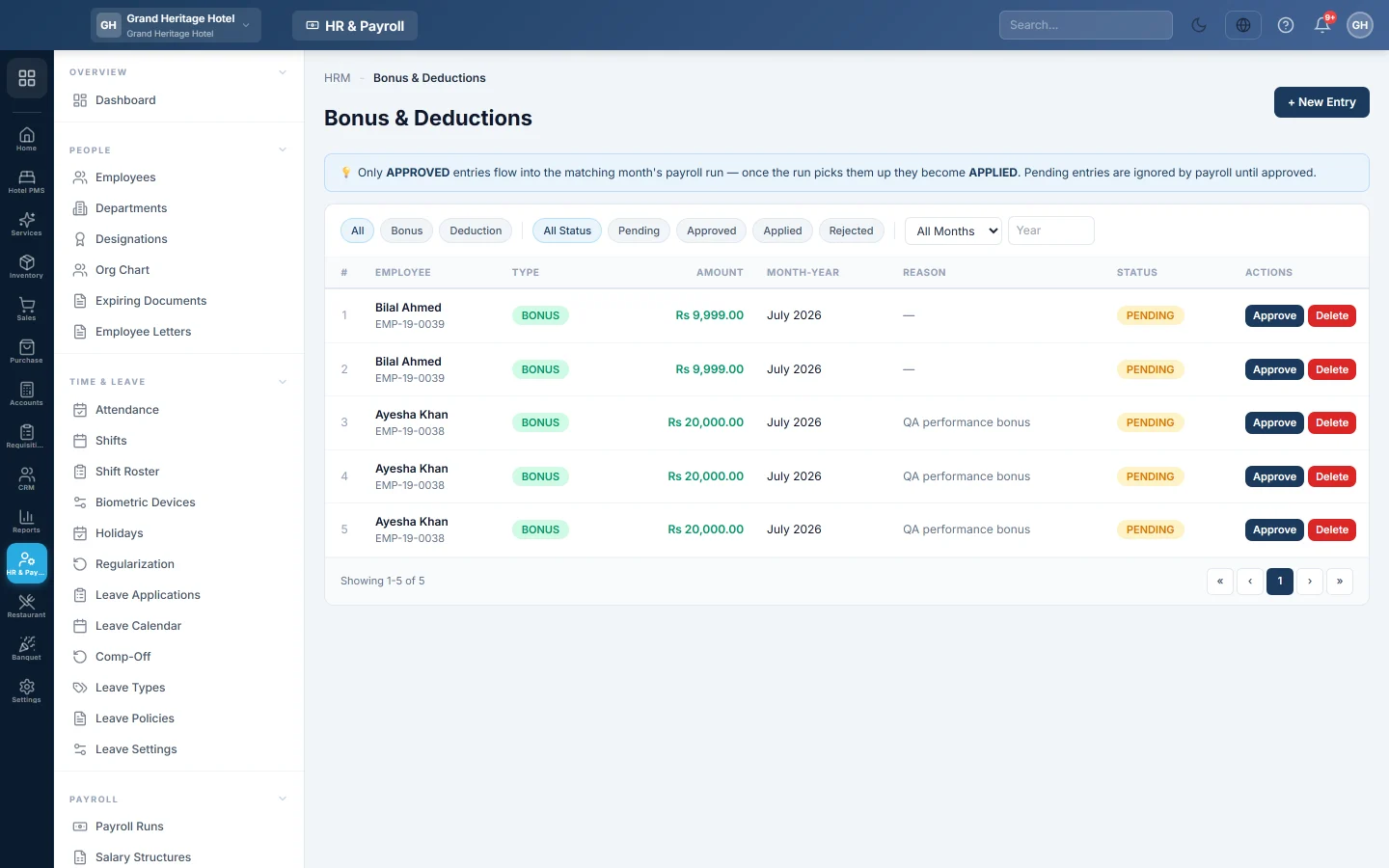
Bonus & Deductions records one-off amounts for a month: an Eid bonus, a performance bonus, a fine or a damage deduction. Once approved, the month's payroll adds them to the employee's pay.
Before you begin
- The employee exists. See Employees.
- The payroll run for that month is not generated yet.
Where to find it
Open HR & Payroll → Payroll → Bonus & Deductions.
Add an entry
- Click + New Entry.
- Under EMPLOYEE, select the employee.
- Pick the TYPE: Bonus or Deduction.
- Type the AMOUNT.
- Pick the MONTH and YEAR it belongs to.
- Type the REASON.
- Click Create Entry.
The entry starts as PENDING. Pending entries are ignored by payroll until approved.
Approve entries
- Pick Pending in the status filter.
- Click Approve on each entry that is right. It becomes APPROVED.
When the month's payroll is generated, approved entries are added to it and marked APPLIED. See Payroll Runs.
Change or remove an entry
Click Delete on an entry that is not yet in payroll, and add it again with the right figures.
What happens in the books
A bonus is part of gross pay and posts to Salary Expense with the payroll. A deduction lowers the net pay credited to the employee. Nothing posts until the payroll run is posted.
Common questions
What is the difference from Ad-hoc on the payroll run? + Ad-hoc adds a line to one draft run directly. Bonus & Deductions keeps an approved record that anyone can enter ahead of payroll.
Why was an approved bonus not paid? It was approved after the payroll run was generated. Add it to the draft run with + Ad-hoc on the employee's row.
Спасибо. Если помощь всё ещё нужна, напишите на info@eloerp.net.