Loans
Give employees loans that are paid out from cash or bank and recovered in monthly instalments through payroll, with schedules, statements and agreements.
An employee loan is paid out from cash or bank and recovered from salary, one instalment a month, until it is cleared. Every payout and recovery posts to the books by itself.
Before you begin
- The employee exists, ideally with their own ledger. See Employees.
- A cash or bank account exists in the Chart of Accounts.
- Approving a loan needs the HR permission to approve loans. See Users & Roles.
Where to find it
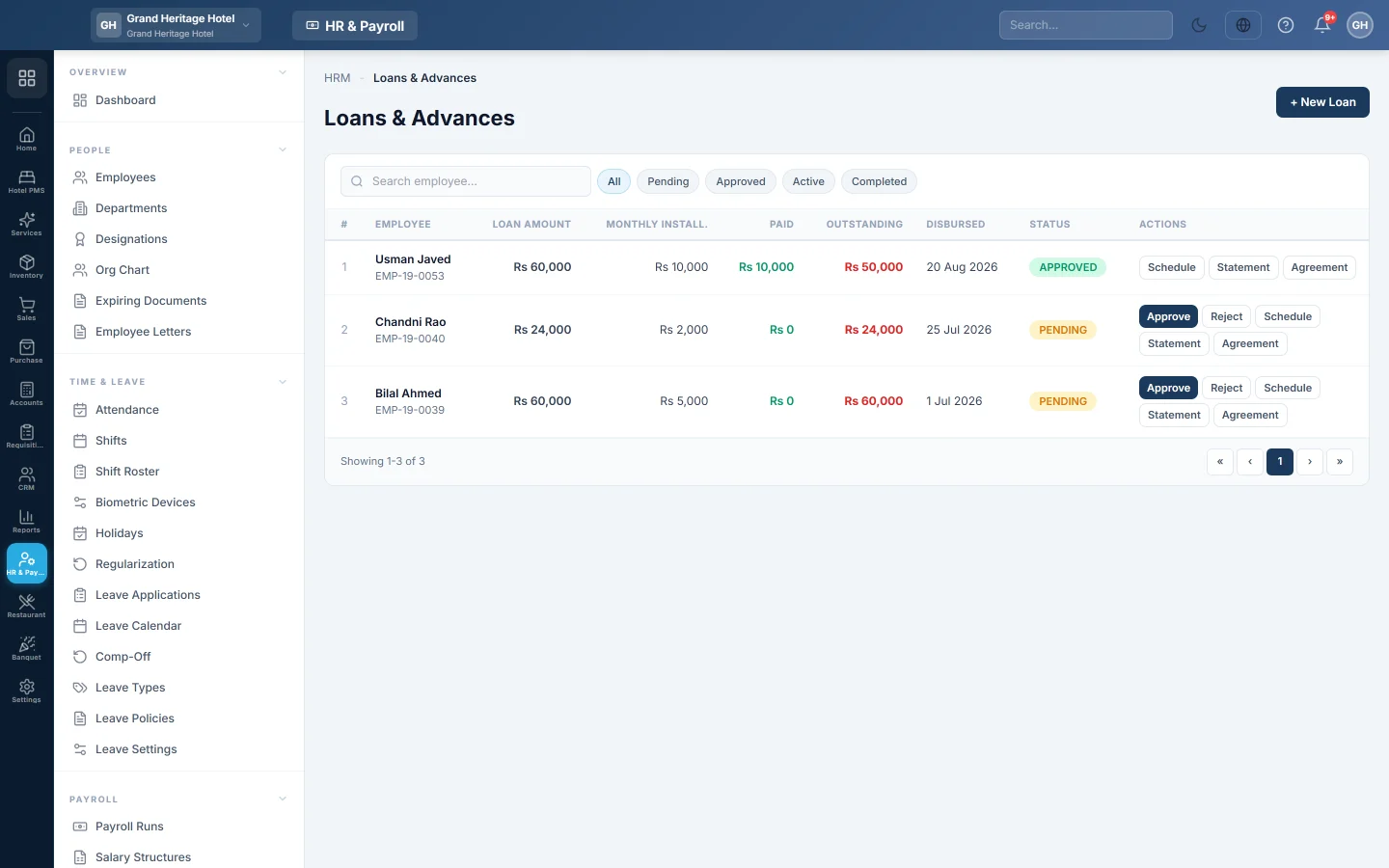
Open HR & Payroll → Payroll → Loans.
Create a loan
- Click + New Loan.
- Under EMPLOYEE, select the employee.
- Pick the LOAN TYPE: Personal, Medical, Education, Housing, Emergency or Other.
- Type the LOAN AMOUNT and the REPAYMENT MONTHS.
- Optional: type an INTEREST RATE (%). Interest is a flat percentage of the loan, spread evenly over the instalments.
- Set REPAYMENT STARTS, the first month an instalment is deducted.
- Type the PURPOSE / REASON. The form shows the estimated monthly instalment.
- Click Create Loan & Schedule.
The loan waits as pending until it is approved.
Approve and pay out the loan
- Click Approve on the loan's row.
- Choose Paid from, the cash or bank account, and the date.
- Click Approve & post.
The payout is posted to the books and the repayment schedule starts. To refuse a loan, click Reject.
Follow the repayments
- View Schedule shows each instalment: due date, principal, interest, amount and whether it is paid.
- Set a plan lets you choose the month each instalment is deducted, for example to skip Eid month. Click Save plan. Instalments already paid are left alone.
- Mark Paid records an instalment the employee paid in cash, outside payroll.
- Statement prints the loan statement. Agreement prints a staff loan agreement for signing.
Each payroll run deducts the instalment that falls in its month. To take less in one month, click Loan on the employee's row in the payroll run. See Payroll Runs.
What happens in the books
| Event | Debit | Credit |
|---|---|---|
| Loan paid out | The employee's ledger (or Employee Loan Receivable) | The cash or bank account it was paid from |
| Instalment recovered in payroll | (part of the payroll voucher) | The employee's ledger (or Employee Loan Receivable) |
| Instalment paid in cash (Mark Paid) | The same cash or bank account | The employee's ledger (or Employee Loan Receivable) |
With interest, the employee owes the loan plus interest. The interest waits in Unearned Loan Interest and moves to Interest Income as each instalment is recovered.
Common questions
What is the difference between a loan and an advance? A loan is repaid over several months. An advance is recovered in full from the next payroll.
An employee cannot pay this month. What do I do? In the payroll run, click Loan on their row and type 0. The instalment goes back to the schedule, where you re-plan the rest with Set a plan.
The employee is leaving with a loan outstanding. The final settlement on Employees recovers what is left from their last pay.
Where do I see all loans together? On the Loan & Advance Ledger in HR & Payroll Reports.
Terima kasih. Jika masih butuh bantuan, kirim email ke info@eloerp.net.