Dashboard
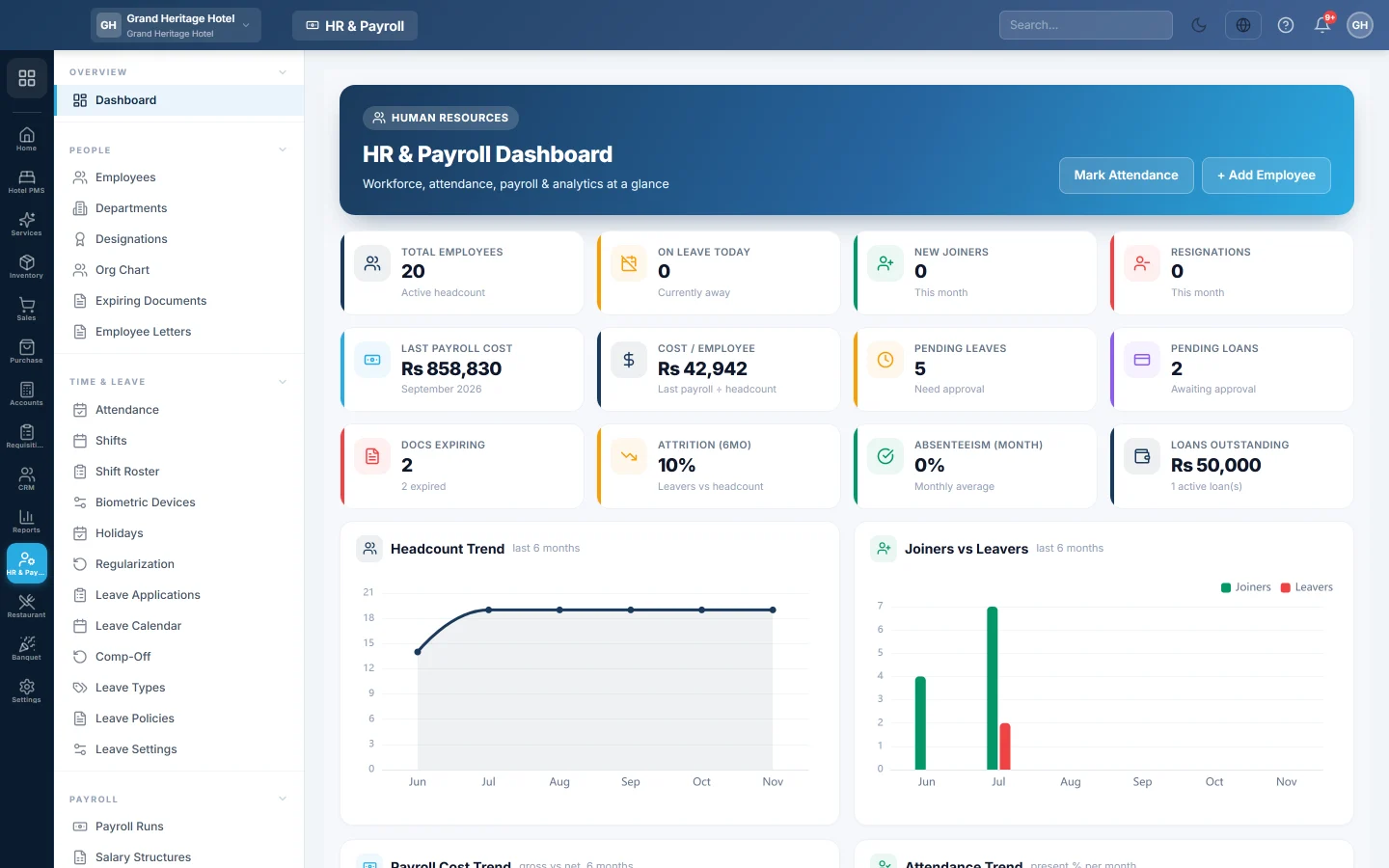
The HR home page, showing headcount, today's attendance, pending leave and loans, payroll cost and HR alerts at a glance.
The HR & Payroll dashboard shows your workforce at a glance: how many people you employ, who is in today, what is waiting for approval and what payroll costs.
Before you begin
- Add your employees first. See Employees.
- The attendance, leave and payroll figures fill in once you mark attendance, approve leave and run payroll.
Where to find it
Open HR & Payroll → Overview → Dashboard.
Read the dashboard
The cards across the top:
| Card | What it shows |
|---|---|
| Total Employees | Active headcount. |
| New Joiners | People who joined this month. |
| Resignations | People who left this month. |
| Pending Leaves | Leave applications awaiting approval. |
| On Leave Today | People on approved leave today. |
| Last Payroll Cost | The cost of the most recent payroll run. |
| Loans Outstanding | Active employee loans still being repaid. |
| Pending Loans | Loan requests that need approval. |
| Docs Expiring | Employee documents close to their expiry date. Click it to open Expiring Documents. |
Further cards show Cost / Employee (last payroll ÷ headcount), Attrition (6mo) and Absenteeism (Month).
Attendance Today splits today's staff into PRESENT, ABSENT, ON LEAVE and LATE.
Alerts lists what needs your attention, for example:
- Probation Ending: an employee's probation ends soon.
- Probation Ended (Contract Staff): probation has passed and the employee is not confirmed.
- Increments Due: employees due or overdue for their yearly increment. Click it to open Increments.
The charts below show headcount, attendance and payroll cost trends, headcount and salary cost by department, headcount by designation, gender, contract mix, leave by type and joiners against leavers.
Quick Actions
The Quick Actions card opens the pages you use most:
- Add Employee opens a new employee form.
- Run Payroll opens Payroll Runs.
- Attendance opens Attendance.
- Leave opens Leave Applications.
Common questions
Why are the attendance cards empty? No attendance has been marked for today yet. Mark it, import it or sync a biometric device on Attendance.
Why is Last Payroll Cost blank? No payroll run exists yet. It fills in after your first run. See Payroll Runs.
How do I clear a Probation Ending alert? Confirm the employee: on Employees, click Confirm on their row.
Who sees this dashboard? Users whose role can open HR & Payroll. See Users & Roles.
Gracias. Si todavía necesita ayuda, escriba a info@eloerp.net.