Templates
Write the wording of automatic SMS, email, WhatsApp and in-app messages, with fields such as the customer's name and invoice total filled in for each message.
A template is the wording of an automatic message: what the customer, supplier or employee receives when an invoice is confirmed, a payment is received or a payslip is ready. Variables such as @Customer_Name are filled in for each message.
Before you begin
- Set up the channel you will send on: SMS, email or WhatsApp. See Notification Channels. In-app messages need no channel.
- Your role needs the notification template permissions. See Users & Roles.
- A template sends nothing on its own. A rule decides when it is used.
Where to find it
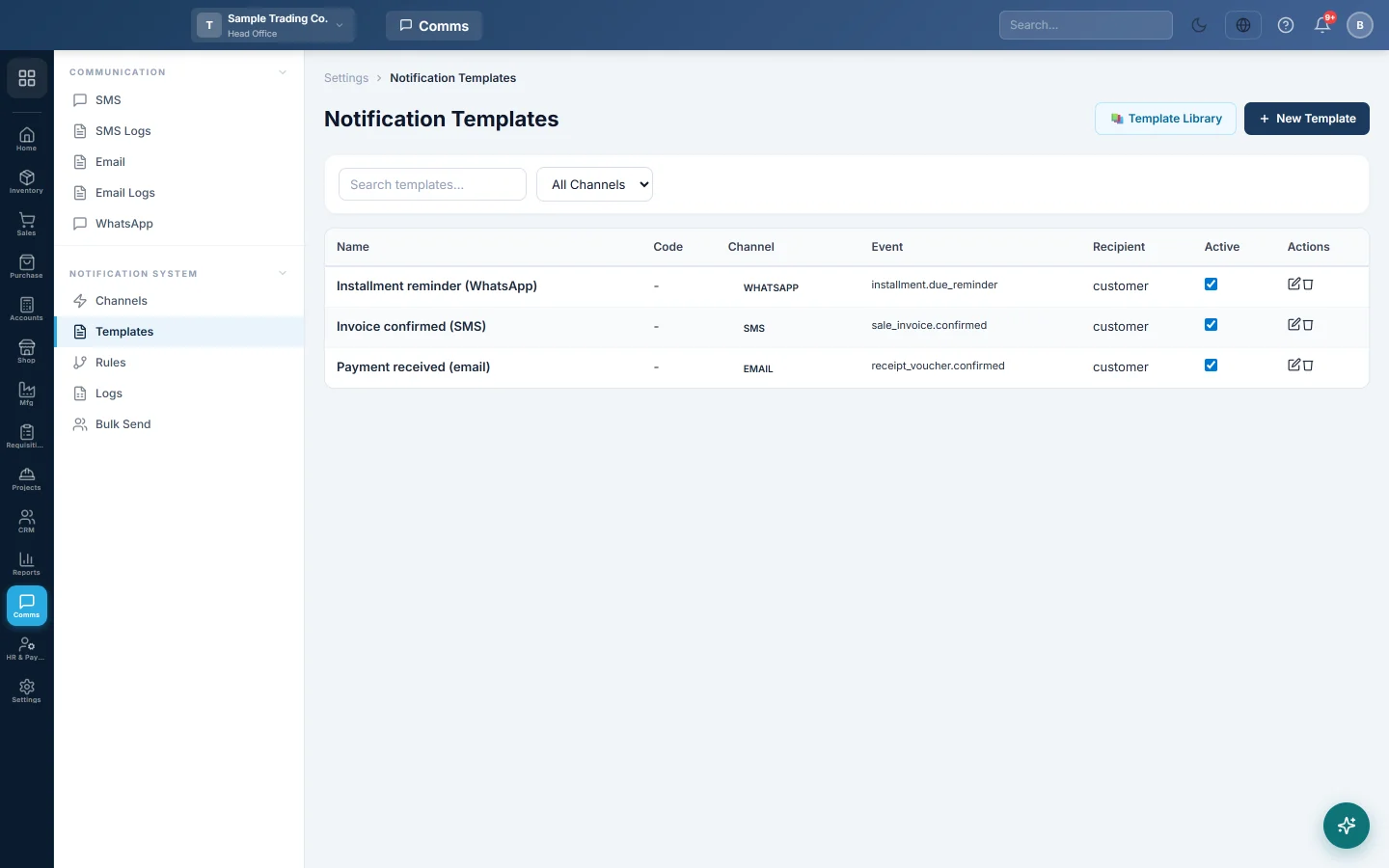
Open Communication → Notification System → Templates.
Start from the library
The Template Library has ready-made wording for common events.
- Click 📚 Template Library.
- Pick a module, such as Sales, Purchases, Accounting, Hrm or Crm, and a channel.
- Click Use This on a template. It is copied into your list and shows ✓ Added.
- Or click Load All Filtered to copy every template shown.
Edit the copied templates to suit your business.
Write a template
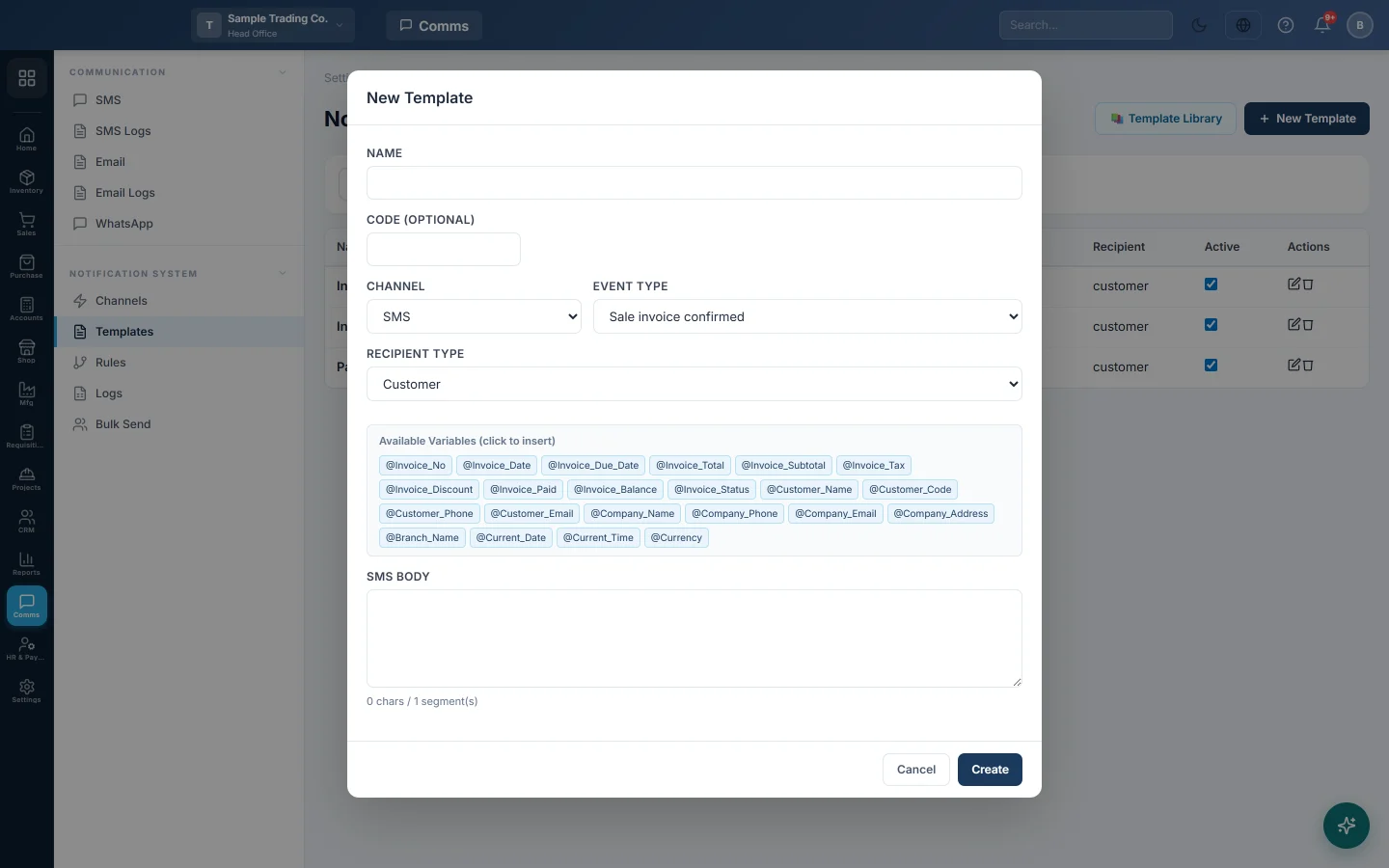
- Click New Template.
- Type a Name, for example Invoice confirmed – SMS. A Code (optional) helps you find it.
- Choose the Channel: SMS, Email, WhatsApp or In-app (staff bell).
- Choose the Event Type, for example Sale invoice confirmed.
- Choose the Recipient Type, for example Customer. The phone number or email is taken from that customer.
- Write the message. Click a variable under Available Variables (click to insert) to add it at the end.
- Click Create.
What you write depends on the channel:
- SMS: the SMS Body. The counter shows characters and SMS parts.
- Email: the Subject and the Body (HTML). Add CC or BCC addresses if a copy should go to your office.
- WhatsApp: choose the WhatsApp Provider your channel uses. For the free-text option, type the Message Body. For Meta Cloud API, type the Meta Template Name exactly as Meta approved it, its Language and Header Type.
- In-app (staff bell): a Title and Message shown in the bell of each user it reaches. Choose who: everyone in a role, everyone with a permission, one user, or the user who created, approved or requested the document.
A sample SMS for Sale invoice confirmed:
Dear @Customer_Name, your invoice @Invoice_No of @Invoice_Total is confirmed. Balance due: @Invoice_Balance. Thank you, @Company_Name.
Variables
The list of variables depends on the event. An invoice event offers fields such as @Invoice_No, @Invoice_Date, @Invoice_Total, @Invoice_Balance and @Customer_Name. Every event also has @Company_Name, @Company_Phone, @Branch_Name, @Current_Date and @Currency.
Templates copied from the library write variables as {{Customer_Name}}. Both styles work.
When your company has the customer portal, sales document events and Subscription payment reminder also offer @Statement_Link (the customer's private statement link) and @Portal_Link (the address of "My Account"). For a customer who has no statement online, the link is left out together with its label, so write it as Statement: @Statement_Link. See Statement and portal links in messages.
Switch a template off, change or delete it
- Untick Active in the list to stop using a template without deleting it.
- Click the pencil to change it, then Update.
- Click the bin and confirm to delete it.
Common questions
I wrote a template but nothing is sent. Add a rule for the same event and channel, and pick this template. Check that the channel is switched on.
The customer got the message without their name. The customer record has no name in that field, or the variable is spelled wrongly. Insert variables by clicking them rather than typing.
Which number does an SMS go to? The phone number on the customer's record, so keep customers' numbers complete, with the country code.
Can I reword subscription payment reminders? Yes. Add a template for the event Subscription payment reminder. See Collections.
Does Attach PDF work on every email? No. Today it attaches the appointment slip or token for clinic appointment and queue events only.
谢谢。 如果仍需帮助,请发邮件至 info@eloerp.net。