Write an email and send it at once to one or more addresses, optionally starting from a saved email template.
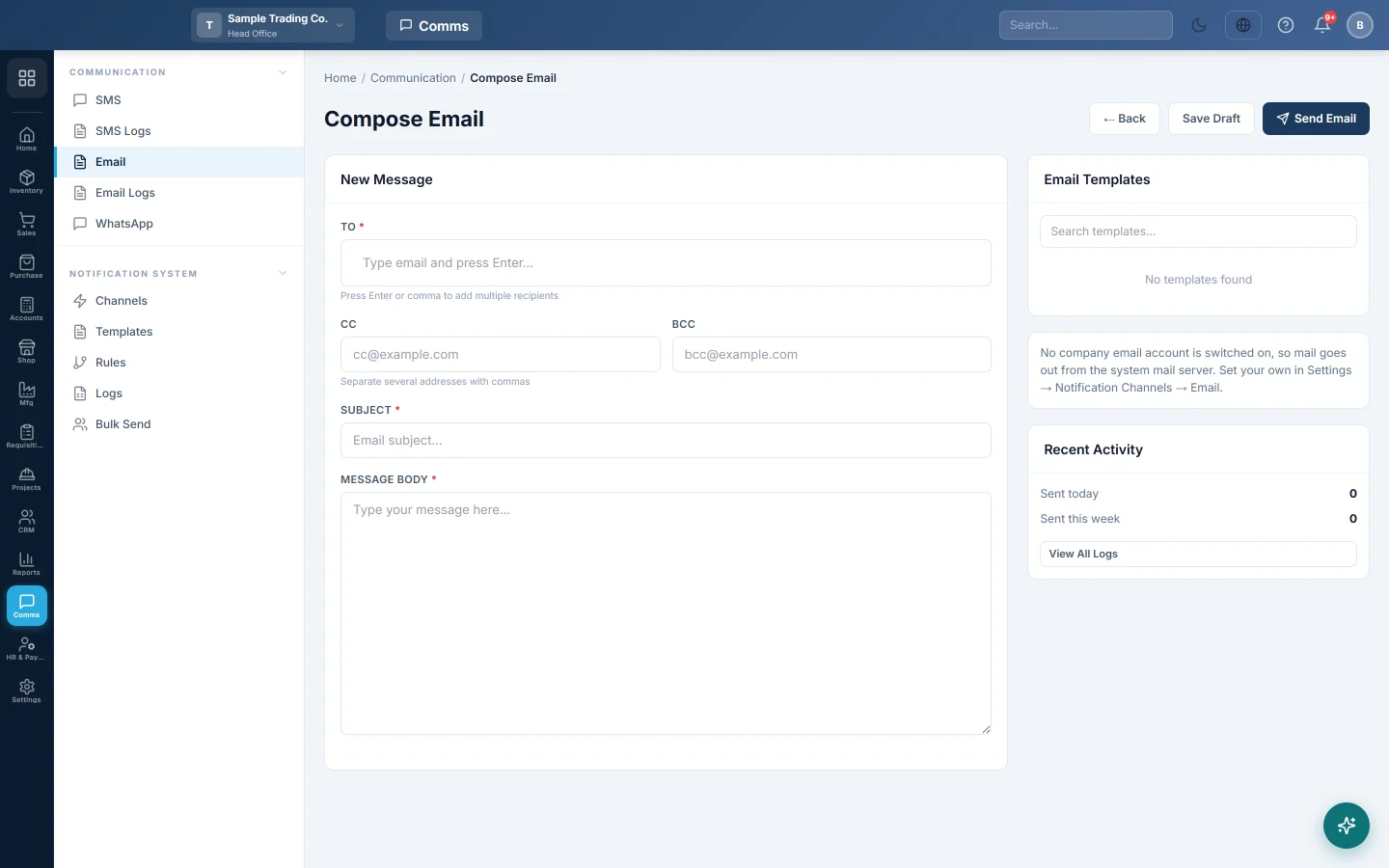
Compose Email sends an email straight away to the addresses you type. Use it for a one-off message to a customer, supplier or colleague.
Before you begin
- Your role needs the permission to send email. See Users & Roles.
- To send invoices, payment reminders and other messages automatically, use templates and rules instead. See Send a message automatically when something happens.
Where to find it
Open Communication → Communication → Email.
Send an email
- In To, type an email address and press Enter or a comma. Add more addresses the same way.
- To copy someone in, type their address in CC, or in BCC to copy them unseen. Separate several addresses with commas.
- Type the Subject.
- Type the Message Body.
- Click Send Email.
A green line shows how many emails were sent. The form then clears. Each email is also recorded in Email Logs.
The email goes out through your company's own Email channel when one is switched on. If none is on, the page says so, and the mail goes out from the system mail server. See Channels.
Save a draft
- Click Save Draft at the top.
- It says Draft saved on this device. It opens again here until you send it.
The draft is kept in this browser only. When you open Compose Email again on the same device, it says Your saved draft was opened. Sending the email clears the draft.
Start from a template
If your company has saved email templates, they are listed under Email Templates on the right.
- Type in Search templates... to find one.
- Click the template. Its subject and body fill the form.
- Change the wording if needed, and send.
Common questions
An address I typed did not stay in the To box. Only valid email addresses are added. Check the spelling and press Enter again.
Can I attach a file? Not on this page. To send a document such as an invoice, use the share or email option on that document.
Can I email many customers at once? Yes, with Bulk Send. It picks customers, suppliers or employees and fills in each name.
I saved a draft but cannot find it on another computer. A draft is kept only in the browser where you saved it. Open Compose Email on that device.
Where do I see whether it was sent? In Email Logs. A failed email shows the reason when you click View.
Vielen Dank. Wenn Sie weitere Hilfe brauchen, schreiben Sie an info@eloerp.net.