Sales Tax (PK GST)
The sales tax on the hotel's food, beverage and service charges for a period, net, tax and gross by charge type, at the property's GST rate.
Sales Tax (PK GST) works out the output sales tax on the hotel's food, beverage and service charges for a period, by charge type, at the property's GST rate.
Before you begin
- Your role needs the hotel compliance permission. See Users & Roles.
- The property needs its GST rate. Enter it in Sales tax (GST) % on Property Settings. Rates differ by province, so check with your accountant.
Where to find it
Open Reports → Hotel PMS Reports → Sales Tax (PK GST). It is also in the PK Compliance pack in the PMS Reports Hub.
Run the report
- Set From and To to the return period.
- Click Apply.
Read the report
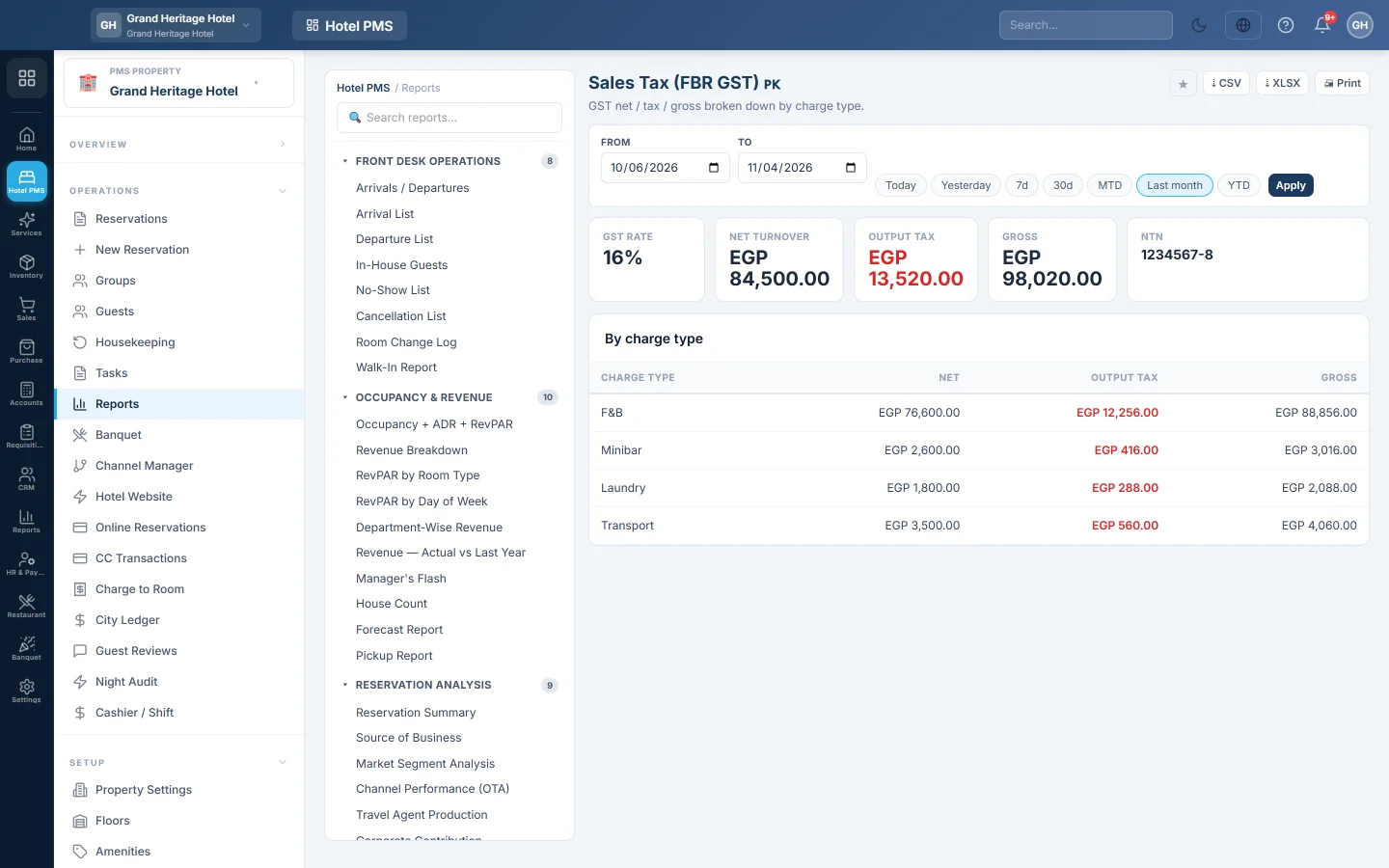
- GST rate, marked not configured until the rate is set.
- NTN: the NTN / Tax Number from Property Settings, or not set on property.
- Net turnover: the charges in the period, without room nights and tax lines.
- Output tax: net turnover times the rate.
- Gross: net plus tax.
- By charge type: the Net, tax and gross for food and beverage, minibar, laundry, services and other charges.
Common questions
Why are room nights not in the report? Room nights are taxed separately, for example by bed tax. See Bed Tax (PK).
Restaurant sales are missing. Only charges on hotel folios are counted, including outlet bills charged to rooms. Sales paid at the restaurant till are in the accounting tax reports, see Tax Summary.
Does this file the return? No. It gives you the figures for the return.
Gracias. Si todavía necesita ayuda, escriba a info@eloerp.net.