Bed Tax (PK)
The bed tax a hotel owes for a period, worked out from room revenue at the property's bed tax rate, with a daily breakdown for the provincial return.
Bed Tax works out the provincial bed tax on your room revenue for a period, with the room nights and revenue of each day, so you can fill in the return.
Before you begin
- Your role needs the hotel compliance permission. See Users & Roles.
- The property needs its bed tax rate. Rates differ by province, so EloERP never assumes one. Enter your province's rate in Bed tax % on Property Settings.
Where to find it
Open Reports → Hotel PMS Reports → Bed Tax (PK). It is also in the PK Compliance pack in the PMS Reports Hub.
Run the report
- Set From and To to the return period, for example Last month.
- Click Apply.
Read the report
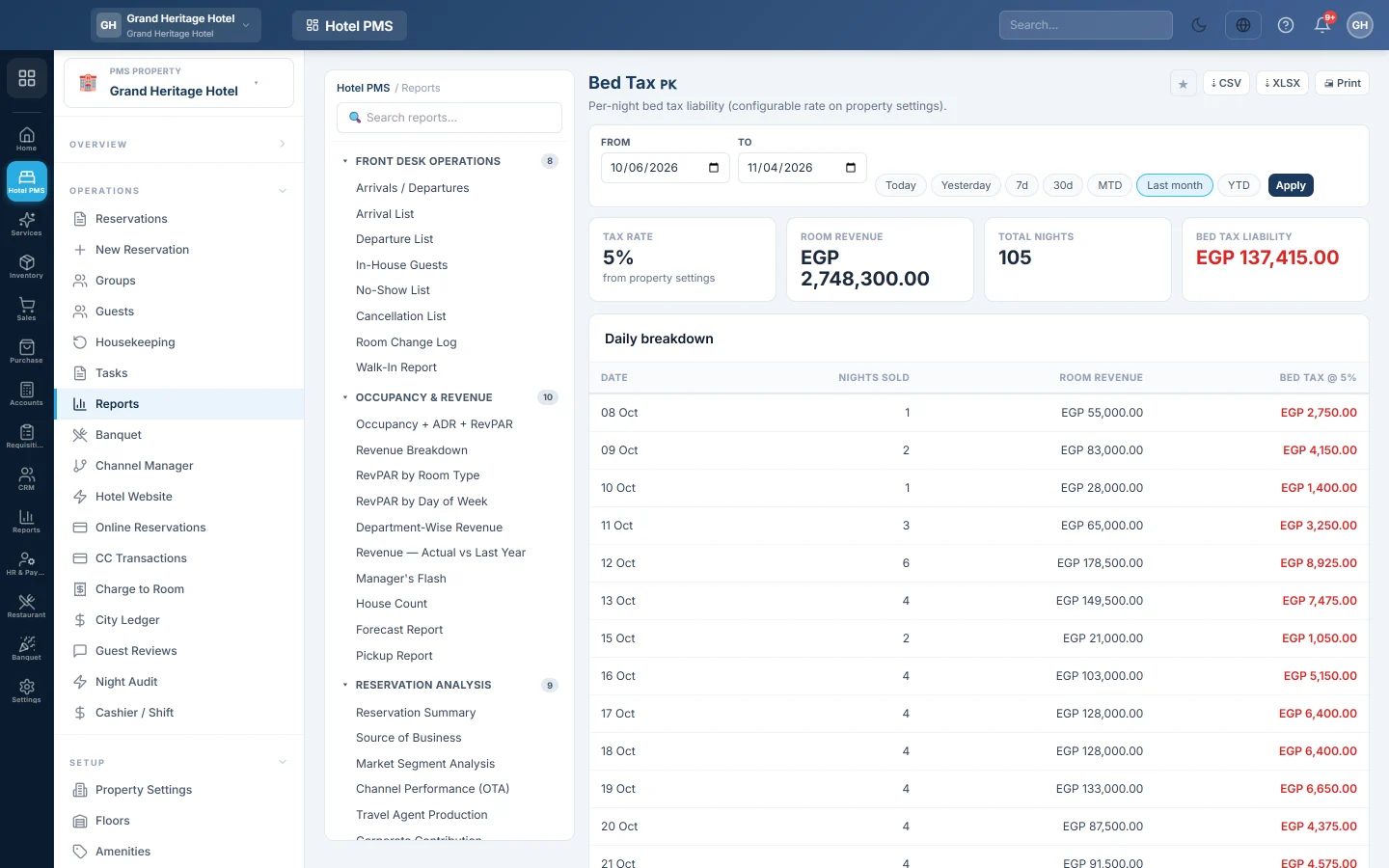
- Tax rate, marked from property settings, or not configured.
- Room revenue and Total nights for the period.
- Bed tax liability: room revenue times the rate.
- Daily breakdown: each Date with the Nights sold, room revenue and Bed tax @ the rate.
Room revenue is the nightly rates of confirmed, in-house and checked-out stays in those dates.
Common questions
The report shows not configured. The Bed tax % box on Property Settings is blank. Enter the rate before you file.
My hotel is exempt. Enter 0 in Bed tax %. The report then shows zero without the warning.
Does this post the tax to my accounts? No. It is a report. Tax entered on reservations posts when folios are settled.
شكرًا لك. إذا كنت لا تزال بحاجة إلى مساعدة، راسلنا على info@eloerp.net.